
If your lead response time small business setup relies on checking emails or replying “when you get a chance,” you’re already losing deals.
Not because your offer is bad, but because your timing is.
By the time you respond, they’ve already moved on.
That’s not bad luck. That’s how buyers behave now.
According to HubSpot, businesses that respond within minutes dramatically outperform those that wait. The gap between 5 minutes and 30 minutes is often the difference between winning and losing the deal.
The uncomfortable truth: slow response time doesn’t reduce conversions slightly. It removes you from the decision completely.
If your current setup can’t respond instantly, platforms like GoHighLevel let you automate SMS, email,
and follow-ups so every lead is handled immediately.
Quick Summary
Most businesses don’t choose the wrong tool because of features. They choose wrong because the system behind it doesn’t match how fast leads actually behave.
| Situation | What’s Actually Happening | What Fixes It |
|---|---|---|
| You reply when available | Leads contact competitors first | Instant SMS + email response |
| You rely on email | Low visibility, slow engagement | SMS-first response system |
| You send one message | No follow-up = lost leads | Multi-step automation sequence |
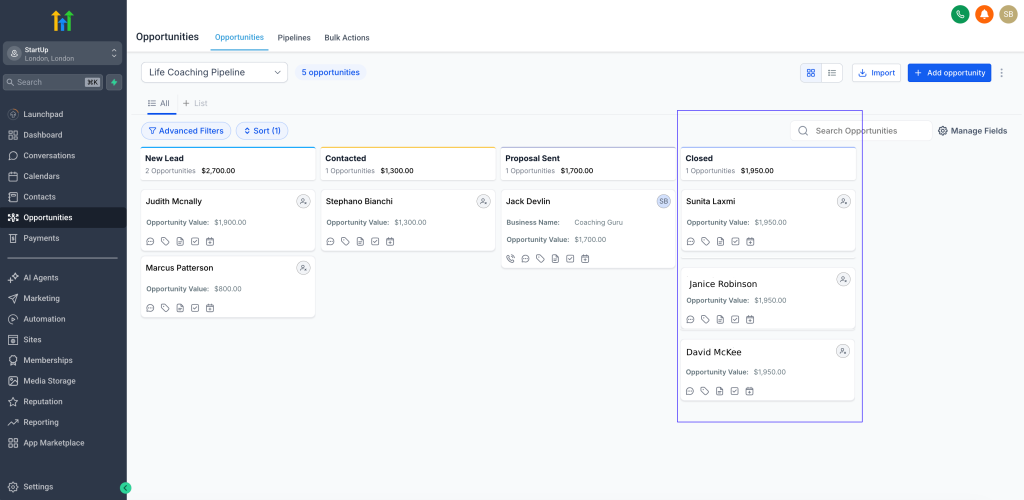
| You don’t track leads | You miss where deals drop off | CRM pipeline + automation |
| You miss after-hours leads | No system running | 24/7 automated workflows |
The Direction Most Businesses Get Wrong
You don’t have a lead problem.
You have a lead response time problem.
- GoHighLevel → for businesses that want full automation (instant replies + follow-up + CRM tracking)
- ClickFunnels → for capturing leads, but not built for instant response systems
- HubSpot → for teams needing structured CRM, but slower to deploy real-time automation
If your response time is slow, generating more leads just multiplies the problem.
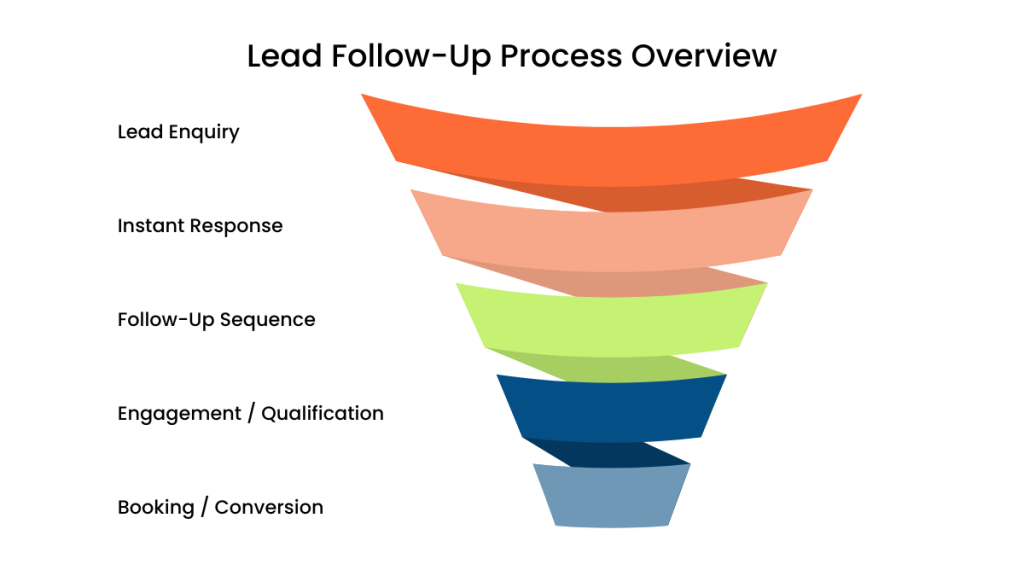
What Actually Happens When a Lead Comes In
For most owners, improving lead response time small business performance doesn’t require more effort. It requires removing delay from the system.
Most people think a lead sits and waits.
They don’t.
Here’s what actually happens:
- They open multiple tabs
- Submit multiple forms
- Message 2–4 businesses
- Choose whoever replies first
They’re not picking the best business. They’re picking the fastest and easiest one.
If your response comes later, you’re not “in the running.”
You’re the backup option they never return to.
Why Your Current Approach Is Failing
For most small businesses, lead response time isn’t a small issue. It’s the main reason leads don’t convert.
Let’s be direct.
Your system probably looks like this:
You check emails periodically.
You reply when you’re free.
You send one message and hope they respond.
That breaks in three places:
- Delay kills intent
By the time you reply, the lead has already moved on. - No second touchpoint
If they don’t respond, the opportunity disappears instantly. - No visibility
You don’t know which leads are stuck, lost, or ready.
You’re managing leads like conversations instead of a process.
The System That Fixes Lead Response Time
How to Fix Lead Response Time for Small Business
To fix lead response time small business, you need a system, not reminders.
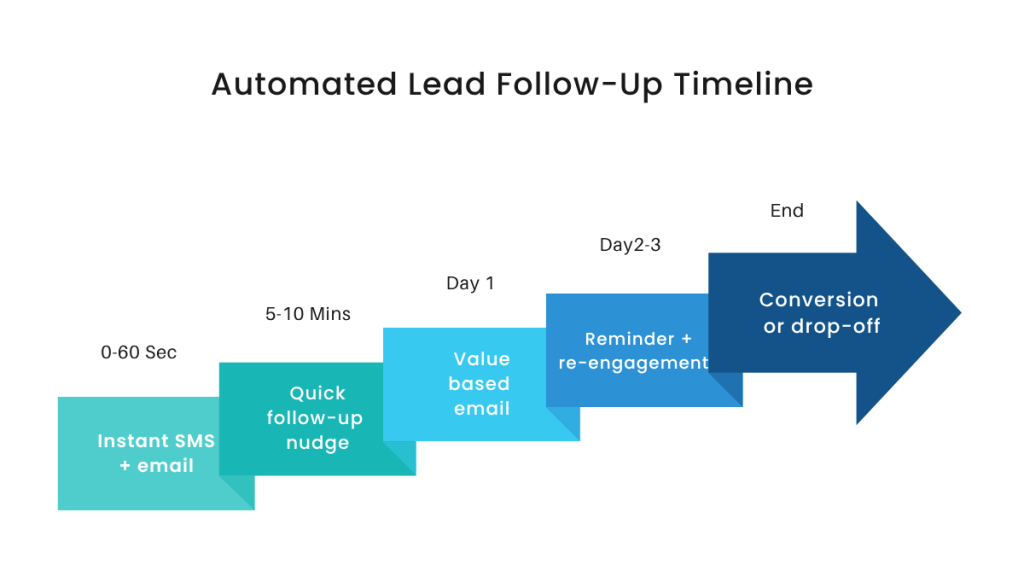
Call it the Instant Response Loop.
Step 1: Capture (0–10 seconds)
- Channel: CRM trigger
- Purpose: detect lead instantly
If your system doesn’t trigger immediately, everything else fails before it starts.
Step 2: Engage (0–60 seconds)
- Channel: SMS + email
- Purpose: start conversation immediately
Example SMS:
“Hey Sarah, just saw your enquiry. Are you looking for help this week or just exploring?”
This works because it’s fast, human, and easy to reply to.
If this step is missing, your lead starts comparing competitors.
Step 3: Qualify (2–10 minutes)
- Channel: SMS replies
- Purpose: identify intent
Example:
“Got it. Do you want pricing or a quick call?”
Now you’re sorting serious leads from casual ones.
Step 4: Convert (same session)
- Channel: booking link
- Purpose: secure commitment
The faster you move from reply → booking, the higher your conversion rate.
Step 5: Recover (Day 1–3)
- Channel: SMS + email
- Purpose: re-engage non-responders
Most businesses skip this.
That’s where a large percentage of conversions are actually recovered.
If this isn’t happening automatically, you don’t have a system. You have delays.
Real-World Example (What This Looks Like)
For most service businesses, lead response time small business performance is the difference between getting the job or losing it instantly.
A small service business runs Google Ads.
Before:
- Lead submits form at 7:45pm
- Reply sent next morning
- Lead already booked competitor
After:
- Lead submits form
- CRM captures instantly
- SMS sent within 10 seconds
- Lead replies within 2 minutes
- Booking link sent automatically
- Appointment booked same evening
Same lead. Different outcome.
This is exactly the kind of shift marketers like Jordan Platten focus on. Speed changes conversion, not just traffic.
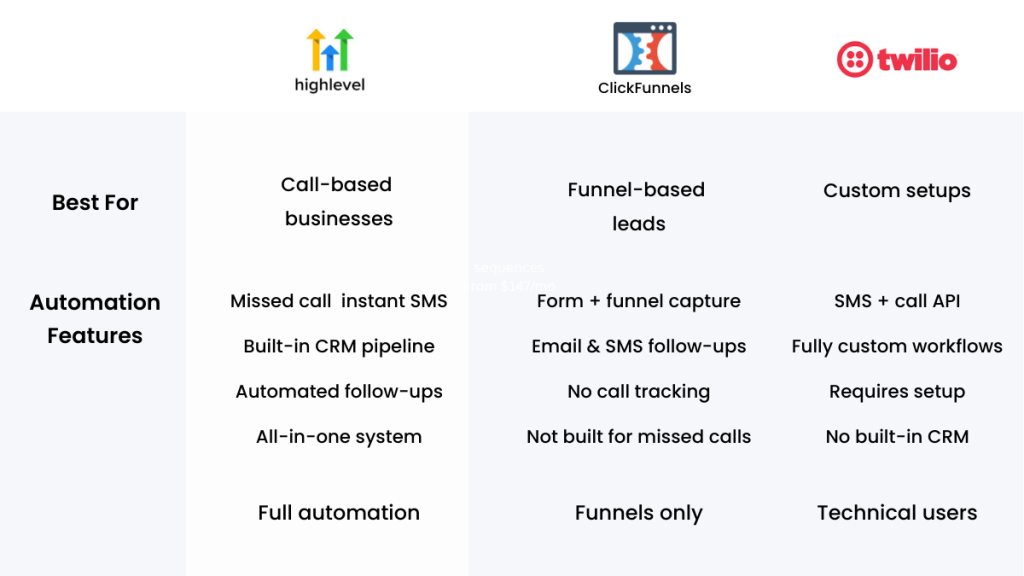
Comparison: Best Tools to Improve Lead Response Time
| Platform | Best For | Automation Features | Pricing |
|---|---|---|---|
| GoHighLevel | Full system automation | SMS, email, CRM, workflows | From $97/mo |
| ClickFunnels | Lead capture funnels | Basic follow-up | From $97/mo |
| HubSpot | CRM management | Email workflows, pipeline tracking | Free → paid |
Where Most Businesses Go Wrong
They install tools…
…but never build a system.
They:
- create forms
- connect email
- stop there
No timing. No sequence. No pipeline.
If your lead response time depends on you noticing a notification, it’s already broken.
Internal Reads That Make This Work
If you’re trying to connect this to a full setup, this becomes clearer when you look at how a CRM with automation actually works for small businesses.
And if you’re missing leads from phone calls, the system behind a missed call text back system fills a gap most businesses ignore.
If you’re comparing tools, understanding the trade-offs in best GoHighLevel alternatives will help you choose properly.
Decision: What Should You Use?
Improving lead response time for small business owners doesn’t require more staff. It requires removing delay from the system.
- Use GoHighLevel if you want to fix lead response time with full automation and tracking
- Use ClickFunnels if your main issue is capturing leads, not responding instantly
- Use HubSpot if you need a traditional CRM for team workflows
If speed is your problem, simplicity and automation matter more than features.
Lead Response Time for Small Business (Why Speed Wins Deals)
Bringing It All Together
If your lead response time small business setup isn’t instant, you’re competing at a disadvantage whether you realise it or not.
To fix lead response time, you need:
- instant trigger-based replies
- SMS + email combined
- structured follow-up
- pipeline tracking
This isn’t about working faster.
It’s about removing delay completely.
Before You Decide (Tool Reinforcement)
At this point, the difference is clear:
- GoHighLevel → best for building a complete instant response system
- ClickFunnels → best for generating leads, not handling them
- HubSpot → best for structured CRM environments, slower for instant engagement
The tool matters less than whether it lets you respond instantly.
Final Thought
You don’t need more leads.
You need to stop losing the ones you already paid for.
Every delayed response is a deal you never even got the chance to close.
If you want to fix this quickly, start by setting up a simple instant response workflow using
GoHighLevel and remove response delays completely.
FAQ
What is a good lead response time for small businesses?
Ideally within 1–5 minutes. Faster responses significantly increase your chances of converting the lead.
Is SMS necessary for fast response?
Yes. SMS gets faster engagement than email and is more likely to be seen immediately.
Can I fix lead response time without automation?
You can try, but it won’t scale. You’ll miss leads during busy periods or outside working hours.
What’s the biggest mistake businesses make?
Relying on manual responses and sending only one message instead of a structured follow-up sequence.
Suggested Reads
If you’re building this out properly, start by understanding how a CRM with automation for small businesses actually works in practice.
Then look at how a missed call text back system captures leads you didn’t even speak to.
And if you’re still comparing tools, best GoHighLevel alternatives will give you a clearer decision path.