
The best automation tools for virtual assistants aren’t about adding more software.
Most virtual assistants don’t need more tools.
They need fewer tools that actually remove work.
At some point, spreadsheets stop working. Leads slip through. You forget to send a reminder. A client asks for an update you meant to automate weeks ago. That’s usually when automation stops being a “nice to have” and becomes necessary.
This isn’t a list of every tool on the internet. It’s a breakdown of what actually makes sense for virtual assistants in 2026, depending on how you work and how you want to position yourself.
Before we talk tools, it’s worth getting clear on what automation is supposed to solve.
It should reduce manual follow-up.
It should centralise information.
It should remove repetitive admin.
If you still feel like the middleman moving information between apps, your system isn’t automated. It’s stitched together.
The goal isn’t to stack more software. It’s to remove friction.
Many of the high paying virtual assistant skills today revolve around automation, CRM setup, and systems that remove manual work.
This is why many VAs charging premium rates focus on systems and automation rather than admin work, which is exactly why some VAs can earn £50 per hour or more.
GoHighLevel
If you want everything in one place, this is the heavyweight option.
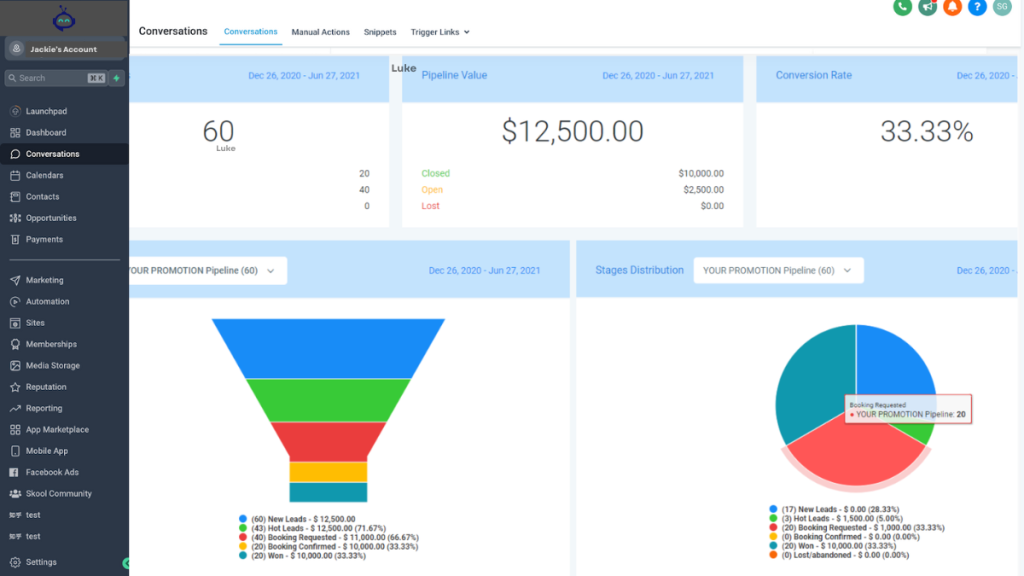
GoHighLevel combines CRM, booking, pipelines, landing pages, email, SMS, and workflow automation inside one platform. Instead of juggling five separate tools, you build the system once and let it run.
For VAs who want to move beyond admin and offer automation as a service, this is powerful. You can manage lead pipelines, set up automated reminders, build onboarding flows, and track conversations without switching tabs all day.
It’s not a lightweight tool. If you only need a calendar link, it’s too much. But if you’re positioning yourself as an automation-focused VA or supporting coaches, agencies, or service businesses, it replaces a full tech stack.
This is less about “having a CRM” and more about controlling the client journey end to end.
Zapier
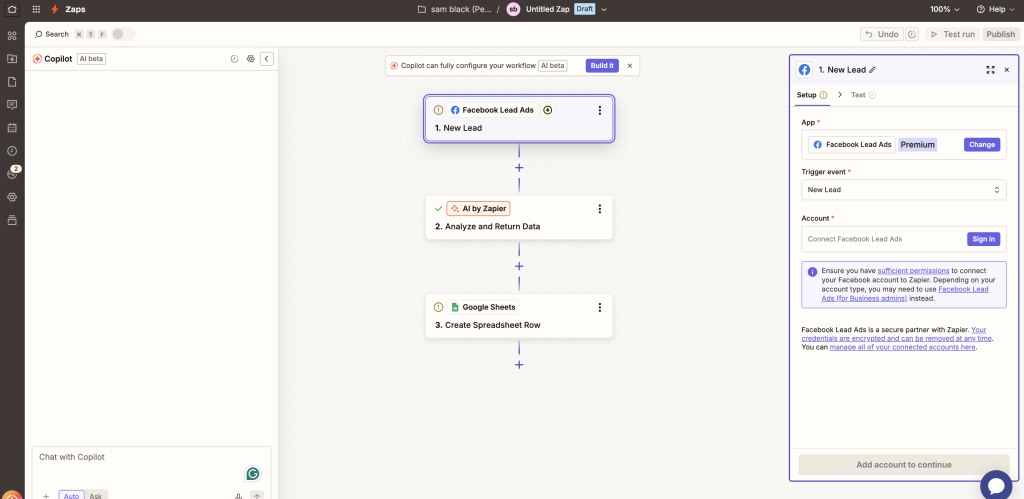
Zapier is useful when you don’t want to change your tools, you just want them to talk to each other.
Form submissions trigger emails. Bookings create tasks. CRM updates send Slack alerts. It sits in the background and connects platforms that otherwise wouldn’t communicate.
The upside is flexibility. The downside is complexity.
If you connect too many separate apps, you create fragile systems. One tool changes something and the whole chain breaks.
Zapier works best when you already have a clear structure and just need automation between steps. It’s not a strategy. It’s a connector.
Calendly
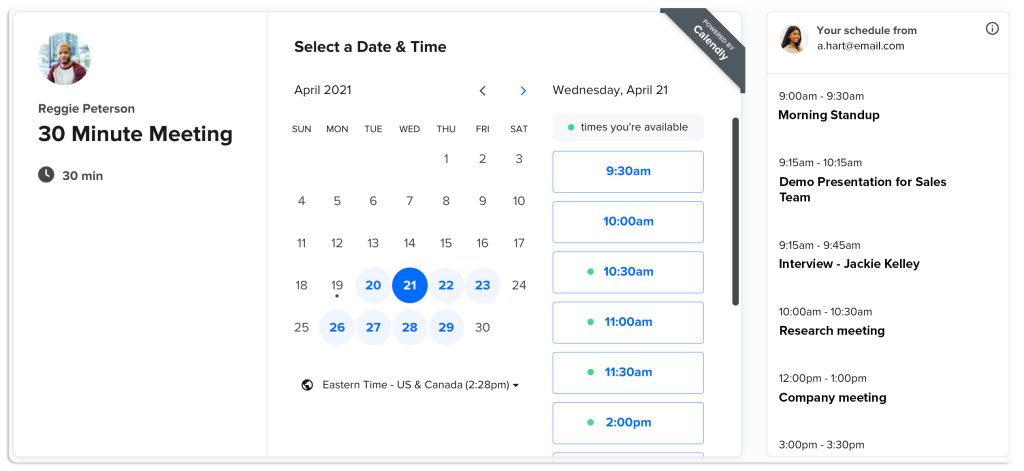
Calendly is popular because it’s simple.
You send a link. People book. Reminders go out. Done.
For basic scheduling, it works well. But that’s where it stops.
Once you need follow-up sequences, client onboarding flows, pipeline tracking, or integrated communication, you start layering other tools on top. That’s when things get messy.
Calendly handles bookings. It doesn’t handle the relationship after the booking.
For many VAs, it’s a starting point. Rarely the full solution.
ClickUp or Notion
Sometimes the issue isn’t automation. It’s organisation.
If your work is scattered, your first upgrade might not be a CRM. It might be a clearer internal system.
ClickUp and Notion are strong for task management, client dashboards, SOP storage, and project tracking. They don’t deeply automate communication, but they reduce chaos.
Choosing the Right Tool
There’s no universal answer.
If you’re mostly booking calls and sending reminders, keep it simple.
If you’re offering higher-ticket automation services or managing full client funnels, you’ll outgrow simple scheduling tools quickly.
If your business feels messy internally, prioritise structure first.
The mistake most VAs make is adding tools instead of removing friction. They stack subscriptions without asking whether the system is actually lighter.
Automation should feel like breathing space.
If it feels heavier, more technical, or more fragile than before, step back.
The Real Shift
The difference between a £25 per hour VA and a higher-paid automation-focused VA isn’t just skill.
It’s systems.
When follow-ups happen automatically. When onboarding is structured. When leads don’t get forgotten. When clients see clear pipelines instead of scattered emails.
That’s where value increases.
The best automation tools for virtual assistants aren’t the flashiest. They’re the ones that quietly remove repetitive work so you can focus on the parts that require judgment, communication, and strategy.
Start there. Remove one repetitive task. Then another.
That’s how you scale without burning out.
Free Download, GoHighLevel VA Blueprint Guide
If you want to become a premium VA, you need proof.
Not just knowledge.
This free guide shows you exactly what to build inside GoHighLevel so you can screenshot it, add it to your portfolio, and start getting higher-paying clients faster.
It includes:
The 7-step skill path
What to practise first
What screenshots to capture
What to say in proposals
FAQ
What is the best automation tool for virtual assistants?
GoHighLevel is one of the best automation tools for VAs because it combines workflows, CRM, booking, SMS, email follow-up, and funnels in one platform.
Can virtual assistants offer automation as a service?
Yes. Automation setup is one of the highest-paying VA services because it saves businesses time and prevents missed leads.
Is Zapier enough for automation VA work?
Zapier is useful for integrations, but it is not a complete business system. Most premium clients prefer a platform that includes CRM and follow-up built in.
Related Virtual Assistant Guides
Best Automation Tools for Virtual Assistants
Can a Virtual Assistant Earn £50/hour?
High Paying Virtual Assistant Skills