
Common Mistakes That Keep Virtual Assistants Stuck on Low Rates
Most virtual assistants don’t struggle because they lack skills.
They struggle because those skills aren’t positioned in a way that produces results.
That’s why they stay stuck doing low-value, low-paying work.
Let’s be blunt.
Most “virtual assistant skills lists” online are useless.
They focus on general admin tasks like email management, data entry, and calendar scheduling. That’s fine, but it’s also why so many VAs stay stuck at £15–£25/hour competing with thousands of others.
This virtual assistant skills list shows the difference.
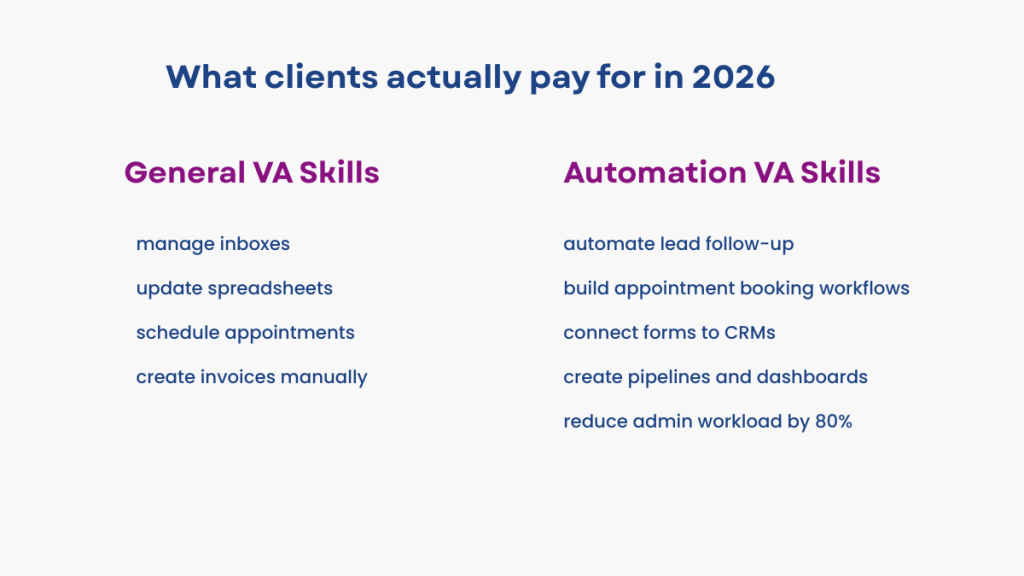
General VA skills usually cap your income.
Automation skills increase it.
General admin work keeps you in the £15–£30/hour range.
Automation-focused work is what moves you into £50–£80/hour retainers.
If you want better clients, higher rates, and real demand in 2026, you need to stop positioning yourself as a helper.
You need to position yourself as a systems operator.
That’s the shift.
Most service businesses aren’t struggling because they lack leads.
They’re struggling because nobody follows up properly.
Automation fixes that.
If you want to see the tools automation-focused VAs actually use, our guide to Best Automation Tools for Virtual Assistants breaks them down.
The £15 to £80/hour Automation VA Skill Path
If you want a clear roadmap of what to learn first, grab it.
Virtual Assistant Skills List (2026)
Most virtual assistants start with general admin skills.
But higher-paying clients don’t hire for admin work. They hire for systems.
That’s the difference this virtual assistant skills list highlights.
General Virtual Assistant Skills
These are the skills most VAs begin with.
They’re useful, but they’re also easy to replace and highly competitive.
Email management
Calendar scheduling
Data entry
Customer support
Basic research
Social media posting
Automation Virtual Assistant Skills
These are the skills that increase your value.
They focus on systems, follow-up, and revenue support rather than simple task completion.
CRM setup and pipeline management
Automated follow-up systems
Booking and appointment automation
Funnel and landing page setup
SMS and email workflows
Client onboarding automation
Reporting dashboards
Lead capture systems
Integration tools
Many of these systems rely on the automation tools for virtual assistants covered in this guide.
General Virtual Assistant Skills (Still Useful, but Usually Capped in Pay)
These are the skills most clients expect from a virtual assistant.
They’re not useless.
They’re just not rare.
Admin and Organisation
Email management, calendar scheduling, travel booking, document organisation, and keeping systems like Google Drive clean.
Clients value this because it saves time.
But it’s also widely available, which keeps pricing low.
Data Support and Basic Reporting
Updating spreadsheets, tracking simple metrics, doing research, and entering information into a CRM.
It’s helpful work.
But it rarely has a direct impact on revenue.
Customer Support Basics
Replying to enquiries, handling DMs, answering FAQs, and basic follow-up.
Most businesses see this as support work, not strategy.
Which is why it’s often priced lower.
Content and Marketing Support
Creating Canva graphics, scheduling posts, formatting blogs in WordPress, writing captions, uploading content.
These tasks are valuable.
But they’re also highly competitive and easy to outsource.
Why These Skills Have a Ceiling
The problem isn’t the work.
It’s the positioning.
These skills help businesses stay organised.
They don’t directly help businesses grow.
And that’s why they tend to cap your income.
Automation Virtual Assistant Skills (This Is Where the Rates Jump)
Automation VA skills aren’t “cooler” skills.
They’re simply the skills that affect revenue, conversion rates, and client retention.
That’s why clients pay more.
1. CRM Setup and Pipeline Design
If you can set up a CRM properly, you immediately become valuable.
Not just adding contacts.
Structuring pipelines, defining lead stages, organising tags, and making it clear where leads are getting stuck.
Most businesses already have a CRM.
Very few use it properly.
Fixing that is one of the fastest ways to increase your value.
2. Lead Capture Automation (Not Just Forms)
A high-value Automation VA doesn’t just build forms.
They connect systems.
A form should:
create a contact
tag the lead
assign it to a pipeline stage
trigger follow-up
That’s what businesses actually need.
They just don’t know how to build it.
3. Booking Systems With Built-In Follow-Up
Booking isn’t the problem.
Follow-up is.
A strong Automation VA builds booking systems that include:
confirmation messages
SMS reminders
rescheduling logic
no-show recovery
Reducing no-shows directly increases revenue.
That’s why this skill is valuable.
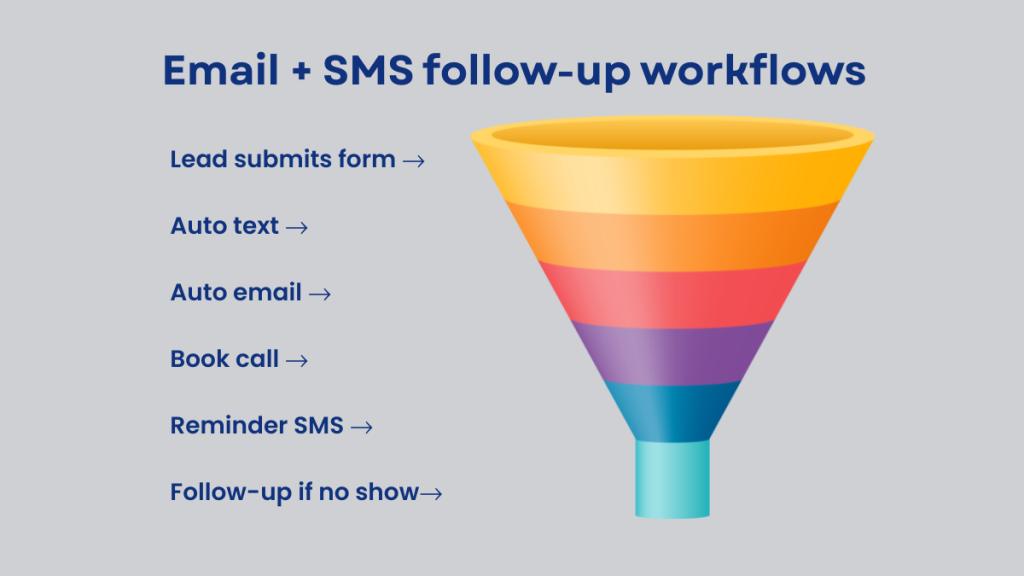
4. SMS and Email Follow-Up Workflows
This is where the shift happens.
Businesses don’t lose leads because they don’t get enquiries.
They lose leads because they don’t follow up quickly enough.
If you can build a system that responds within minutes and continues follow-up over several days, you are directly impacting sales.
That’s what separates admin work from operations-level work.
Why These Skills Pay More
These skills don’t just help businesses stay organised.
They help businesses convert more leads.
That’s the difference.
And that’s why Automation VAs are able to charge significantly higher rates.
5. Client Onboarding Automation
This is where VAs start looking like consultants.
A proper onboarding workflow isn’t just sending a welcome email.
It includes intake forms, contracts, payment confirmation, task triggers, and clear “what happens next” communication.
When this is set up properly, the business feels more organised and the client experience improves immediately.
That’s why clients pay for it.
6. Tool Stack Simplification (The Hidden High-Income Skill)
Most businesses are using too many tools.
A booking system, a CRM, an email platform, a form builder, plus spreadsheets holding everything together.
It works, but it’s messy.
They don’t want another tool.
They want a system that replaces half of what they’re already using.
If you can simplify that setup and bring everything into one workflow, you become someone the business depends on.
Virtual Assistant Skills List, Automation VA Skills (This Is Where the Money Is)
This is the skill set clients will pay real money for.
Because it directly impacts revenue and time.
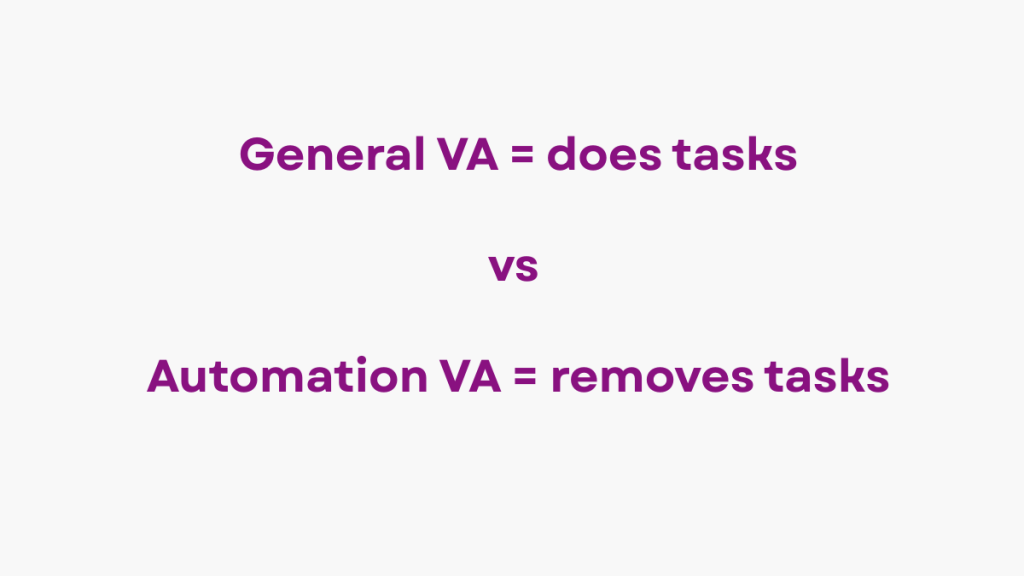
Automation VAs aren’t “better”.
They’re just operating in a higher-value category.
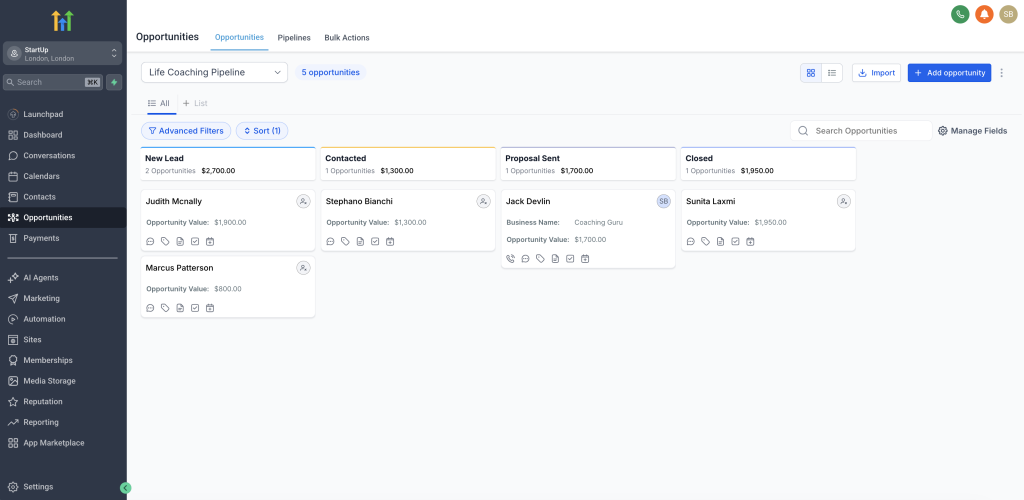
1. CRM Setup and Pipeline Management
This is where businesses stop losing leads.
And where VAs start charging properly.
It includes:
building sales pipelines
defining pipeline stages
automating deal movement
creating task reminders
organising contacts with tags
segmenting leads properly
When a CRM is set up correctly, a business can see exactly where leads are, what needs follow-up, and where revenue is getting stuck.
That visibility alone makes this skill valuable.
Many of these systems rely on the tools covered in Best Automation Tools for Virtual Assistants, where you can see how these workflows are actually built.
2. Lead Capture and Form Automation
This is where systems start connecting.
It’s not just about collecting names and emails. It’s about what happens next.
A proper setup includes:
building lead forms
embedding forms into websites or landing pages
automatically creating contacts in the CRM
assigning leads to the right pipeline stage
triggering follow-up sequences instantly
This is one of the easiest skills to sell.
More leads captured and followed up properly = more revenue. Clients understand that immediately.
3. Appointment Booking Automation
Booking isn’t the problem.
Follow-up is.
A strong system includes:
calendar setup
round-robin booking for teams
confirmation messages
SMS and email reminders
no-show prevention workflows
rescheduling logic
Most service businesses lose money through missed appointments.
If you fix that, you move from admin support into operations.
4. Email and SMS Follow-Up Workflows
This is where Automation VAs become valuable fast.
You’re building systems that work even when you’re offline.
Typical workflows include:
lead nurturing sequences
abandoned enquiry follow-up
missed call text-back
appointment reminders
reactivation campaigns for old leads
Businesses don’t lose leads because they lack enquiries.
They lose them because they don’t follow up properly.
5. Sales Funnels and Landing Pages
This is where everything connects.
You’re not just building pages. You’re building conversion paths.
That includes:
simple landing pages
lead forms connected to automation
thank-you page tracking
lead magnet delivery
basic funnel flows
This is one of the fastest ways to move into retainers.
You’re no longer doing tasks. You’re building acquisition systems.
6. Client Onboarding Automation
This is where you start looking like a consultant, not a VA.
A proper onboarding system includes:
intake forms
welcome email sequences
contract and invoice workflows
task triggers
client folder creation
clear “next steps” communication
Clients pay for this because it makes their business feel organised and premium.
7. Reputation Management Systems
This is simple but powerful.
Especially for local businesses.
It includes:
automated Google review requests
SMS review follow-ups
post-service messaging
tracking review performance
More reviews = better rankings = more leads.
That’s why clients pay for it.
8. Reporting Dashboards and Tracking
Most business owners hate reporting.
But they still want answers.
A strong setup includes:
lead tracking dashboards
automated weekly reports
conversion tracking
follow-up performance insights
If you can clearly show results, clients stay longer.
9. Integrations and System Design
This is the hidden high-income skill.
It’s not about “knowing Zapier”.
It’s about building systems that don’t break.
That includes:
connecting tools properly
reducing unnecessary software
fixing broken workflows
designing reliable automation systems
Most businesses are overwhelmed by tools.
If you simplify their setup, you become essential.
This virtual assistant skills list makes it easier to decide which skills are worth learning first.
This is why Automation VAs charge more. Not because they work harder. Because they fix expensive problems.
Learning better skills makes it easier to set virtual assistant pricing that reflects your real value.
General VA vs Automation VA Skills (Pay Difference)
| Skill Area | General VA Work | Automation VA Work | Typical Pay |
|---|---|---|---|
| Admin | Scheduling, inbox | Automated reminders | £25–£60/hr |
| CRM | Manual updates | Pipeline automation | £40–£80/hr |
| Marketing | Posting content | Funnel + follow-up systems | £50–£100/hr |
| Support | Replying to messages | Automated routing + workflows | £35–£70/hr |
| Operations | Manual onboarding | Automated onboarding systems | £50–£100/hr |
| Reporting | Spreadsheet updates | Dashboards + tracking | £50–£90/hr |
The Tool Stack Behind Automation VAs (And Why Clients Pay More)
Here’s what most businesses are actually dealing with:
Calendly
Mailchimp
Google Sheets
Stripe
a CRM they barely use
Zapier
manual WhatsApp follow-ups
It’s messy.
It breaks.
And leads get lost every week.
This is where Automation VAs become valuable.
You don’t add more tools.
You simplify everything into one system.
That’s why platforms like GoHighLevel matter.
Not because it’s “popular”.
Because it replaces multiple tools and keeps everything connected.
What to Learn First (If You’re Starting From Scratch)
If you’re feeling overwhelmed, ignore everything else and follow this path:
Step 1 – CRM basics
contacts, tags, pipelines, stages
Step 2 – Follow-up automation
triggers, delays, SMS/email sequences
Step 3 – Booking systems
confirmations, reminders, no-show flows
Step 4 – Lead capture
forms, landing pages, simple funnels
Step 5 – Onboarding workflows
welcome emails, intake forms, task automation
Many VAs increase their income by focusing on high paying virtual assistant skills instead of general admin work.
The £15 → £80/hour Shift
Most VAs stay stuck here:
£15–£25/hour
admin tasks
reactive work
Automation VAs move here:
£50–£80/hour retainers
systems + workflows
revenue impact
That shift is not about working harder.
It’s about working on systems that make businesses money.
Who This Is NOT For
This matters.
This path is not ideal if:
you hate systems and logic
you only want creative work
you want simple admin tasks only
you don’t want to learn software properly
Because automation clients expect you to think like an operator.
But if you enjoy solving problems and improving processes, this is one of the fastest ways to increase your rates.
Common Mistakes That Keep VAs Stuck
Mistake 1: Listing tools instead of outcomes
Clients don’t care about tools. They care about results.
Mistake 2: Calling yourself “multi-skilled”
That sounds generic. Specialists win.
Mistake 3: Charging hourly for automation
Automation is infrastructure, not time-based work.
Mistake 4: Avoiding CRMs
That’s where the money is.
Where GoHighLevel Fits (And Why It Works)
At some point, you need one system that handles:
CRM
pipelines
forms
booking
email
SMS
funnels
reporting
GoHighLevel does this in one place.
That’s why agencies and service businesses are moving to it.
Suggested Reads
If you’re building your skills and offers at the same time, these will help:
→ Best CRM for Virtual Assistants
→ Best Automation Tools for Virtual Assistants
→ Virtual Assistant Monthly Retainer Packages