
Automatic Lead Follow-Up System Explained
Most businesses don’t realise how many leads they’re losing.
You get an enquiry, reply when you can, maybe follow up once… then nothing. The lead disappears. No response, no booking, no clear reason why.
That’s exactly why an automatic lead follow up system matters. Without one, your results depend on timing and memory. With one, every lead is handled instantly and consistently.
Most businesses don’t have a lead problem. They have a follow-up problem.
Quick Summary: How This Works
| Key Area | Insight |
|---|---|
| Core Problem | Leads drop off because follow-up depends on you instead of a system |
| Quick Fix | Build an automatic system that responds instantly and continues follow-up |
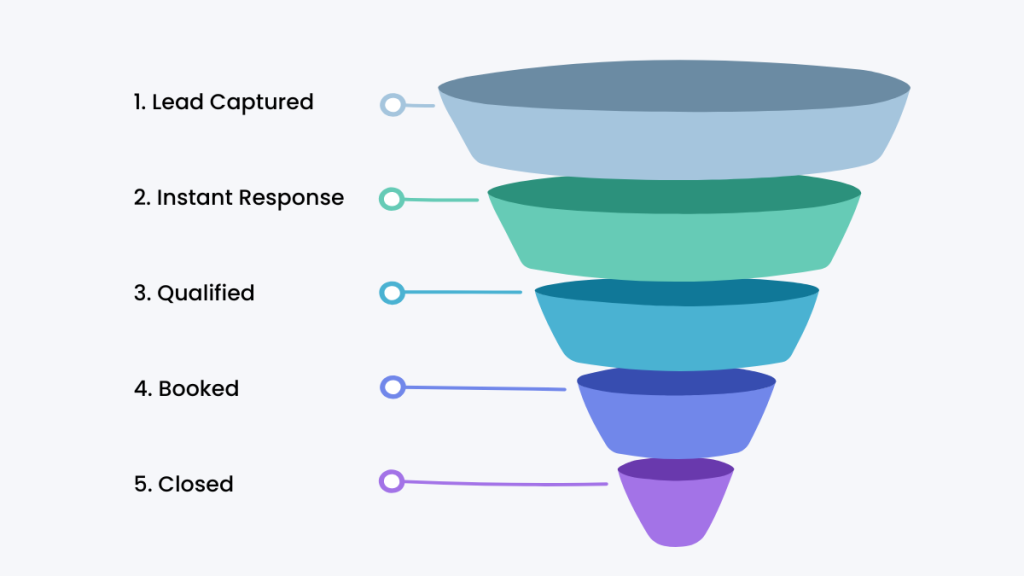
| System Flow | Lead captured → instant reply → structured sequence → pipeline tracking |
| Best Tools | GoHighLevel for full automation, ClickFunnels for funnels, HubSpot for CRM tracking |
| Key Advantage | Every lead is contacted within seconds and followed up consistently |
| Outcome | More replies, more bookings, fewer missed opportunities |
Early Software Overview (Top Tools)
Once the system is clear, the tool becomes obvious.
If you want to compare platforms that actually run this setup, see Best Lead Follow Up Software
What an Automatic Lead Follow Up System Actually Is
If your follow-up is just sending a few emails, you don’t have a system. You have a delay.
Your follow-up fails because it depends on you, not a process.
An automatic lead follow up system means:
- every lead gets an instant response
- follow-up continues without manual input
- leads move through a defined pipeline
- actions trigger based on behaviour
According to HubSpot, faster response times directly impact conversion rates. But speed without structure still fails.
How to Build an Automatic Lead Follow Up System
Here’s what actually happens when the system is set up properly.
Step 1: Lead Capture → CRM (Day 0)
A lead submits a form or enquiry.
Instead of landing in your inbox, it goes straight into your CRM.
If your leads sit in emails, you don’t have a system. You have delays.
This is why setups like Best CRM With Automation for Small Businesses matter at the foundation.
Step 2: Instant Response (Within 60 Seconds)
This is where most businesses lose leads.
Send:
- confirmation email
- SMS message
Example SMS:
“Hey, just saw your enquiry come through. We’ll be in touch shortly. If you want to book now, here’s the link.”
This keeps the lead engaged while interest is still high.
Step 3: Automated Follow-Up Sequence (Days 1–5)
Now the system takes over.
Day 1 (Email)
Subject: “Quick question about your enquiry”
Message:
“Just checking what you’re looking to achieve so we can point you in the right direction.”
Day 2–3
Reminder + reassurance
Day 4–5
Final follow-up with a clear next step
If this isn’t happening automatically, leads will drop off.
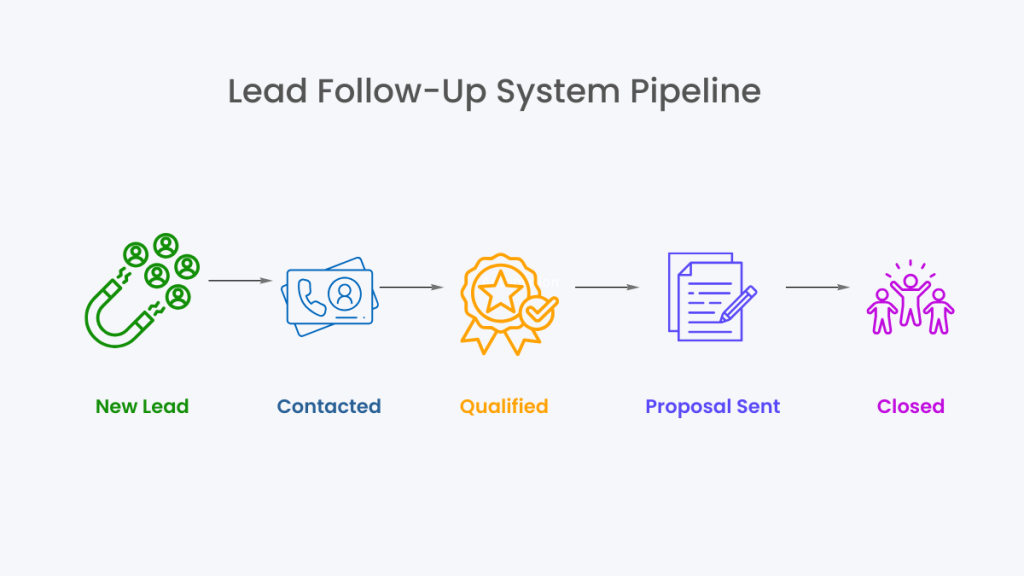
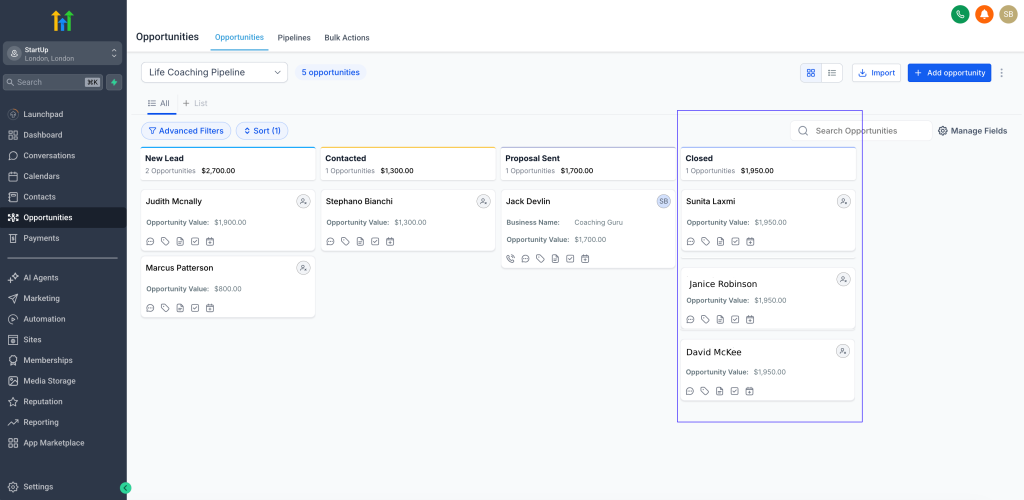
Step 4: Pipeline Tracking
Leads move through stages:
- New
- Contacted
- Booked
- Closed
Each stage triggers the next action.
This is what turns follow-up into a system instead of guesswork.
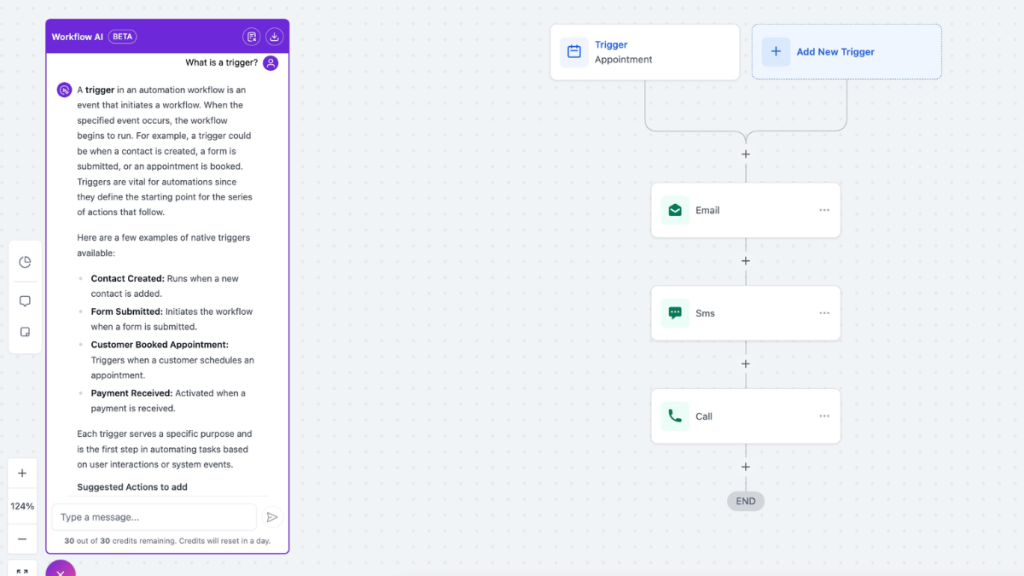
Step 5: Behaviour-Based Automation
The system reacts to actions:
- email opened → follow-up triggered
- link clicked → moved in pipeline
- booking made → automation stops
This is where automation becomes responsive.
Lead follow up funnel showing stages from captured to closed
Real-World Example
A local service business runs ads.
A lead fills out a form.
Here’s what happens:
- lead enters CRM instantly
- SMS sent within 1 minute
- email sequence starts automatically
- follow-ups continue over several days
- lead books → pipeline updates → follow-up stops
No manual chasing. No missed opportunities.
This is why systems like Missed Call Text Back System (2026) consistently outperform manual follow-up.
Choosing the Right System
Use GoHighLevel if you want:
- full automation
- everything in one place
- minimal manual work
Use ClickFunnels if you want:
- funnel-based follow-up
- simple automation tied to offers
Use HubSpot if you want:
- structured CRM tracking
- reporting and visibility
If your follow-up is inconsistent, you don’t need more tools. You need a system.
Why Most Follow-Up Systems Fail
Most businesses don’t fail because they lack tools.
They fail because:
- no defined process
- no automation triggers
- no pipeline visibility
They rely on:
- memory
- manual effort
- inconsistent timing
That’s why leads disappear without explanation.
For a deeper breakdown, see Best Automation Tools for Virtual Assistants
Software Reinforcement: What You Should Actually Use
At this point, the decision should be clear.
If you want a complete automatic lead follow up system, GoHighLevel is the strongest option because everything is connected.
If you’re focused on funnel-based conversion, ClickFunnels works well.
If you want structured tracking, HubSpot is a solid choice.
But if your problem is inconsistent follow-up, automation is the priority.
FAQ
What is an automatic lead follow up system?
It’s a system that automatically responds to leads, continues follow-up, and tracks them without manual effort.
How quickly should you follow up with leads?
Within minutes. Delays reduce engagement significantly.
How many follow-ups should you send?
Typically 5–7 touchpoints over several days.
Do small businesses need automation?
Yes. Without it, follow-up becomes inconsistent and leads are lost.
Suggested Reads
If you want to improve your CRM setup, read Best CRM for Virtual Assistants.
To compare tools, see GoHighLevel vs ClickFunnels.
For pricing, check GoHighLevel Pricing Explained.