
Choosing the best free CRM for small business is often the first step toward getting organised. Many businesses start with a free CRM because it avoids monthly costs while still providing a way to track customers and enquiries.
Choosing the best free CRM for small business depends on how many leads you manage and how much automation you need.
Free CRM systems can work well at the beginning, especially when lead volume is still low. But most free CRM tools focus mainly on storing contacts rather than helping businesses automate follow-ups and manage growth.
Understanding what free CRM tools can and cannot do helps small businesses choose the right starting point.
What a Free CRM Is Actually Good For
Free CRM software is mainly designed for basic organisation.
Most free CRM plans allow businesses to:
Store contacts
Track leads
Manage pipelines
Add notes
Track activity
For early-stage businesses this is usually enough.
Many small businesses move from spreadsheets to a CRM simply to keep customer information organised in one place.
Free CRM tools work best when:
- Lead volume is low
- Follow-ups are done manually
- Teams are small
- Processes are simple
At this stage, a free CRM can be a good starting point.
Many businesses start searching for the best free CRM for small business when spreadsheets become difficult to manage.
Where Free CRM Software Falls Short
The biggest limitation of free CRM systems is automation.
Most free plans do not include:
Automatic follow-up messages
Pipeline automation
SMS automation
Workflow automation
Advanced integrations
This means businesses still have to follow up with leads manually.
As enquiries increase, manual follow-up becomes harder to manage and leads often get missed.
If automation is important, see Best CRM With Automation for Small Businesses (2026):
Automation becomes the main reason businesses upgrade from free tools.
Best Free CRM for Small Business Options
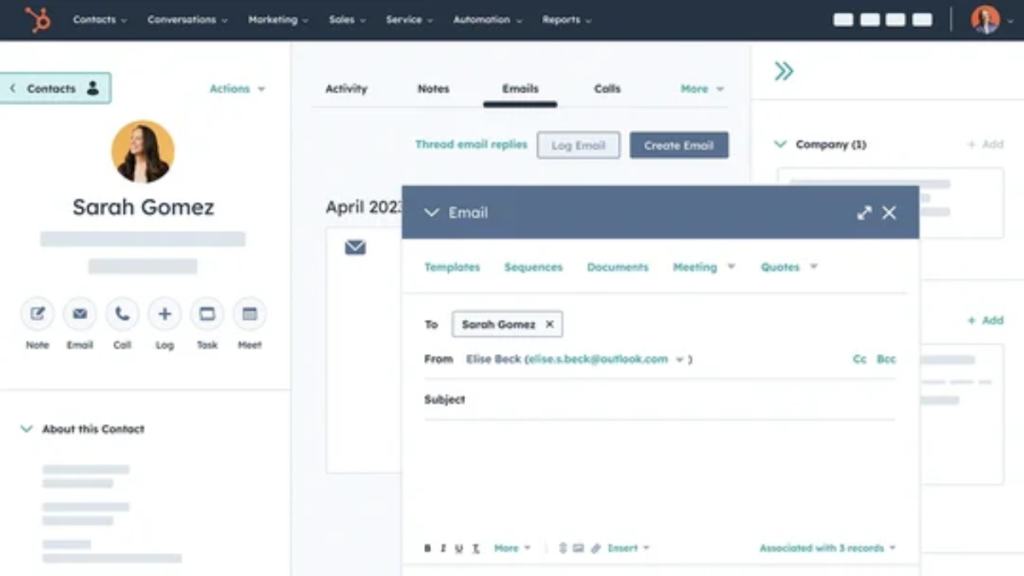
HubSpot Free CRM
HubSpot offers one of the most popular free CRM plans available.
The free version includes:
Contact management
Deal pipelines
Basic reporting
Email tracking
Forms
HubSpot works well for businesses that want a simple system with a clean interface.
Many small businesses start with HubSpot because it is easy to understand and quick to set up.
However, automation features are limited unless you upgrade to paid plans.
HubSpot is often used as a starting point before businesses move to more advanced systems.
HubSpot is often considered one of the best free CRM for small business options because the free plan includes contact management and pipelines.
You can see the full details of the free plan on the official HubSpot CRM page
Zoho CRM Free Edition
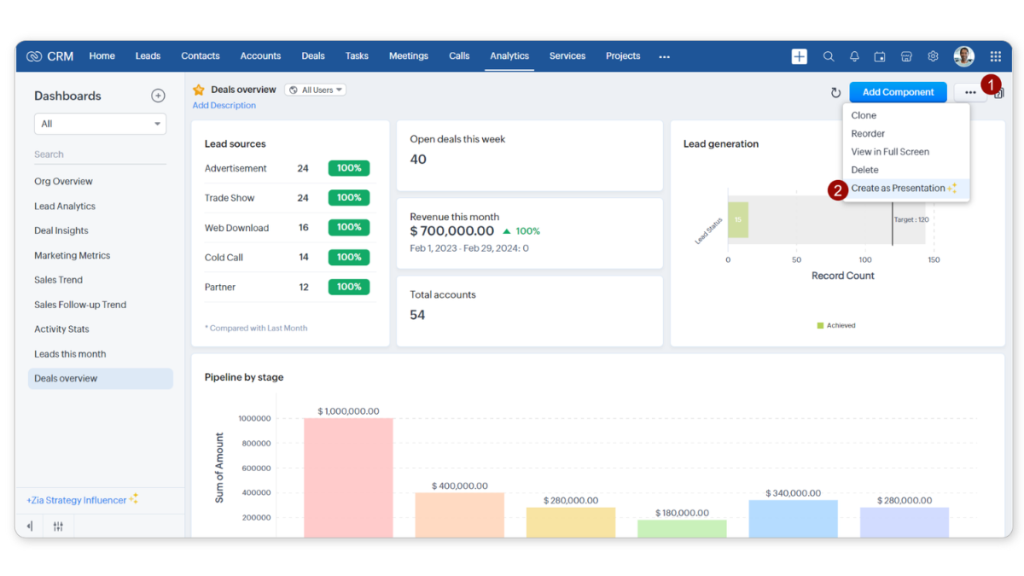
Zoho CRM offers a free edition designed for small teams.
The free version typically includes:
Contact management
Lead tracking
Deal pipelines
Basic workflows
Zoho provides more structure than many simple CRM systems.
It can be a good option for businesses that want more control over pipelines and contacts.
The interface can take longer to learn compared to simpler CRMs, but it offers solid features for a free plan.
Freshsales Free CRM
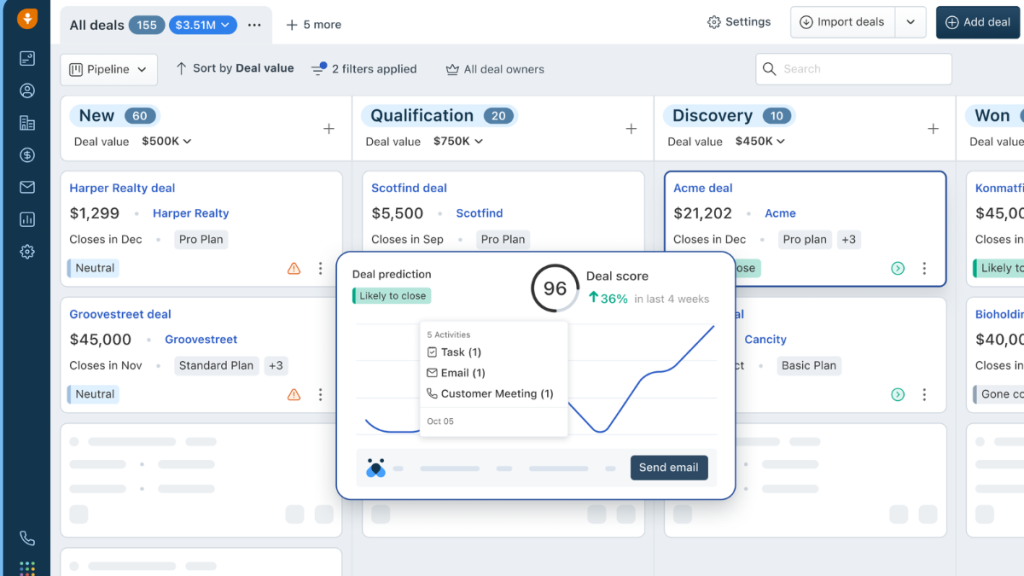
Freshsales provides a free CRM plan designed for small teams.
Typical features include:
Contact management
Lead tracking
Basic pipelines
Email tracking
Freshsales is designed to be straightforward and easy to start using.
It works well for businesses that want a simple system without a complicated setup process.
Why Most Businesses Eventually Upgrade
Free CRM software usually works well in the early stages.
But most businesses eventually need more than basic contact storage.
Common signs it is time to upgrade include:
Leads not being followed up consistently
Manual tasks taking too long
Missed enquiries
Disorganised pipelines
Multiple tools needed to run the business
At this point the problem is usually not organisation anymore. The problem becomes time and follow-up.
When Paid CRM Makes More Sense
Paid CRM platforms usually include automation features that save time and reduce manual work.
Typical features in paid CRM systems include:
Automated follow-up messages
SMS and email automation
Appointment booking
Marketing automation
Pipeline automation
These features allow businesses to respond to leads faster and reduce missed opportunities.
For a full breakdown see:
Best Small Business CRM Software
Which Free CRM Is Best For Different Businesses
Different free CRM tools suit different types of small businesses.
HubSpot is usually best for businesses that want a simple system that is easy to learn. Many service businesses choose HubSpot because it allows them to track leads without needing technical knowledge.
Zoho CRM works better for businesses that want more control over their pipelines and customer data. It offers more structure than many free CRM tools but may take longer to learn.
Freshsales is often a good option for businesses that want a basic CRM system without a complicated setup. It focuses on simple lead tracking and contact management.
For businesses that mainly need organisation and not automation, these free CRM tools usually provide enough features to get started.
Can A Free CRM Replace Paid CRM Software?
Many small businesses hope that a free CRM can replace a paid system completely.
In practice this rarely happens.
Free CRM software is designed to help businesses get started, but it usually does not include the automation features needed for long-term growth.
As lead volume increases, manual follow-up becomes harder to manage. Messages get delayed, opportunities get missed, and tracking becomes more difficult.
Paid CRM platforms are designed to reduce manual work and improve response times.
For example, automation platforms can send follow-up messages automatically after an enquiry is received. This allows businesses to respond quickly without needing to manage every conversation manually.
This difference between organisation and automation is the main reason businesses upgrade from free CRM systems.
Free CRM vs Spreadsheets
Many small businesses manage customers using spreadsheets before switching to a CRM.
Spreadsheets work in the early stages but become difficult to manage as customer lists grow.
Common problems with spreadsheets include:
Lost customer information
No pipeline tracking
No follow-up reminders
No shared access
Manual updates
Free CRM tools solve these problems by keeping customer information organised in one system.
This is usually the first step toward building a more structured sales process.
How To Choose The Right Free CRM
The best free CRM depends on how you plan to use it.
If you only need a place to store contacts and track leads, most free CRM tools will work.
If you plan to grow quickly, it can be helpful to choose a CRM that allows easy upgrades later.
Businesses that expect to grow often benefit from choosing a system that includes automation features when upgrading becomes necessary.
This avoids switching systems later.
For a full comparison of paid systems see:
Best Small Business CRM Software
When Free CRM Saves Money – And When It Doesn’t
Free CRM software saves money in the early stages of a business.
When lead volume is low, manual follow-up usually works fine and there is little need for automation.
However, as businesses grow, time becomes more valuable than software costs.
Manual follow-up can take hours each week.
Missed leads can cost far more than a CRM subscription.
At this stage, upgrading often saves both time and lost revenue.
Understanding pricing helps businesses decide when upgrading makes sense.
See:
Moving From Free CRM to Automation CRM
Many businesses start with free CRM software and upgrade later.
This is a normal path.
Stage 1:
Spreadsheets
Stage 2:
Free CRM
Stage 3:
Automation CRM
Automation platforms are designed to manage leads automatically rather than relying on manual follow-up.
For pricing details see:
GoHighLevel Pricing Explained
Understanding pricing helps businesses plan when upgrading makes sense.
Before upgrading it also helps to understand the full cost.
The best free CRM for small business should be easy to use at the start but flexible enough to grow with your business.
See:
Free CRM vs Paid CRM
Free CRM tools help businesses get organised.
Paid CRM tools help businesses grow.
Free CRM:
- Basic contact storage
- Manual follow-up
- Limited automation
Paid CRM:
- Automated follow-up
- Integrated systems
- Marketing automation
- Appointment booking
Free systems reduce chaos.
Paid systems reduce workload.
Final Thoughts
The best free CRM for small business depends on how simple your needs are.
Free CRM software can be a good starting point for organising contacts and tracking leads without spending money.
For early-stage businesses, free plans often provide enough tools to stay organised.
As businesses grow, many eventually move to automation-based CRM systems that reduce manual work and improve follow-up.
Free CRM tools are useful at the beginning, but most businesses eventually need more powerful systems as lead volume increases.
Finding the best free CRM for small business is often the first step before moving to more advanced automation tools.
Suggested Reads
Best CRM With Automation for Small Businesses
GoHighLevel vs HubSpot Comparison Guide
Best Marketing Automation Software for Small Businesses
GoHighLevel Pricing Explained