
Affiliate links – I earn a commission if you sign up through this page, at no extra cost to you. That’s exactly why the weaknesses below aren’t softened. If GoHighLevel isn’t right for your business, I’d rather you know before you start a trial
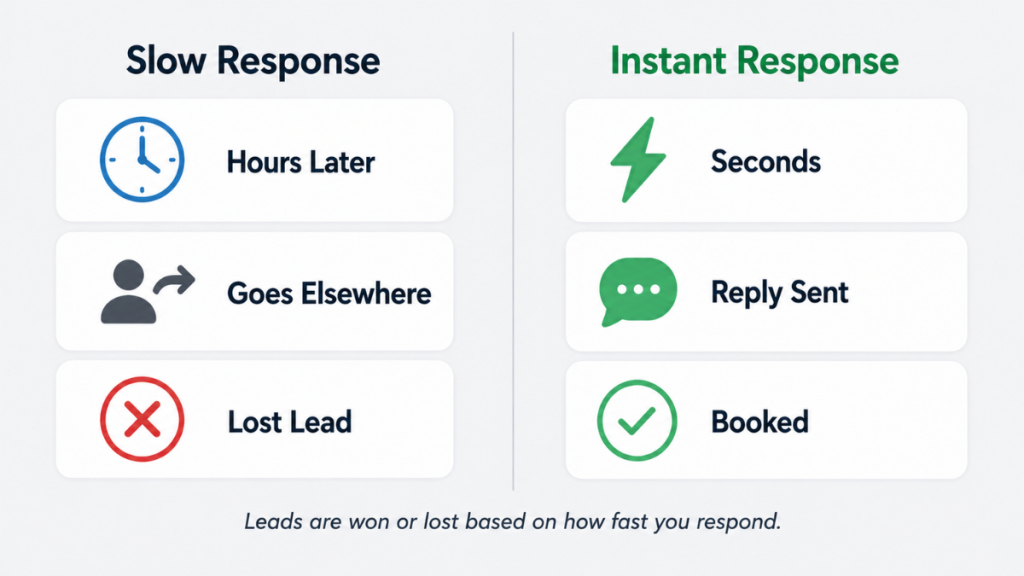
The average business takes 47 hours to respond to a new inbound lead. Nearly two full days. By that point the lead has already spoken to three competitors, forgotten they filled in your form, and moved on.
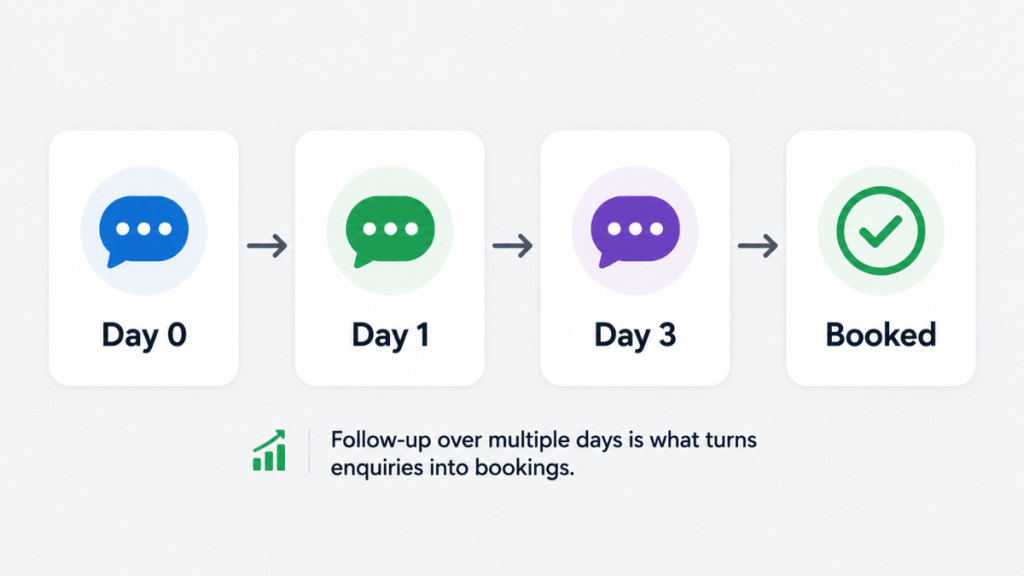
An automatic lead follow up system is the most reliable lead follow up system a service business can run – it removes the human delay entirely. The moment a lead comes in, the system responds. The follow-up continues automatically over the next several days. Nothing relies on you remembering, checking your inbox, or finding a spare moment between jobs.
This guide shows exactly how to build one for a service business – with real message templates you can use from day one.
Key Takeaways
- The average business takes 47 hours to respond to a new lead – leads contacted within 5 minutes are 21 times more likely to qualify
- 78% of customers buy from the first business that responds – speed is the single biggest conversion variable for service businesses
- 80% of sales require five or more follow-ups – only 2% close on the first contact
- The stop-on-reply trigger is the most critical feature in any automatic follow up system – without it your automation keeps messaging people who already said yes
- SMS consistently outperforms email alone – multi-channel follow-up gets significantly higher response rates
- Nurtured leads make 47% larger purchases than non-nurtured leads – consistent follow-up doesn’t just convert more, it converts better
You’re not losing leads because of bad marketing.
You’re losing them because you’re too slow to respond.
Get the system that responds to every enquiry automatically – even when you’re on a job.
Why Service Businesses Lose Leads Before They Even Start
Most service businesses don’t have a lead problem. They have a response problem.
If you want the research behind why speed matters, read the lead response time for small businesses guide.
A potential customer searches for a plumber, electrician, salon or consultant. They find several options on Google. They fill in a form or make a call. The first business that responds wins the job in most cases. The ones that reply hours later – or not at all – lose it without ever knowing it happened.
Research from Harvard Business Review analysing over two million leads found that companies responding within an hour were nearly seven times more likely to have a meaningful conversation than those who waited even slightly longer. Waiting 30 minutes makes you 21 times less likely to qualify the lead compared to responding within 5 minutes.
For a service business where every job is worth £150 to £500 or more, the maths of slow response is stark. Three missed conversions per week from slow follow-up is £450 to £1,500 in lost weekly revenue – revenue that went to a competitor who simply responded faster.
An automatic lead follow up system is the only reliable solution. It responds within seconds regardless of what you’re doing, and follows up consistently without any manual input.
Not sure what type of lead follow up system your business actually needs? The lead follow up system guide covers the broader framework before you build anything.
What an Automatic Lead Follow Up System Actually Does
Every effective lead follow up system has four components working together:
1. Lead capture – every enquiry from every source goes into one place. Forms, calls, messages, Google Business Profile contacts. Nothing sits in a separate inbox waiting to be noticed.
2. Instant response – within 60 seconds of any enquiry, an automated SMS and email goes out. The lead knows they’ve been seen. The conversation starts before they move on.
3. Follow-up sequence – if the lead doesn’t reply or book, the system follows up automatically over the next several days. Each message stops the moment the lead responds or books.
4. Pipeline tracking – every lead is visible in one place. You can see who just came in, who has been contacted, who has booked, and who has gone cold – without manually updating anything.
When all four are running together inside one connected system, leads stop disappearing without explanation. For service businesses this is what CRM workflow automation looks like in practice.
The Stop-on-Reply Trigger – The Most Important Feature
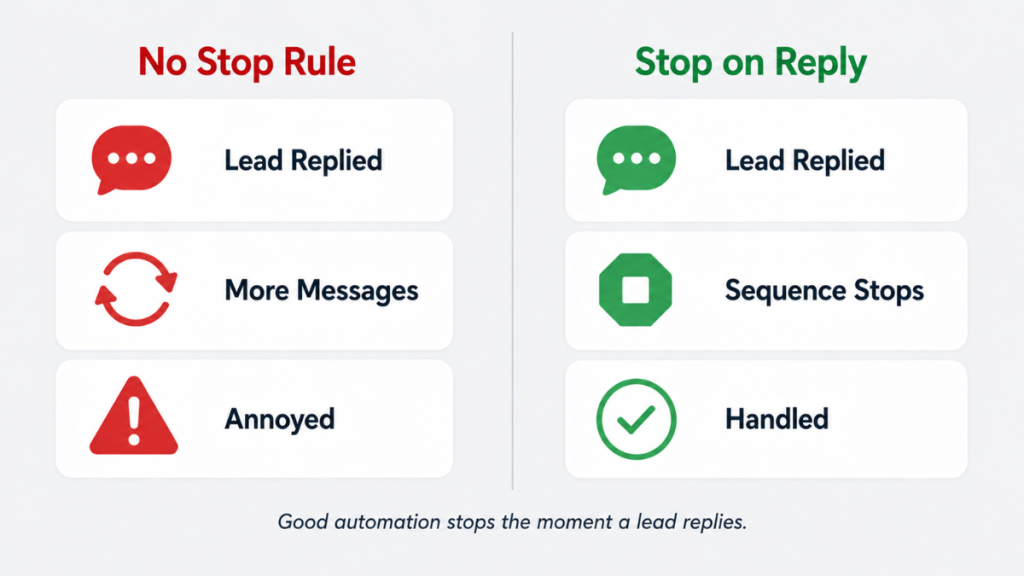
Before building any sequence, understand this. The most critical feature in an automatic lead follow up system is the stop-on-reply trigger.
Without it, your automation keeps sending follow-up messages to people who have already replied, already booked, or already said no. This is embarrassing, damages trust, and loses deals that were already won.
Every message in your follow-up sequence must be configured to stop the moment the lead replies. This condition needs to be set at the sequence level, not just on the first message. Check this before you go live – it is the single most common setup mistake and the most damaging one.
The Complete Follow-Up Sequence – With Real Message Templates
Here is a complete automatic lead follow up sequence for a service business. Every message is written to sound human, not robotic. Every step stops automatically when the lead replies.
Day 0 – Instant Response (within 60 seconds)
Send both SMS and email simultaneously.
SMS: “Hi, thanks for getting in touch – we’ve got your enquiry and will be back to you shortly. If you’d like to book directly, here’s the link: [booking link]”
Email subject: “We’ve got your enquiry – here’s what happens next”
Email body: “Hi [First Name], thanks for reaching out. I’ve got your message and will be in touch shortly. In the meantime, if you’d like to book a time directly, you can do that here: [booking link]. Speak soon.”
Why this works: It confirms the lead has been seen. It keeps them warm. The booking link gives them a way to convert immediately without waiting for a reply.
Day 1 – First Follow-Up (if no reply)
SMS: “Hi [First Name], just checking in about your enquiry yesterday. We have availability this week – reply here or grab a time: [booking link]”
Email subject: “Quick question about your enquiry”
Email body: “Hi [First Name], just following up on your enquiry from yesterday. Happy to answer any questions or sort out a time that works for you. What were you looking for help with?”
Why this works: It’s short, low-pressure, and asks a question. Questions get replies. Replies convert.
Day 3 – Second Follow-Up
SMS: “Hi [First Name], still here if you need us. A few slots have come up this week if the timing works: [booking link]”
Email subject: “Still interested?”
Email body: “Hi [First Name], I know things get busy. Just wanted to make sure your enquiry didn’t get lost. If you’re still looking for [service], we’d love to help. Here’s our availability: [booking link]”
Why this works: Acknowledges they may be busy without being pushy. Reframes the booking as easy.
Day 5 – Third Follow-Up
SMS: “Hi [First Name], last nudge from us – we have a slot available [day]. Want me to hold it for you? Just reply here.”
Email subject: “Can I hold a slot for you?”
Email body: “Hi [First Name], we have a spot available [day or time period]. I can hold it for you if you’re interested – just let me know. No pressure either way.”
Why this works: Creates mild urgency without false scarcity. The offer to hold a slot feels personal and helpful.
Day 7 – Final Message
SMS: “Hi [First Name], this is our last follow-up. If the timing isn’t right just now, no problem at all – we’ll be here when you’re ready.”
Email subject: “Last follow-up from us”
Email body: “Hi [First Name], just one final message from us. If now isn’t the right time, that’s completely fine. Feel free to get back in touch whenever suits you. We’d love to help when the time is right.”
Why this works: Closes the sequence without burning the relationship. Leads who aren’t ready now often come back later – this message leaves the door open.
Common Mistakes That Kill Automatic Follow Up Systems
No stop-on-reply trigger. Already covered but worth repeating. This is the most damaging mistake. Always configure this at the sequence level.
Instant robotic replies. A response that arrives in 0.4 seconds feels automated and off-putting. Add a 2-3 minute delay to the first message. It still arrives fast enough to be effective and feels more human.
Sending after hours without an after-hours message. A follow-up that arrives at 11pm reads differently from one that arrives at 10am. Configure business hours logic or write a different message for after-hours enquiries.
Using email only. Email open rates have dropped significantly. SMS open rates consistently sit above 90%. Multi-channel follow-up – SMS and email together – significantly outperforms either channel alone.
Generic sequences that ignore lead source. A lead from a Google Ad has different intent from a referral. If you have multiple lead sources, consider different sequences for each.
What Tool Do You Actually Need
The tool question matters less than having the process right. But once the process is clear, the tool determines whether it actually runs reliably.
For service businesses, the platforms that handle automatic lead follow up systems best are:
GoHighLevel – the strongest all-in-one option for service businesses. Combines lead capture, SMS and email automation, missed call text-back, booking calendars and pipeline tracking in one platform. The GoHighLevel missed call text back feature alone recovers leads that most businesses don’t even know they’re losing. Everything runs inside one connected system without Zapier or integrations breaking.
ActiveCampaign – strong for email-driven sequences with advanced behavioural triggers. Less suited for SMS-heavy or missed call workflows but excellent if email is your primary follow-up channel.
HubSpot – solid workflow automation on paid tiers. Better for businesses with larger teams and more complex marketing operations than solo or small service businesses.
For a full comparison of these platforms see the CRM automation software guide.
When to Add Automation and When to Keep It Manual
You do not need a full automatic lead follow up system from day one. If you get two or three leads per week and respond to all of them manually within minutes, automation is helpful but not urgent.
Automation becomes essential when:
- You’re missing replies because you’re too busy to respond quickly
- Follow-up is inconsistent – some leads get chased, others don’t
- You’re losing leads without understanding why
- You can’t afford to have someone monitoring enquiries all day
The mistake most businesses make is trying to automate before the process is clear. Automating a broken system just creates a faster broken system. Define the sequence first. Then automate it.
For a step-by-step breakdown of setting up automated workflows inside GoHighLevel, see the CRM workflow automation guide.
The Verdict
An automatic lead follow up system is not complicated to build. The sequence above – five messages over seven days, stopping when the lead replies – covers the full follow-up journey for most service businesses.
The platforms to build it on are straightforward. The message templates above can be adapted and live within a few hours.
What it replaces is the revenue that quietly disappears every week because enquiries sat unanswered for too long, or follow-up stopped after one attempt. For a service business getting regular inbound leads, that revenue is significant.
FAQ
What is an automatic lead follow up system? A system that automatically responds to new enquiries and follows up over several days without manual input. It combines instant response, a structured sequence of messages, and a stop-on-reply trigger so follow-up stops the moment the lead converts.
How quickly should the first response go out? Within 60 seconds. Leads contacted within 5 minutes are 21 times more likely to qualify than those contacted after 30 minutes. Every minute of delay reduces conversion probability.
How many follow-up messages should I send? Five to seven touchpoints over seven to ten days works well for most service businesses. The sequence above covers five messages. Always configure a stop-on-reply trigger so the sequence stops the moment the lead responds.
Should I use SMS or email for follow-up? Both. SMS open rates consistently exceed 90% while email open rates have dropped. Multi-channel follow-up significantly outperforms either channel alone.
What is the stop-on-reply trigger? A condition set in your CRM or automation platform that stops all follow-up messages the moment a lead replies. Without it your system keeps messaging leads who have already responded, which damages trust and loses deals.
Which platform is best for automatic lead follow up? GoHighLevel is the strongest fit for service businesses because it combines SMS, email, missed call handling and booking in one platform. ActiveCampaign is strong for email-driven sequences. HubSpot works well for larger teams.
Suggested Reads
Lead Follow-Up System → The broader follow-up system framework that sits around this automation
CRM Workflow Automation → How to set up the workflows that power this system
Missed Call Text-Back System → The highest ROI automation for service businesses missing inbound calls
CRM Automation Software → Full platform comparison for service businesses
GoHighLevel for Marketing Agencies → How GoHighLevel handles this full system for trades and service businesses