
Affiliate links – I earn a commission if you sign up through this page, at no extra cost to you. That’s exactly why the weaknesses below aren’t softened. If GoHighLevel isn’t right for your business, I’d rather you know before you start a trial
CRM lead management is the system that decides what happens to a lead after they make contact with your business.
Most small businesses don’t have a lead problem. They have a response-speed problem. They have an inbox, a spreadsheet, and a rough idea of who they’ve spoken to recently. That’s not lead management – it’s hoping nothing falls through the gaps.
This guide explains what proper CRM lead management looks like for a small service business, why most setups fail, and how to build a system that captures, tracks, and follows up with every enquiry automatically.
Key Takeaways
- CRM lead management is the process of capturing, tracking, and following up with leads through a structured system rather than relying on memory or inbox management
- Many leads never convert, not because the service is wrong, but because follow-up is too slow or inconsistent.
- Businesses that contact leads within 5 minutes are significantly more likely to convert them than those that wait an hour or more
- A proper CRM pipeline gives every lead a status, a next action, and visibility – so nothing gets missed
- For service businesses that need capture, response, follow-up, and tracking in one place, GoHighLevel is the most complete option available

What CRM Lead Management Actually Means
CRM lead management is the process of moving a potential customer from first contact through to a booked job or closed deal, using a system rather than manual effort.
It combines four things:
Lead capture – every enquiry from every channel (website form, phone, email, social) lands in one place automatically.
Pipeline tracking – each lead sits in a defined stage so you can see at a glance what’s new, what’s been contacted, and what’s waiting on a decision.
Automated follow-up – responses, reminders, and sequences run automatically based on what the lead does, not based on whether you remembered to check your inbox.
Visibility – you can see where leads are stalling, which stage they’re dropping out at, and what needs your attention today.
Without all four of these working together, you don’t have CRM lead management. You have a contact list.
Why Most Service Businesses Lose Leads Without a CRM
The typical small service business manages leads like this:
- Enquiry arrives by email
- Owner sees it when they’re next at a desk
- Owner replies manually when they have time
- Lead doesn’t respond immediately
- Owner follows up once, maybe twice
- Lead goes cold
At every step in that process, there’s a gap where the lead can disappear. And most do.
Nearly 80% of leads never convert – not because the product or service is wrong, but because the follow-up is too slow, too inconsistent, or stops too early. For service businesses taking enquiries through a website or phone, the problem is almost always speed and consistency, not lead quality.
The businesses winning those jobs aren’t necessarily better at what they do. They’re just faster and more systematic at following up.
A structured CRM lead management system closes those gaps automatically.
How CRM Lead Management Works
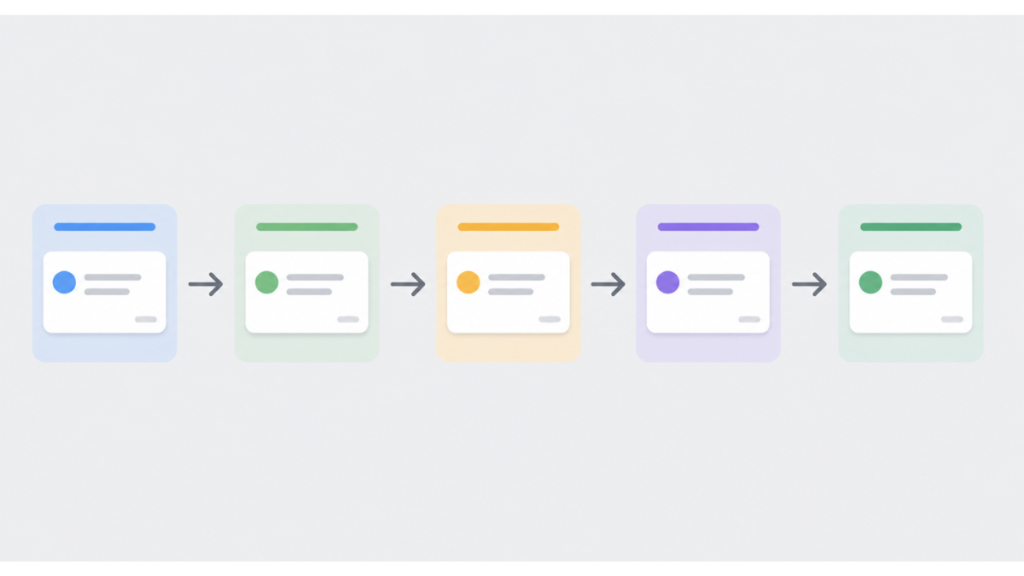
A CRM lead management system follows a clear sequence for every lead that comes in.
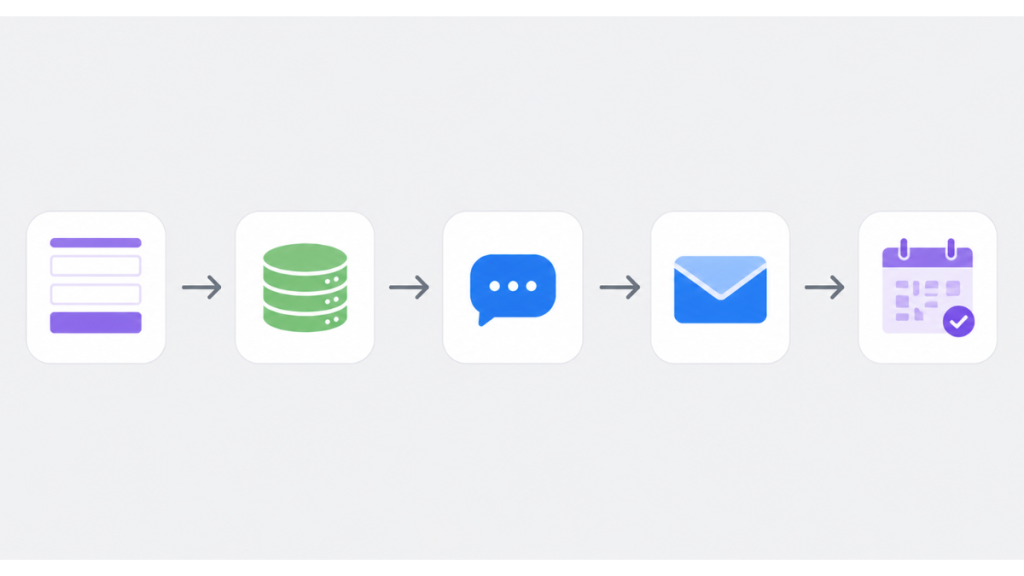
Step 1 – Capture The lead submits a form, sends an email, or calls. Instead of landing in an inbox, the contact details go straight into the CRM with a timestamp, source, and status. No manual entry required.
Step 2 – Instant response Within 60 seconds, an automated SMS and confirmation email goes out. The lead knows their enquiry has been received. Interest is still high. You haven’t missed the window.
Step 3 – Pipeline placement The lead is placed in the first stage of your pipeline – “New Enquiry.” From here, every action moves them forward or flags them for attention.
Step 4 – Automated follow-up sequence If the lead doesn’t book immediately, a follow-up sequence runs automatically over the next 5 days. Emails and SMS go out on a schedule. Each message is triggered by time or by the lead’s behaviour – opening an email, clicking a link, or visiting the booking page.
Step 5 – Pipeline update When the lead books, the pipeline updates automatically. The follow-up stops. The job moves to “Booked.” Nothing gets chased twice, nothing gets missed.
Step 6 – Visibility and review At any point, you can see exactly how many open leads you have, where each one sits, and which ones need a personal call. No checking emails. No guessing.
This is what separates a functioning CRM lead management system from a contact list with notes attached.
What a CRM Pipeline Looks Like for a Service Business
Pipeline stages vary by business type, but for most service businesses – tradespeople, cleaners, salons, therapists – a simple pipeline works best:
| Stage | What It Means | What Happens Next |
|---|---|---|
| New Enquiry | Lead has submitted a form or made contact | Automated SMS and email sent instantly |
| Contacted | First response has gone out | Follow-up sequence begins |
| Quote Sent | Pricing or proposal has been shared | Reminder sent after 48 hours if no response |
| Follow-Up | Lead is warm but hasn’t committed | Personal call triggered after day 3 |
| Booked / Won | Job is confirmed | Automation stops, onboarding begins |
| Lost / Closed | Lead went cold or chose another provider | Tagged for future re-engagement |
Each stage is a decision point, not just a label. When a lead sits in “Quote Sent” for three days without moving, that’s your signal to pick up the phone. The system surfaces the problem. You decide what to do about it.
Without this visibility, you’re relying on memory to know which leads need attention – and memory is the most unreliable part of any sales process.
The Difference Between a CRM and a CRM Lead Management System
Many service businesses already have a CRM. What they often don’t have is a lead management process built on top of it.
A CRM is a tool. CRM lead management is how you use it.
The same platform can be set up in a way that catches every lead automatically, or in a way that just stores contact details after someone remembers to add them. The difference is in the workflow, not the software.
For CRM lead management to work properly, four things need to be in place:
- Leads enter the CRM automatically from every source, not manually after the fact
- Every new lead triggers an immediate response without human involvement
- A follow-up sequence runs for a defined number of days without relying on reminders
- The pipeline reflects the real status of every lead at all times
If any one of those is missing, leads will fall through. Usually quietly, and usually without you knowing.
For a full breakdown of how to structure your pipeline, see lead management system for service businesses.
Which CRM Handles Lead Management Best for Service Businesses
Most CRM platforms handle parts of lead management well. Very few handle all of it in one place without needing multiple integrations.
| Tool | Lead Capture | Instant SMS | Automated Follow-Up | Pipeline Tracking | Best For |
|---|---|---|---|---|---|
| GoHighLevel | Yes | Yes | Yes | Yes | Complete system in one place |
| HubSpot | Yes | No (paid add-on) | Yes (limited free) | Yes | Tracking and reporting |
| ActiveCampaign | Yes | No | Yes | Basic | Email-focused follow-up |
| Pipedrive | Yes | No | Basic | Yes | Pipeline management |
| Zoho CRM | Yes | No | Yes | Yes | Budget-friendly teams |
The honest assessment: if your priority is instant SMS response combined with automated follow-up sequences and pipeline tracking, most tools require you to connect several platforms to get there. GoHighLevel is the only one that combines all of it natively, which is why it suits service businesses that want one system rather than three tools stitched together.
HubSpot’s free tier works well if your main need is pipeline visibility and you’re comfortable handling response speed manually. Pipedrive is strong on pipeline management but doesn’t solve the follow-up automation problem on its own.
For a full side-by-side comparison, see best CRM for small business.
How to Audit Your Current Lead Management Setup
Before choosing or switching tools, run this quick check on what you have now.
Can every lead source feed into one place automatically? List everywhere a lead can reach you – website form, phone, email, Facebook, Instagram. If any of those require manual transfer into your CRM, that’s a gap.
How long does your first response take? Submit a test enquiry through your own contact form and time the response. If it takes more than 10 minutes, you’re losing leads before you’ve had a chance to speak to them.
How many follow-up touchpoints do you currently send? If the answer is one or two, that’s almost certainly not enough. Most leads convert after the third or fourth contact, not the first.
Can you see right now how many open leads you have? Without opening your email or checking notes – do you know how many active enquiries are in progress and what stage each one is at? If not, you don’t have pipeline visibility.
If any of these reveal a gap, that’s where the lead management fix needs to start.
For a step-by-step breakdown of the follow-up process, see how to follow up with leads automatically.
What Good CRM Lead Management Produces
When a CRM lead management system is set up properly, three things change quickly.
Response rates improve. Leads that would have gone cold get an SMS within 60 seconds of submitting a form. They’re still thinking about the problem. The conversation starts while interest is high.
Follow-up becomes consistent. The sequence runs automatically whether you’re on a job, in a meeting, or unavailable. Every lead gets the same professional process regardless of when they enquire.
Visibility changes how you manage the business. When you can see which stage leads are stalling at, you stop guessing and start fixing the actual problem. Is it the quote stage? The first follow-up? Knowing the answer is what drives improvement.
None of this requires more leads or a bigger marketing budget. It requires a system that catches and converts the enquiries already arriving.
FAQ
What is CRM lead management? CRM lead management is the process of capturing, tracking, and following up with potential customers using a structured system. It replaces inbox management and manual follow-up with an automated pipeline that moves leads from first contact to booked job without depending on memory or availability.
How does CRM lead management work for small businesses? For small service businesses, CRM lead management works by capturing every enquiry automatically, sending an instant response, running a follow-up sequence over several days, and tracking each lead through pipeline stages. The process runs without manual effort once it’s set up.
What’s the difference between a CRM and lead management software? A CRM is the tool. Lead management is the process built on top of it. Many businesses have a CRM but no structured lead management system – meaning leads are stored but not systematically followed up. Effective CRM lead management requires both the tool and the workflow.
How many follow-ups should a small business send? A minimum of 5 touchpoints over 5 days is a strong starting point for most service businesses. Most leads don’t convert on the first contact and need consistent prompting before committing. Stopping at one or two follow-ups is one of the most common reasons enquiries go cold.
What is the best CRM for lead management for a service business? For service businesses that need instant SMS response, automated follow-up sequences, and pipeline tracking in one place, GoHighLevel is the most complete option. HubSpot works well for pipeline visibility on a tighter budget but requires additional tools to handle SMS and full automation.
Suggested Reads
Lead Management System for Service Businesses – How to structure your full lead process from capture to conversion
How to Follow Up With Leads Automatically – The follow-up sequence setup that keeps leads from going cold
Best CRM for Small Business – Full platform comparison to find the right fit for your setup
How to Stop Losing Leads From Your Website – Why leads go cold after submitting a form and how automation fixes it