
Choosing the right crm options for small business is one of the most important decisions a growing company can make. A good CRM helps businesses capture leads, track conversations, automate follow-ups, and manage sales opportunities without relying on scattered spreadsheets or inboxes.
Many small businesses begin by tracking customers in email threads or spreadsheets. At first this works. But once enquiries increase, leads slip through the cracks and follow-ups become inconsistent. A CRM system solves this problem by centralising contacts, pipelines, and communication in one place.
If you’re still learning how these systems work, it helps to first understand what a CRM actually does, which we explain in our guide to What Is a CRM for Small Business.
For companies comparing tools, this guide explains the main crm options for small business, what features to look for, and which platforms provide the most value in 2026.
Quick Summary
Here’s a quick overview of the most common crm options for small business available today.
GoHighLevel
An all-in-one CRM designed for service businesses and agencies. It combines lead capture, pipeline management, automation workflows, SMS messaging, and appointment scheduling in one platform.
HubSpot CRM
A popular CRM platform with a generous free plan. It works well for businesses that mainly need contact management and email marketing.
ActiveCampaign
A strong option for companies focused on email automation and customer segmentation. It offers powerful automation workflows but may require additional tools for scheduling or funnel building.
Zoho CRM
A flexible CRM with a wide feature set and strong integrations. It’s often chosen by small teams that want customisable pipelines and reporting.
These platforms all represent different crm options for small business, depending on whether your priority is automation, email marketing, or simple contact management.
Why Small Businesses Need a CRM System
Most small businesses don’t struggle to generate leads. They struggle to manage them.
A typical situation looks like this:
A customer fills out a website form. The enquiry sits in an inbox. Hours later someone replies. By then the customer has already contacted a competitor.
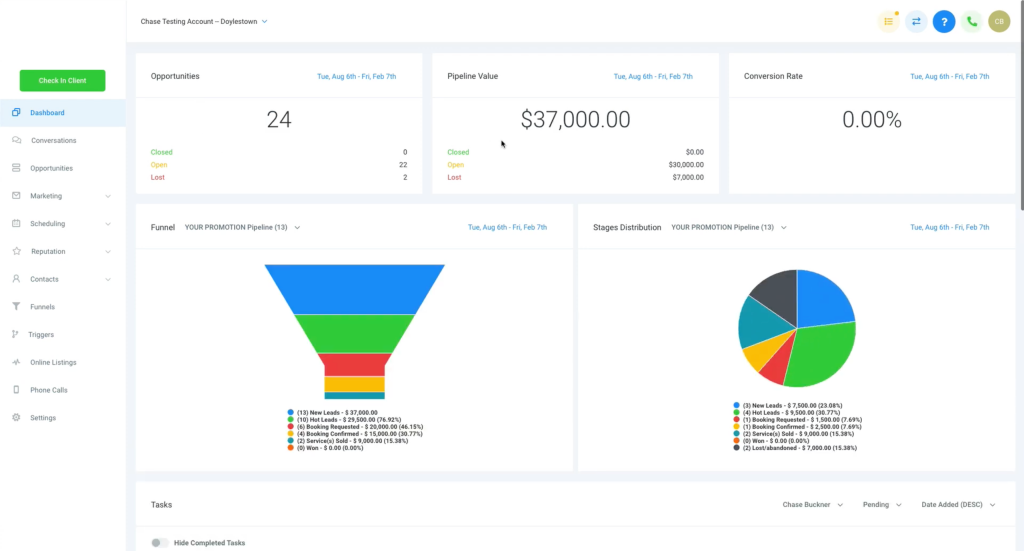
A CRM solves this by automatically capturing enquiries and organising them into a pipeline. Leads are stored in one place, communication is tracked, and follow-ups can be automated.
This structure becomes especially important once businesses start running marketing campaigns or lead generation funnels. If you’re building systems for capturing enquiries, our guide to Best CRM for Lead Generation explains how CRM platforms help convert more prospects into paying clients.
For service businesses, automation features often become the deciding factor when comparing different crm options for small business.
Key Features to Look For in CRM Options for Small Business
Not every CRM platform is built for small teams. Some systems are designed for large sales departments with complex processes.
When evaluating crm options for small business, a few practical features make the biggest difference
Contact and Lead Management
The core job of any CRM is storing customer information.
Each lead record typically includes a name, email, phone number, communication history, and current sales stage.
This ensures teams can see exactly where each lead sits in the sales process.
Sales Pipeline Tracking
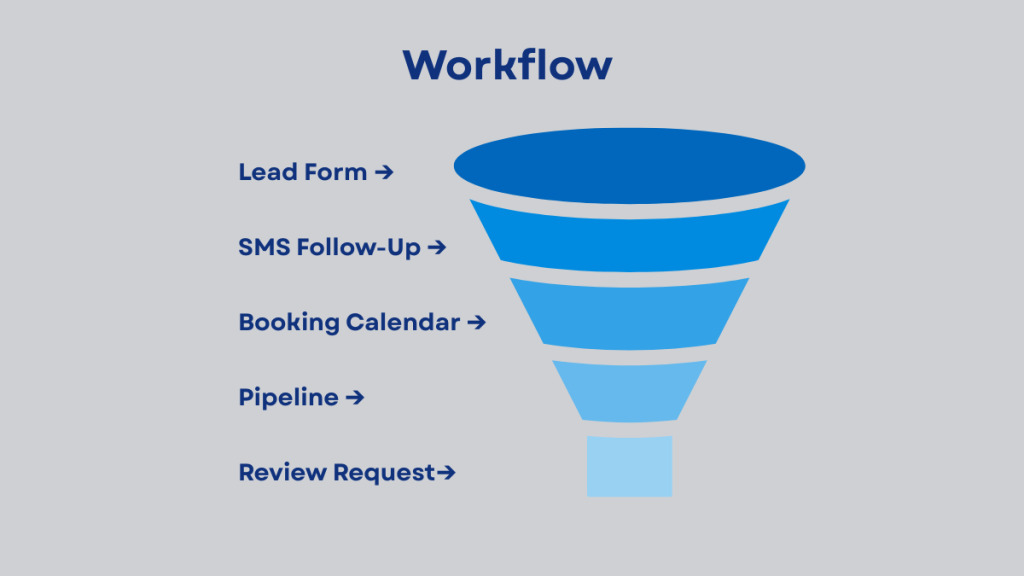
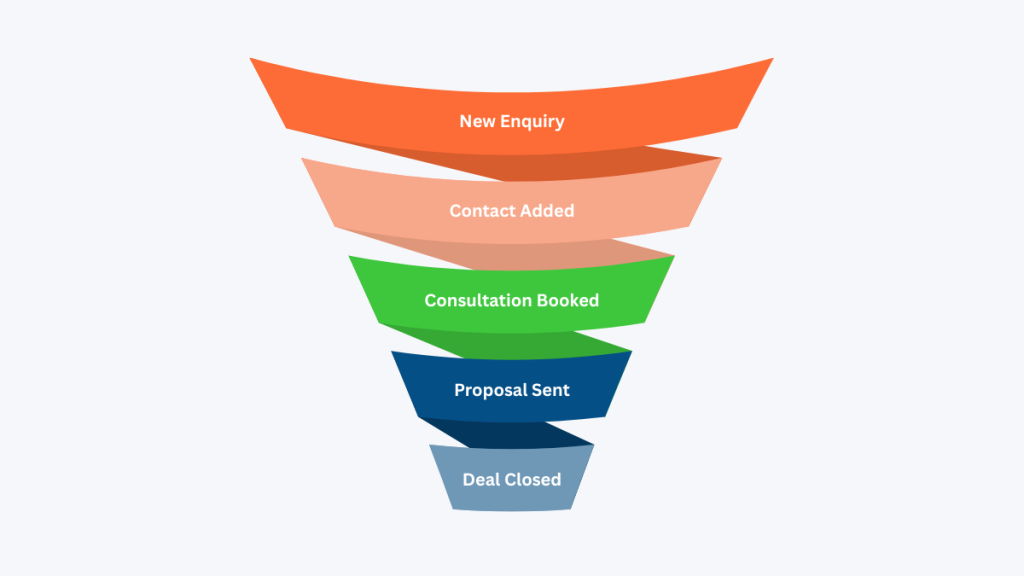
Pipelines allow businesses to visualise their sales process. Instead of guessing which leads are still active, each opportunity moves through clear stages such as enquiry, consultation, proposal, and closed.
Many modern CRM systems also update pipelines automatically when certain actions occur.
Workflow Automation
Automation is one of the most valuable features when comparing crm options for small business.
Automation workflows can trigger actions like:
• sending follow-up emails
• assigning leads to staff
• moving leads between pipeline stages
• scheduling appointment reminders
For businesses looking to automate these processes, our guide to Best CRM With Automation for Small Businesses explains which platforms offer the most advanced workflow tools.
Appointment Scheduling
For service businesses, appointment scheduling is essential.
Many CRM systems now include built-in calendars that allow customers to book consultations online. Once booked, the CRM can automatically send confirmation emails and reminders.
This prevents missed appointments and reduces manual admin work.
Best CRM Options for Small Business (2026)
Below are some of the most widely used crm options for small business in 2026.
GoHighLevel
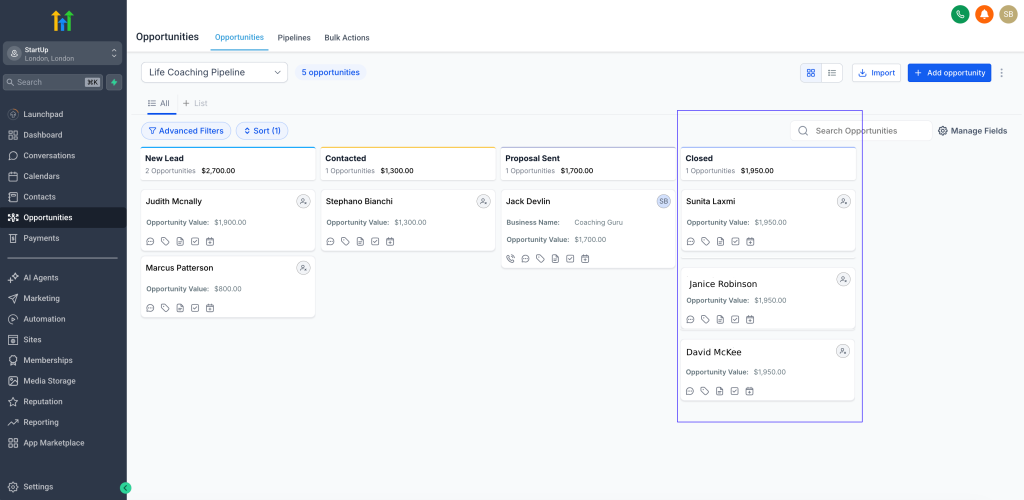
GoHighLevel is designed specifically for service businesses, agencies, and consultants that rely on lead generation.
Instead of connecting multiple tools together, the platform combines CRM, marketing automation, funnels, SMS messaging, and appointment booking into one system.
Businesses using GoHighLevel can automate tasks like:
• responding to new enquiries
• sending booking links
• tracking leads in pipelines
• delivering follow-up campaigns
For companies that rely on enquiries and scheduled consultations, these features can replace several separate tools.
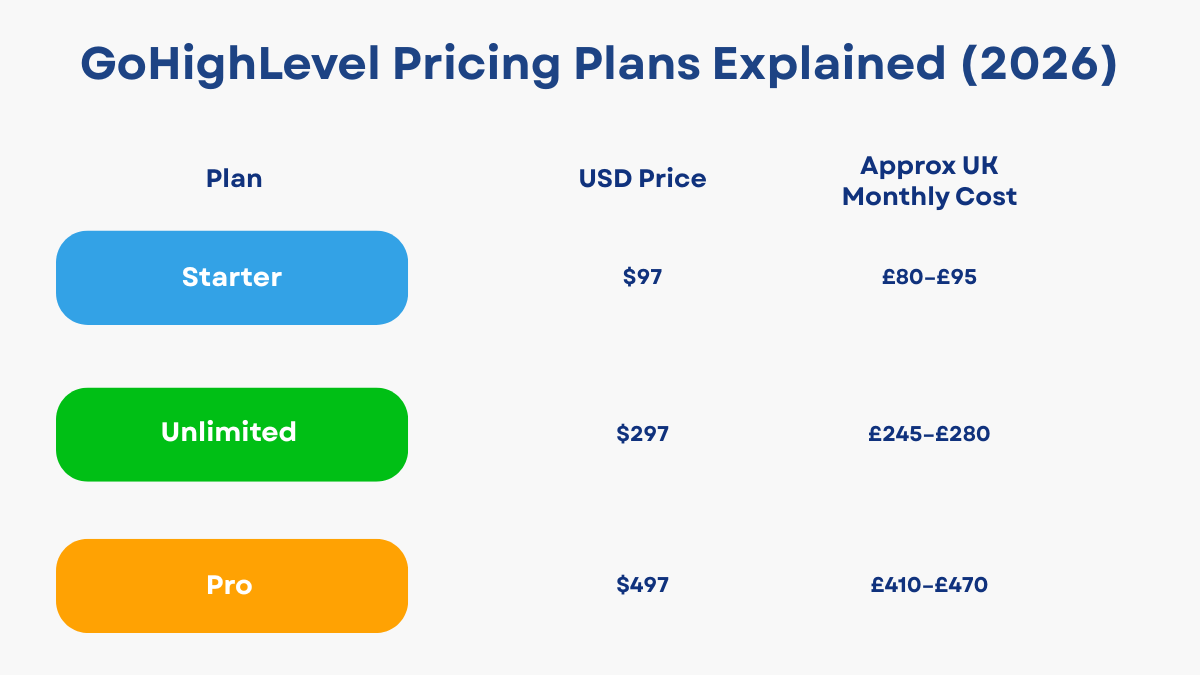
For a full breakdown of plans and costs, see GoHighLevel Pricing Explained (UK & US).
HubSpot CRM
HubSpot is one of the most well-known CRM platforms available today. Its free version provides basic contact management, email tracking, and pipeline features.
For businesses primarily focused on email marketing and inbound leads, HubSpot offers a straightforward solution. However, many automation features are locked behind paid plans.
You can explore the platform directly on the HubSpot official website, which provides documentation and product details.
ActiveCampaign
ActiveCampaign focuses heavily on email marketing automation.
Its CRM features integrate with advanced automation workflows that allow businesses to segment contacts, trigger campaigns, and track customer behaviour.
This makes it a good choice for companies whose marketing strategy revolves around email sequences and customer journeys.
However, businesses that rely on booking calls or SMS communication may still require additional tools.
Real-World Example, CRM Automation in Action
To understand how CRM systems work in practice, consider a local service business such as a cleaning company.
A visitor submits a quote request through the website.
The CRM immediately captures the lead, sends a confirmation message, and provides a booking link for a consultation call.
Once the customer schedules a call, the system sends automatic reminders. After the consultation, the lead moves to the proposal stage in the pipeline.
Without a CRM, these steps would require manual tracking and follow-ups.
Automation ensures every lead receives a consistent experience. This is why many growing companies eventually move from simple contact tools to more advanced crm options for small business that include workflow automation.
How to Choose the Right CRM for Your Business
When evaluating different crm options for small business, the best choice usually depends on your workflow.
If your company relies on scheduled consultations, appointment automation and pipeline tracking become essential.
If your marketing focuses on email campaigns, segmentation and automation features may be more important.
Many businesses also prefer platforms that combine CRM and marketing automation together. Systems that unify lead capture, messaging, and reporting tend to reduce complexity and improve response times.
For businesses comparing automation platforms in more detail, our guide to Best Marketing Automation Software for Small Business explains how CRM and marketing tools increasingly overlap.
Conclusion
Choosing the right crm options for small business ultimately comes down to how your company manages leads and customer relationships.
For businesses receiving regular enquiries, a CRM system provides structure and visibility. Leads are captured automatically, follow-ups become consistent, and sales pipelines show exactly where each opportunity stands.
Many modern platforms now combine CRM tools with marketing automation, allowing businesses to manage lead capture, messaging, and appointments from a single dashboard.
As companies grow, these systems often become the backbone of their sales and marketing processes.
If you’re comparing platforms, understanding the strengths of different crm options for small business can help you choose a system that supports long-term growth.
FAQ
What is the best CRM for small businesses?
The best CRM depends on the type of business. Service companies often prefer platforms that include automation and appointment scheduling, while ecommerce companies may prioritise email marketing and integrations.
Do small businesses really need a CRM?
Yes. Once a business receives consistent enquiries, a CRM helps organise leads, track communication, and ensure follow-ups are not missed.
What features should a small business CRM include?
Most businesses should look for contact management, pipeline tracking, automation workflows, reporting, and appointment scheduling.
Are there free CRM options for small businesses?
Yes. Platforms like HubSpot offer free plans with basic CRM features. However, automation tools and advanced features are usually part of paid plans.
Related CRM Guides
Best CRM for Lead Generation (2026)
Best CRM With Automation for Small Businesses
Best Marketing Automation Software for Small Businesses
GoHighLevel Pricing Explained (UK & US)