
Affiliate links – I earn a commission if you sign up through this page, at no extra cost to you. That’s exactly why the weaknesses below aren’t softened. If GoHighLevel isn’t right for your business, I’d rather you know before you start a trial
Last verified: 24 October 2026. Prices are in USD unless stated. Method: this guide is based on Jobber’s published pricing and help pages and HighLevel’s integration documentation, not hands-on testing of Jobber. Check current prices on each provider’s site before you buy.
Jobber is a field service management tool that plumbers, electricians, cleaners and roofers use to schedule jobs, send quotes and collect payment. It includes some CRM features, so the question many trades owners ask is whether Jobber CRM is enough on its own, or whether they also need something to catch and chase new enquiries.
This guide gives a straight answer for UK trades businesses: what Jobber’s CRM covers, where it stops, what it costs, and when it makes sense to pair it with GoHighLevel (also called HighLevel).

Key Takeaways
- Jobber includes CRM features (client profiles, job history, communication history and lead tagging), but it is built mainly to run jobs you have already won.
- Jobber can send up to two automatic reminders on quotes that are awaiting a response (Connect plan and above). Its help pages describe no longer follow-up sequence for new enquiries.
- Jobber’s AI Receptionist answers calls and texts, and its help page lists UK numbers as available. It costs $29/month. Jobber’s Pipeline add-on ($49/month) adds a visual lead board with stalled-lead alerts. Neither add-on is available during Jobber’s 14-day trial.
- Jobber lists all prices in USD and charges $29/month per extra user. GoHighLevel plans include unlimited users.
- The two tools do different jobs: Jobber runs the work, HighLevel chases the enquiries. HighLevel and Jobber have a native two-way client sync.
- If you already get enquiries but lose jobs to missed calls and slow follow-up, consider GoHighLevel. If your main problem is scheduling, quoting and invoicing, start with Jobber. HighLevel does not create demand by itself.
Is Jobber a CRM?
Yes, in part. Jobber CRM covers the customer records a trades business needs day to day, but it sits inside a larger job management platform. It is not a dedicated lead management and follow-up tool.
That distinction matters because UK trades owners usually have one of two different problems. Either they are struggling to manage the work they have won (scheduling, quoting, invoicing, getting paid), or they are struggling to win more of it (missed calls, slow replies, quotes that go quiet). Jobber is aimed at the first problem.
What Jobber includes
According to Jobber’s own CRM page, you get:
- Client profiles that are searchable and can be opened from the office or the field.
- Job history for each client.
- Communication history, including past emails and texts such as booking confirmations and on-my-way messages.
- Lead tracking, where you tag a contact as a lead and manage them separately from active clients.
Jobber’s pricing page also lists two-way text messaging in the UK, credit card processing in the UK and a Xero sync. It adds that automatic payments are not available in the UK, which is worth knowing if you rely on repeat billing.
Where Jobber stops
Follow-up is limited to reminders. Jobber’s automations help page lists up to two reminders on quotes awaiting a response and up to two on past-due invoices, sent by email or text. It also lists auto-drafted quotes from new requests and a custom automation builder on select plans, so Jobber is not short on automation. What it does not list is follow-up for new requests or a longer, multi-day sequence. For a sole trader on a roof or under a sink, a new enquiry can still go quiet.
Pipeline and marketing are paid add-ons. Jobber’s Pipeline add-on ($49/month) gives you a visual board of leads and quotes by stage, with alerts for leads that have gone quiet or are overdue for a response. The Marketing Suite add-on ($99/month) bundles Campaigns, Reviews, Referrals, Job Showcase, Social Posting and a Marketing Plan. Jobber’s help pages note that add-ons are not available during the free trial, so you cannot test them before you pay.
Phone support has a price tag. Jobber’s AI Receptionist is covered in its own section below.
None of this makes Jobber a poor choice. Pipeline alerts and reminders cover part of the gap, but Jobber’s documentation describes no multi-day sequence that keeps contacting a new lead by text or email.
Jobber Pricing for UK Businesses
Jobber lists every price in USD, and its pricing page does not mention VAT. Here are the plans on its pricing page as of 12 October 2026, per month:
| Plan | Users included | Billed annually | No commitment |
|---|---|---|---|
| Core | 1 | $29 | $49 |
| Connect | 1 | $99 | $139 |
| Connect | 5 | $149 | $199 |
| Grow | 1 | $149 | $199 |
| Grow | 5 | $229 | $299 |
| Plus | 5 | $399 | $499 |
Larger teams on annual billing: Connect is $229 for 10 users and $299 for 15, Grow is $299 for 10 users and $399 for 15, and Plus is $449 for 10 users and $529 for 15. Extra users beyond a plan’s allowance cost $29/month each. Add-ons listed are the AI Receptionist ($29/month), Marketing Suite ($99/month) and Pipeline ($49/month), and add-ons are not available during the free trial. Jobber’s free trial is 14 days with no card required.
Jobber’s help pages say plans are listed in USD and mention sales tax only for US states and Canadian provinces that tax software. They do not say whether UK VAT is added, so there is no published UK VAT figure to quote. Because Jobber lists USD, expect the GBP amount to move with the exchange rate. For how HighLevel pricing works in GBP, see my GoHighLevel pricing breakdown.
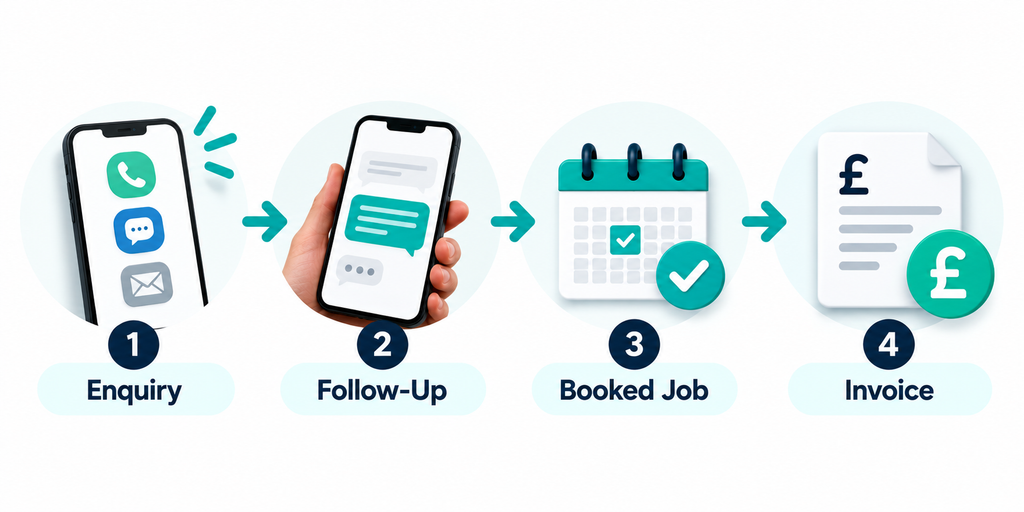
Missed Calls: Jobber AI Receptionist vs HighLevel Text-Back
This is where the two tools overlap most, so it is worth a fair comparison.
Jobber’s AI Receptionist help page says it answers calls and texts, answers questions about your business, books jobs into your calendar and can send a follow-up text if a caller hangs up early. It needs a dedicated number, and the page lists the US, Canada and UK as available. It costs $29/month and is included on the Plus plan. Jobber’s own pages disagree on the allowance: the receptionist article says 30 conversations included and $0.79 for each extra one, while the add-ons article says 100 a month. Confirm the allowance with Jobber before you buy, because it changes the cost for a busy business. Either way it is cheap at low volume, and Jobber’s add-ons help article says add-ons are not available while in trial.
HighLevel’s built-in missed call text-back works differently. It sends a text when a call goes unanswered, then connects that conversation to a pipeline and to follow-up workflows you configure. You pay per text sent, so check the GoHighLevel SMS cost guide to see what that means at UK rates.
The honest difference is not whether the first message gets sent. Both tools can do that. It is what happens afterwards. HighLevel is designed to keep chasing a lead across several days and show you where each one stands. If you want to see how that sequence works, read the automatic lead follow-up system guide.
Jobber or GoHighLevel? Which One to Choose
Choose Jobber CRM if your main problem is managing work you have already won. Scheduling engineers, quoting on site, invoicing and getting paid are what it is built for. A team with several engineers and mostly repeat or referral work may find Jobber alone is enough.
Choose GoHighLevel if you already receive enquiries but lose jobs because calls go unanswered or follow-up is inconsistent. Jobber’s Receptionist, Pipeline and two quote reminders cover part of that, but they are paid add-ons with limited follow-up. HighLevel is designed to keep contacting a lead over several days and to show where each one stands, and it also includes funnels and landing pages. Plans include unlimited users, where Jobber charges for extra seats. HighLevel will not create demand by itself, so you still need enquiries coming in.
For a sense of cost, Jobber Core with the Pipeline and Receptionist add-ons is about $107 a month on annual billing ($29 + $49 + $29), compared with $97 a month for HighLevel Starter. That is not like for like, because Jobber is built around job scheduling, dispatch and the field app, which HighLevel is not, and HighLevel usage charges such as SMS are extra. Treat it as a cost illustration, not proof that either tool is cheaper. See the GoHighLevel for plumbers UK guide for how that looks for a plumbing business.
Use both if you have both problems. Running the two together costs roughly:
- One-person trade: Jobber Core ($29 on annual billing) plus HighLevel Starter ($97 on monthly billing), about $126 a month, or roughly £100.
- Five-person team: Jobber Connect for 5 users ($149 on annual billing) plus HighLevel Starter, about $246 a month, or roughly £195.
Those figures exclude SMS and call usage, add-ons, VAT and exchange-rate movement. If job management is your priority and you want a UK-built option, Tradify and Commusoft are also worth a look.
Can You Use Jobber and GoHighLevel Together?
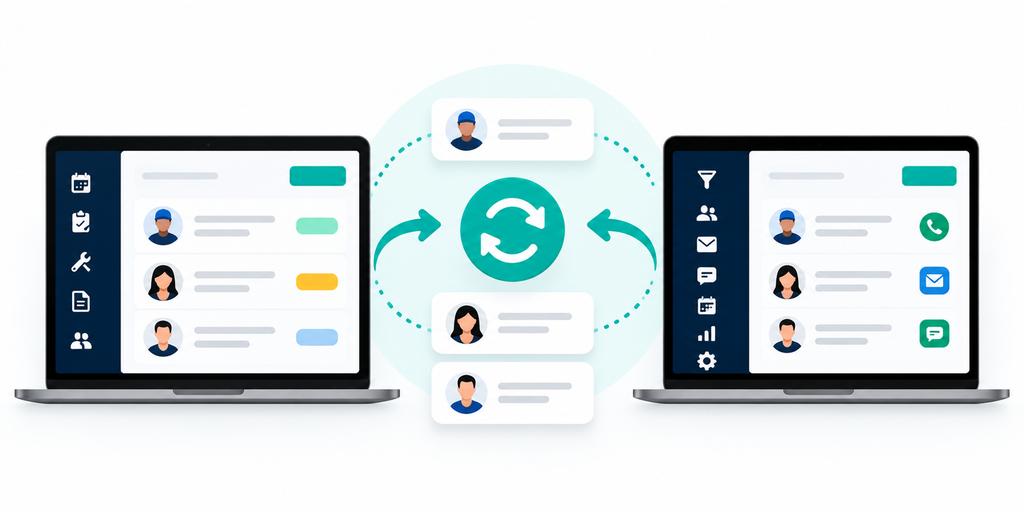
Yes. HighLevel announced a native Jobber integration in October 2025.
What the documentation says it does:
- Two-way client sync. Name, email, phone, address, lead source and tags sync both ways. Custom fields, notes and attachments do not.
- Leads flow into Jobber. HighLevel says new leads captured there flow into Jobber ready to be scheduled, and client updates in Jobber reflect back in HighLevel.
- No duplicates. Records are matched by Jobber client ID, so changing a client’s email or phone does not create a copy.
- Starter workflows. HighLevel provides a snapshot with ready-made workflows and templates.
What to know before you connect it:
- Only an agency admin can install it, from the App Marketplace in the Agency view. Each sub-account then connects it under Installed Apps.
- One HighLevel sub-account can connect to one Jobber account.
- HighLevel’s documentation does not state which plans include it.
- The sync cannot be paused. To stop it, you disconnect the app in Jobber.
Anything beyond that, such as a review request after a job closes, is a workflow you build in HighLevel yourself. It is not documented as an automatic part of the integration.
Example Scenarios for UK Trades
These are illustrative examples, not client case studies.
A sole trader electrician misses several calls a week while on site. Jobber handles scheduling and invoicing. Its Receptionist and Pipeline add-ons would cover part of the gap, but they cost extra and neither is documented as running a multi-day follow-up sequence. Adding HighLevel for follow-up addresses that without changing how Jobber runs the jobs. See the CRM for electricians guide.
A plumbing company with five engineers spends most of its time on routing, dispatch and invoicing, and most work comes from repeat customers. Jobber alone may be enough. See CRM for plumbers for a trade-specific breakdown.
A roofing company growing from two to eight engineers loses leads while the owner is up a roof, and scheduling is getting harder. This business has both problems, so running both tools makes sense.
Final Verdict: Is Jobber CRM Enough?
Jobber CRM is enough if your problem is running the work. It is not enough if your problem is catching and chasing new enquiries, because its documented follow-up is two reminders on a quote plus pipeline alerts, not a multi-day sequence.
Before you commit to either tool, check how many leads you lose in a typical month. If the answer is “not many”, save your money and use Jobber alone. If the answer is “too many”, the GoHighLevel free trial guide shows what to test first. The 30-day bootcamp trial does not charge the subscription cost, though communication surcharges may apply, so test your missed-call flow before the trial ends.
FAQ
Is Jobber CRM enough for a UK trades business? It is enough for managing clients and jobs. It is not enough if you also need to chase enquiries over several days. One practical point if you add HighLevel: the Jobber sync is two-way and cannot be paused, so tidy your Jobber client list and tags before you connect it.
Is Jobber a CRM? Jobber includes CRM features such as client profiles, job history, communication history and lead tagging. It is primarily a field service management platform rather than a dedicated lead management CRM.
How much does Jobber cost in the UK? Jobber lists prices in USD, from $29 a month on annual billing for one user on Core, up to $399 for five users on Plus. Extra users are $29 a month each. Jobber’s help pages do not say whether UK VAT is added, and the GBP amount will move with the exchange rate.
Does Jobber work with UK phone numbers? Jobber’s pricing page lists two-way text messaging in the UK, and its AI Receptionist help page lists UK numbers as available. Check that your plan and number type work as you expect before you rely on them.
Does Jobber have automated follow-ups? Yes, but they are limited. Jobber can send up to two reminders on quotes awaiting a response and up to two on past-due invoices. Quote follow-ups are on the Connect plan and above, and the Pipeline add-on flags leads that have gone quiet.
Does Jobber integrate with GoHighLevel? Yes. HighLevel announced a native two-way client sync with Jobber in October 2025. It syncs contact details, lead source and tags, and an agency admin installs it from the App Marketplace.
Which should I start with, Jobber or GoHighLevel? Start with the tool that fixes your biggest problem. If enquiries already come in but you lose them to missed calls and slow follow-up, consider GoHighLevel. If you lose track of jobs and invoices, start with Jobber. HighLevel will not bring in enquiries by itself.
Suggested Reads
CRM for Plumbers → Which CRM fits a plumbing business
CRM for Electricians UK → CRM options for UK electrical contractors
Plumbing Software UK → The software a UK plumbing business actually needs
Automatic Lead Follow-Up System → How to stop losing leads to slow replies
Best CRM for Small Business UK → Eight CRMs compared for UK small businesses