
Affiliate links – I earn a commission if you sign up through this page, at no extra cost to you. That’s exactly why the weaknesses below aren’t softened. If GoHighLevel isn’t right for your business, I’d rather you know before you start a trial
If you’re losing leads from website enquiries, you’re not alone.
You’re getting traffic. People land on your site, read your services, fill in your form. And then they disappear.
You can’t see where they’re going. The traffic looks fine. The form is working. But the bookings aren’t following.
Here’s what most guides won’t tell you: the problem usually isn’t your website. It’s what happens after someone submits that form.
Most businesses focus on getting more traffic. The leads you’re losing already found you.
Key Takeaways
- Most service businesses lose leads in the first 30 to 60 minutes after a form submission, not because of bad traffic
- Research consistently shows that responding within 5 minutes makes conversion significantly more likely than responding within an hour
- Leads don’t disappear because they lost interest – they disappear because a competitor responded first
- A proper lead capture system handles response, follow-up, and tracking automatically, without relying on you checking your inbox
- GoHighLevel is the only tool that combines instant response, automated follow-up sequences, and pipeline tracking in one system
You’re not losing leads because of bad marketing.
You’re losing them because you’re too slow to respond.
Get the system that responds to every enquiry automatically – even when you’re on a job.
Why You’re Losing Leads From Website Enquiries
Every guide about losing leads from your website talks about the same things.
Page speed. Mobile design. Weak CTAs. Confusing navigation.
Those things matter. But they’re earlier in the funnel.
If someone has already filled in your form, those problems didn’t stop them. Something else did.
Here’s the real sequence of what happens when a lead submits your contact form on a Monday morning:
- 9:14am: They fill in your form and hit submit
- 9:14am to 9:16am: They’re still on your site, maybe reading another page
- 9:17am to 9:30am: They’ve moved on, checking emails, back on their phone
- 9:31am onwards: They’re searching competitors, filling in other forms
- 11:45am: You see the notification, reply with a professional email
- No response
You didn’t do anything wrong. You just responded to a cold lead as if it were still hot.
The window isn’t hours. Research from the Harvard Business Review found that businesses contacting leads within an hour are nearly seven times more likely to qualify them than those who wait even 60 minutes. For service businesses taking enquiries through a website form, the gap between responding in 2 minutes versus 2 hours is often the difference between winning the job and losing it.
This is exactly why so many businesses are losing leads from their website without understanding why. The form works. The leads arrive. The follow-up is the failure.
What a Proper Lead System Looks Like
Most service business websites have a process that looks like this:
- Lead fills in form
- Email lands in inbox
- Owner sees it when they’re next at a desk
- Owner replies manually
- Lead doesn’t respond
- Owner follows up once, maybe twice
- Lead goes cold
That’s not a system. That’s hoping the lead is still interested by the time you’re available.
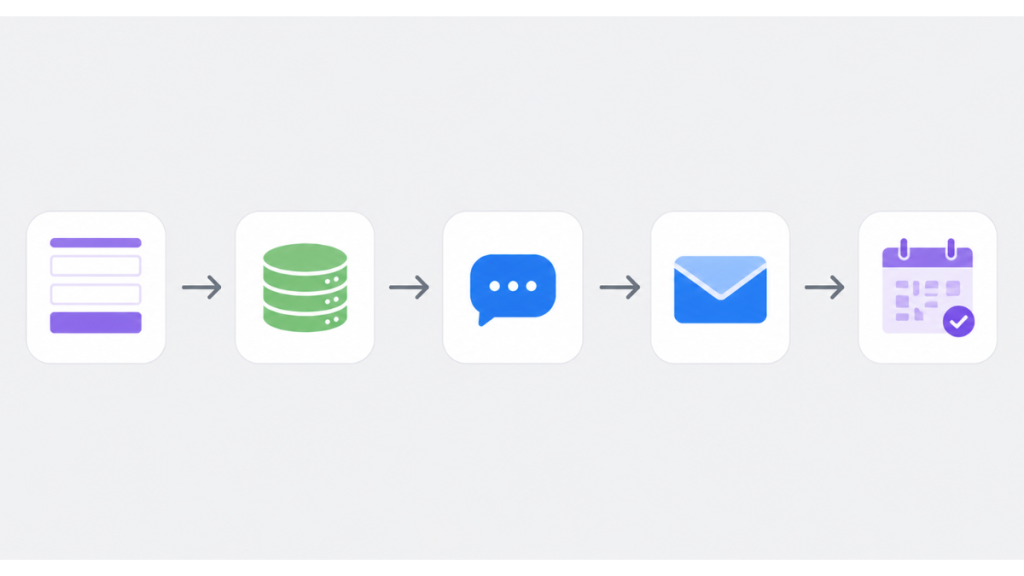
A system that actually works looks like this:
- Lead fills in form
- Lead enters CRM instantly
- Automated SMS sent within 60 seconds
- Automated email confirmation sent simultaneously
- Follow-up sequence runs over the next 5 days without you touching it
- Lead books – sequence stops and pipeline updates automatically
- Lead doesn’t book – you get a notification when it’s worth a personal call
The difference isn’t effort. It’s architecture.
The 5 Reasons You’re Still Losing Leads From Your Website
1. Your Response Time Is Too Slow
This is the biggest one, and it’s almost never acknowledged.
When a lead fills in a form, their interest is at its peak right at that moment. Every minute that passes is a minute where they’re thinking about something else, comparing other options, or just losing the urgency they felt when they searched for you.
If your response relies on you noticing the notification, you’re already behind.
The fix is removing the human from the first response entirely. An automated SMS and confirmation email sent within 60 seconds keeps the lead engaged while you’re still busy. It signals that your business is responsive and professional – which matters before you’ve even spoken.
For how to set this up, see how to respond to leads instantly with automation.
2. Your Follow-Up Falls Apart After Day One
Most businesses follow up once, maybe twice. Then they stop because it feels awkward to chase.
But the data tells a different story. Most leads don’t convert on the first contact. They need multiple touchpoints before they’re ready to commit – and the businesses that stay consistent are the ones that win the job.
A structured follow-up sequence over 5 days removes the awkwardness entirely. The messages go out automatically. You’re not chasing – you’re just running a professional process.
Here’s what a basic 5-day sequence looks like for a service business:
Day 0 – Instant (automated SMS): “Hi, thanks for getting in touch. We’ve received your enquiry and will be in touch shortly. If you’d like to book straight away: [booking link]”
Day 1 – Email: Subject: “Quick question about your enquiry” “Hi [name], just wanted to check what you’re hoping to achieve so we can make sure we point you in the right direction. What’s the most important thing for you right now?”
Day 2 – SMS: “Hi [name], just following up on your enquiry from yesterday. Happy to answer any questions before you decide. [booking link]”
Day 3 – Email: Subject: “Still here if you need us” “Hi [name], just checking in. No pressure at all – if the timing isn’t right, that’s fine. If you do want to chat, here’s how to book: [link]”
Day 5 – Final email: Subject: “Closing your enquiry” “Hi [name], I’m going to close your enquiry on our end so nothing gets lost in the system. If you do want to pick this up at any point, just reply to this email and we’ll get things moving.”
That final email consistently gets replies. People respond when something is being closed.
None of this requires you to remember anything, chase anyone, or write a single email manually. It runs on its own.
3. Your Leads Are Scattered Across Inboxes and Notes
If your leads live in your email inbox, you don’t have a lead management system. You have a to-do list with no structure.
When enquiries come in through different channels – contact form, phone, Facebook message, direct email – and there’s no single place where they all land, leads get missed. Not because you don’t care. Because the information is fragmented.
A CRM brings everything into one place. Every lead has a record, a status, and a next action attached to it. You can see at a glance which leads are new, which have been contacted, and which are waiting on a decision.
For a full breakdown of how this works, see lead management system for service businesses.
4. You Have No Visibility Into Where Leads Drop Off
Most business owners know they’re losing leads. They don’t know exactly where.
Is it that leads aren’t responding to the first email? Are they going cold after the quote? Are they not even getting the confirmation email?
Without pipeline tracking, you’re guessing. With it, you can see the exact stage where leads are stalling – and fix that specific point.
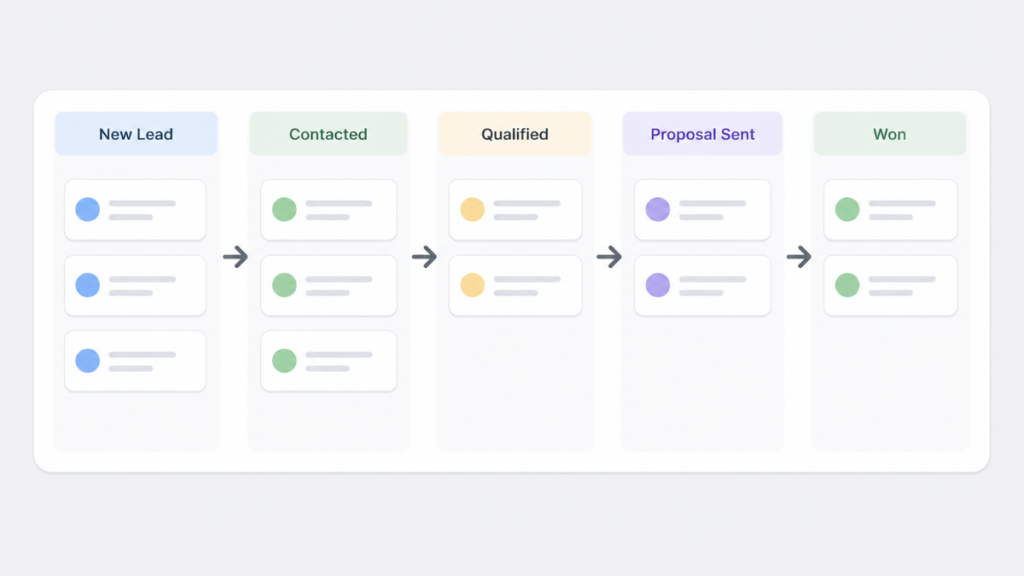
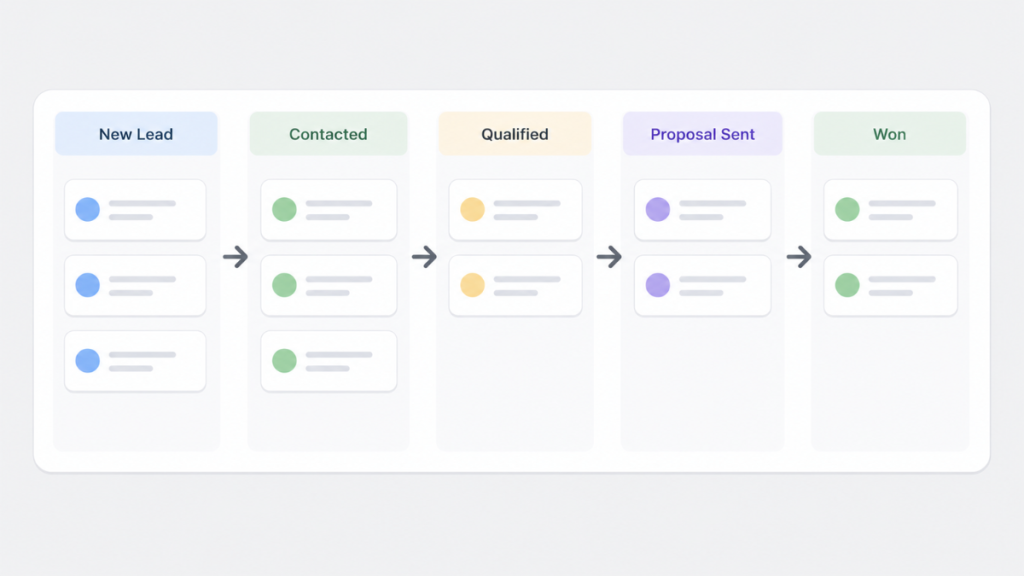
Pipeline stages for a typical service business:
- New enquiry
- First contact made
- Quote sent
- Follow-up 1
- Follow-up 2
- Booked / Won
- Lost / Closed
When a lead sits in “Quote sent” for four days without moving, that’s your trigger to make a personal call. The system surfaces the problem. You decide what to do about it.
5. Your Process Depends on You Being Available
The most fragile lead processes are the ones built around a single person’s availability.
If you’re on a job, in a meeting, or just busy, leads wait. And waiting is where they go cold.
Automation doesn’t replace you. It covers the window between a lead arriving and you being able to give them proper attention. That window – whether it’s 20 minutes or 3 hours – is where most leads are currently lost.
Each of these explains why businesses end up losing leads from website forms without realising it.
6. Your Lead Sources Aren’t Connected
Most service businesses receive enquiries from multiple places – Google Business Profile messages, Facebook enquiries, website forms, and direct calls. When these land in separate places, leads get missed. A Google Business Profile message sits unread while you’re checking your website inbox. A Facebook enquiry goes cold while you’re on a job.
A proper system pulls every lead source into one CRM automatically. GBP messages, Facebook leads, website forms, and missed calls all land in the same place, trigger the same instant response, and enter the same follow-up sequence. Nothing gets missed because you were checking the wrong inbox.
GoHighLevel connects all of these natively – no Zapier required.
Which Tool Actually Fixes This
The tools that help with losing leads from your website fall into a few clear categories.
| Tool | What It Does Well | Where It Falls Short |
|---|---|---|
| GoHighLevel | Full automation – instant response, follow-up sequences, pipeline tracking, CRM all in one | Learning curve, higher starting cost |
| HubSpot | Clean CRM and pipeline tracking, solid free tier | Automation is limited without paid plans, needs other tools for SMS |
| ActiveCampaign | Strong email automation and sequences | No built-in CRM pipeline, no SMS without add-ons |
| ClickFunnels | Good for funnel-based lead capture | Limited follow-up and CRM functionality |
| Pipedrive | Visual pipeline and deal tracking for small teams | No instant SMS, needs integrations for automation |
The honest answer is that if your problem is the follow-up gap – leads arriving and going cold before you can respond – most tools only solve part of it.
GoHighLevel is the only one that handles the complete loop: capture, instant response, automated follow-up, pipeline tracking, and booking, without needing to stitch together three separate tools.
If you want structured tracking and don’t need SMS automation, HubSpot’s free tier is a reasonable starting point. But you’ll still need to solve the response speed problem separately.
If you want the complete system that stops leads from going cold:
How to Audit Your Own Lead Process in 10 Minutes
Before buying any tool, run this quick audit on your current setup.
Step 1 – Time your response. Submit a test enquiry through your own contact form right now. Time how long until you get the notification and how long until a response goes back. If it’s more than 10 minutes, that’s your first problem.
Step 2 – Count your touchpoints. How many times do you follow up with a lead that doesn’t respond? If the answer is one or two, you’re stopping too early.
Step 3 – Map your channels. List every place a lead can contact you – contact form, phone, email, social. Then ask: do they all feed into one place, or are they scattered? If they’re scattered, you’re missing enquiries.
Step 4 – Check your pipeline visibility. Can you see right now, without checking emails, how many open leads you have and where each one is in the process? If not, you don’t have a pipeline.
If you found problems at more than one step, the issue isn’t effort. It’s the absence of a system.
This helps you pinpoint exactly where you’re losing leads from website enquiries.
For a full breakdown of how to structure your follow-up, see automatic lead follow-up system for service businesses.
What Happens When You Fix This
A service business running a proper lead automation system typically sees three changes quickly.
First, the response rate goes up. Leads that would have gone cold respond when they get an SMS within 60 seconds of submitting a form, because they’re still thinking about the problem.
Second, the follow-up becomes consistent. Instead of chasing leads based on memory, the sequence runs automatically. The business stays present in the lead’s mind without any additional effort.
Third, the visibility changes how decisions get made. When you can see which stage leads are stalling at, you stop guessing and start fixing the actual problem.
None of this requires more traffic, a new website, or a bigger marketing budget.
The leads are already arriving. The system just needs to catch them.
FAQ
Why am I losing leads from website from my website if my traffic is fine? Traffic isn’t the issue. The problem is usually what happens after the form is submitted. If your response is slow or your follow-up is inconsistent, leads go cold before you get a chance to convert them. A properly set-up automation system fixes this without changing anything about your traffic.
How quickly should I respond to a website enquiry? Within 5 minutes is the target. Research shows that leads contacted within 5 minutes are significantly more likely to convert than those contacted after an hour. Automated SMS and email triggered by form submission is the only reliable way to hit this consistently.
Do I need a CRM if I’m a small service business? Yes. Without a CRM, leads are managed through inboxes and memory, both of which fail under pressure. A CRM gives every lead a record, a status, and a next action – which is what prevents them from falling through the gaps.
How many follow-up messages should I send? A minimum of 5 touchpoints across 5 days is a solid starting point. Most businesses stop at 1 or 2, which is too early. Leads often respond to the final closing message more than any other.
What’s the best tool to stop losing leads from my website? For service businesses that need instant response, automated follow-up, and pipeline tracking in one place, GoHighLevel is the most complete option. HubSpot’s free CRM works for basic tracking but doesn’t solve the response speed problem on its own.
Suggested Reads
How to Respond to Leads Instantly → The automation setup that handles first contact within 60 seconds
Lead Management System for Service Businesses → How to structure your pipeline so no lead gets missed
Automatic Lead Follow-Up System → The full follow-up sequence setup for service businesses
Best CRM for Small Business UK → Tool comparison to find the right fit for your setup
GoHighLevel Hidden Costs (2026) → What GoHighLevel actually costs before you commit