
If you’re trying to figure out how to organise leads for small business, this guide shows you exactly how to do it step by step.
Most small businesses don’t struggle to get leads.
They struggle to organise them properly.
Leads come in from calls, forms, messages… and then they sit. No clear system. No consistent follow-up. No visibility of what’s actually happening.
If you’re trying to figure out how to organise leads small business, the problem isn’t effort.
It’s structure.
Because without a system, even good leads don’t turn into customers.
Quick Summary
| Area | What You Need | Why It Matters |
|---|---|---|
| Capture | One place for all leads | Stops leads getting lost |
| Organisation | Clear pipeline stages | Creates visibility |
| Follow-up | Defined next steps | Improves conversions |
| Tracking | Notes + history | Keeps context |
| Upgrade point | When volume increases | Prevents system breakdown |
Early Software Overview (Top Tools)
Before building your system, it helps to understand where this leads.
GoHighLevel is built for service businesses that want to organise leads, track pipelines, and automate follow-up in one place.
HubSpot CRM is useful if you want a structured system without heavy automation.
ClickFunnels focuses on generating leads through funnels, but doesn’t fully manage ongoing lead organisation.
You don’t need to start here.
But this is where simple systems eventually go.
Why Most Small Businesses Struggle to Organise Leads
The problem isn’t getting leads.
It’s managing them consistently.
Leads come from:
- website forms
- phone calls
- social media
- referrals
And they end up scattered.
According to HubSpot, businesses that centralise and track leads properly convert more because nothing slips through the cracks.
Without that:
- leads go cold
- follow-ups are missed
- conversations lose context
That’s where revenue is lost.
What “Organising Leads” Actually Means
Organising leads isn’t just writing names in a list.
It’s building a system.
A proper how to organise leads small business approach includes:
- capturing every lead
- tracking their status
- knowing the next step
- following up consistently
Without all four, your system breaks.
How to Organise Leads for a Small Business (Step-by-Step)
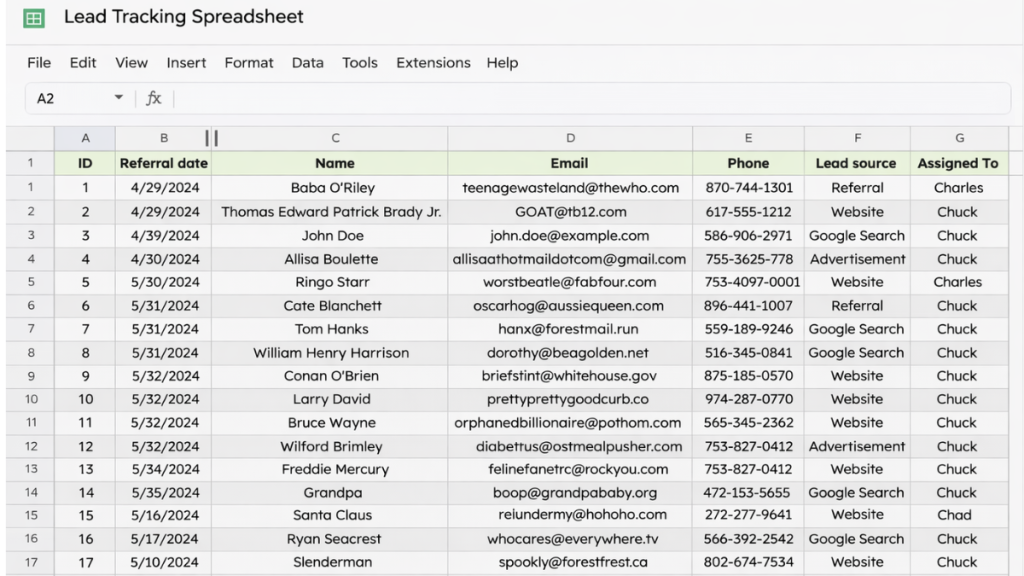
Step 1, Capture Every Lead in One Place
If you don’t already have a system in place, read Automatic Lead Follow-Up System Explained first.
This guide focuses on exactly how to organise your leads step-by-step.
Step 2, Create Simple Pipeline Stages
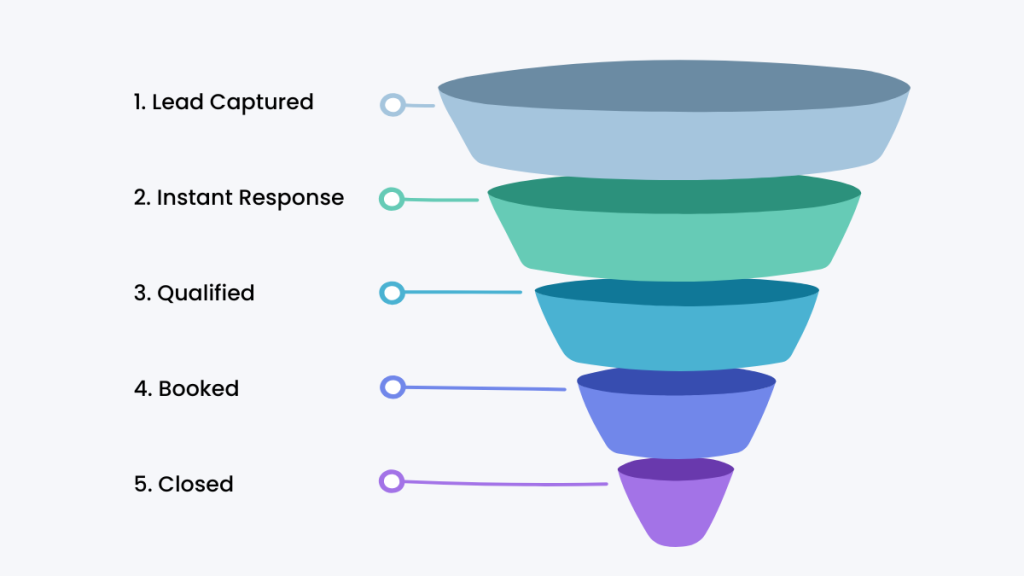
Every lead needs a clear status.
Keep it simple:
- New
- Contacted
- Qualified
- Booked
- Closed
This creates instant visibility.
Without stages, you’re guessing.
Step 3, Track the Next Action (This Is Critical)
This is where most systems fail.
Every lead should have:
a next step
Examples:
- call tomorrow
- send quote
- follow up next week
If there’s no next action, the lead gets forgotten.
Step 4, Store Notes in One Place
Every conversation matters.
Store:
- what was discussed
- objections
- next steps
This keeps continuity and improves conversions.
The System Behind Organised Lead Management
This is what an organised system actually looks like:
Lead captured → added to system → assigned status → next action tracked → followed up → moved through pipeline → closed
This is the foundation of any effective how to organise leads small business system.
Real World Example
A local service business gets leads from Facebook ads and their website.
Without a system:
- messages get missed
- follow-ups are inconsistent
With a structured system:
- every lead is logged
- they assign a stage
- they track next steps
- they follow up consistently
Same leads.
Better results.
Where This System Starts to Break
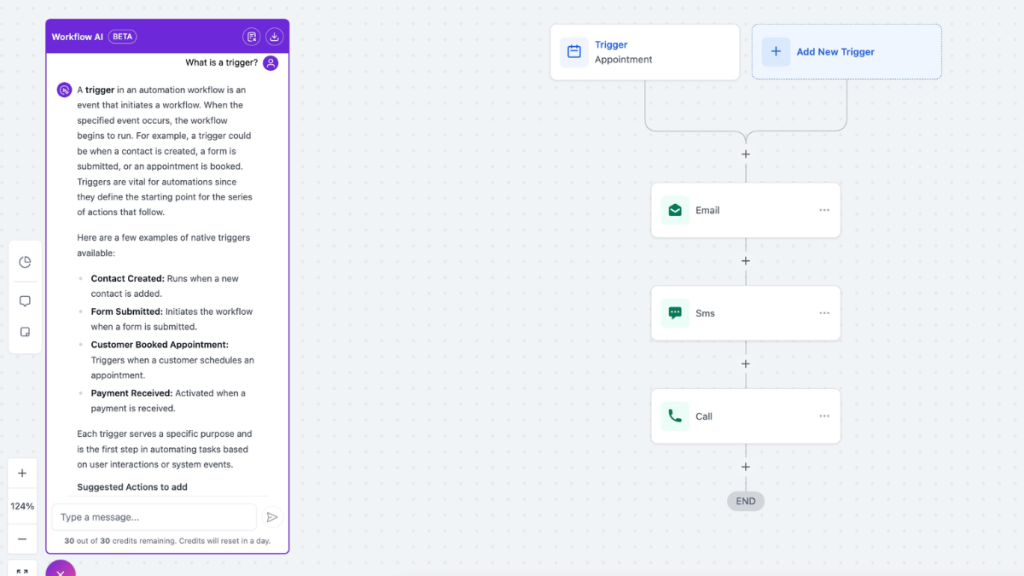
Manual systems work… until they don’t.
This is where a how to organise leads small business system begins to break down:
- more leads coming in
- missed follow-ups
- relying on memory
At this point, staying manual becomes a problem.
When a CRM Changes Everything
Most businesses don’t struggle because they lack tools. They struggle because nothing is organised in one place.
Leads sit in emails, notes, and messages, which means follow-up becomes inconsistent and easy to miss.
A CRM fixes this by giving you:
- a clear pipeline
- structured follow-up
- visibility on every lead
That’s what turns scattered leads into a process you can actually manage.
How to Decide What You Need
You don’t need the most advanced tool.
You need the right system for your stage.
Use a spreadsheet if:
- you’re just starting
- lead volume is low
Use HubSpot if:
- you want structure
- you don’t need automation yet
Use GoHighLevel if:
- you want automation
- you’re scaling
- you want everything in one place
This is the natural progression.
Reinforcing the Best Choice
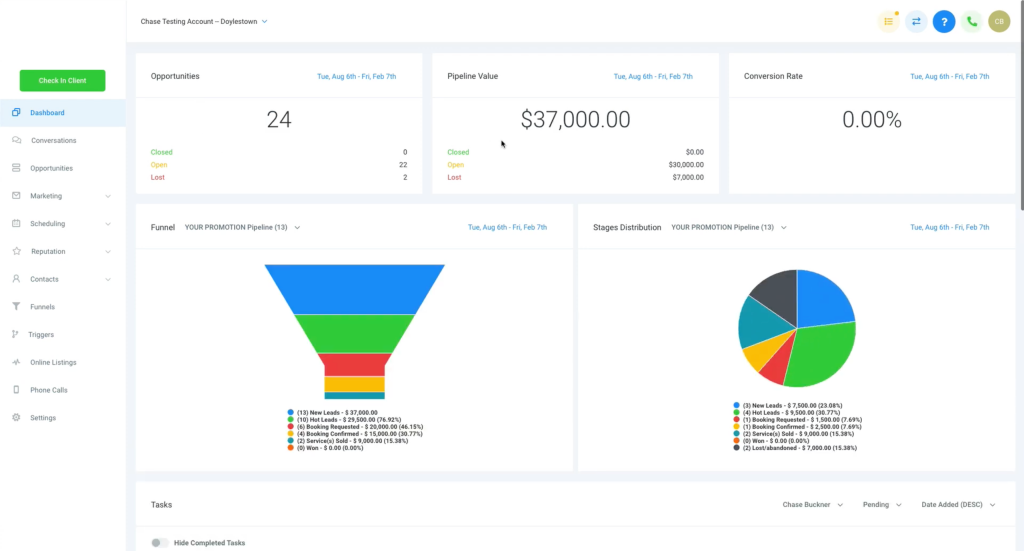
If your goal is to stay organised, a spreadsheet works.
If you want structure, a CRM helps.
But if you want a system that tracks, follows up, and converts leads automatically, GoHighLevel is built for that.
Final Thoughts
If you’re learning how to organise leads small business, don’t overcomplicate it.
Start simple.
But don’t stay manual too long.
Because the moment your system can’t keep up…
your leads stop turning into customers.
FAQ
What is the best way to organise leads for a small business?
The best way is to use a simple system that captures leads, tracks their status, and ensures consistent follow-up.
Do I need a CRM to organise leads?
No. You can start with a spreadsheet, but most businesses eventually need a CRM to scale.
What are the key stages in a lead system?
New, Contacted, Qualified, Booked, and Closed are the most effective stages.
When should I upgrade to a CRM?
When you start missing follow-ups or handling more leads than you can manage manually.
Suggested Reads
If you want to go deeper into automation, read best automation tools for virtual assistants.
To understand pricing and plans, see GoHighLevel pricing explained.
For alternatives, check best GoHighLevel alternatives.