
If your leads sit in your inbox until you remember to reply, you don’t have a CRM. You have a delay.
A simple CRM for small business helps you track leads, follow up consistently, and avoid losing potential customers.
Most small businesses don’t need a complex CRM system.
A simple CRM for small business doesn’t need to be complicated to be effective.
The problem is that most “best CRM software” lists overwhelm you with features you’ll never use.
This guide breaks it down differently.
You’ll learn:
and the simplest tools to get started
when you actually need a CRM
what features matter (and what doesn’t)
If your leads sit in your inbox until you remember to reply, you don’t have a CRM. You have a delay.
| Situation | Best Tool |
|---|---|
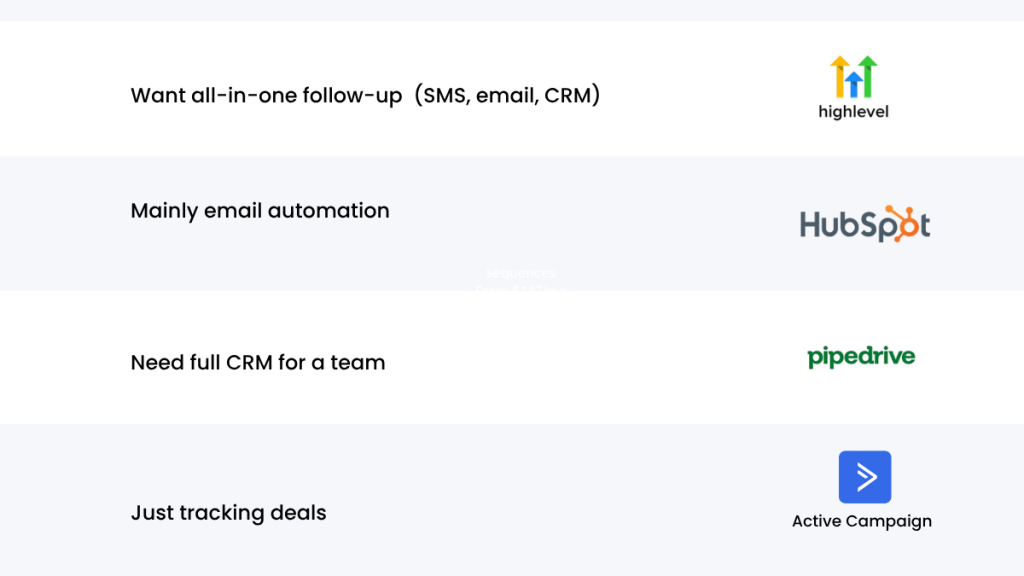
| All-in-one follow-up (SMS, email, CRM) | GoHighLevel |
| Mainly email automation | HubSpot |
| CRM for teams | Pipedrive |
| Simple deal tracking | ActiveCampaign |
If you’re still managing leads manually, this is where it breaks. Try GoHighLevel free
What a Simple CRM for Small Business Actually Does
A CRM (Customer Relationship Management system) helps you track and manage interactions with leads and customers.
For a small business, this usually means:
- capturing leads from forms or calls
- tracking conversations
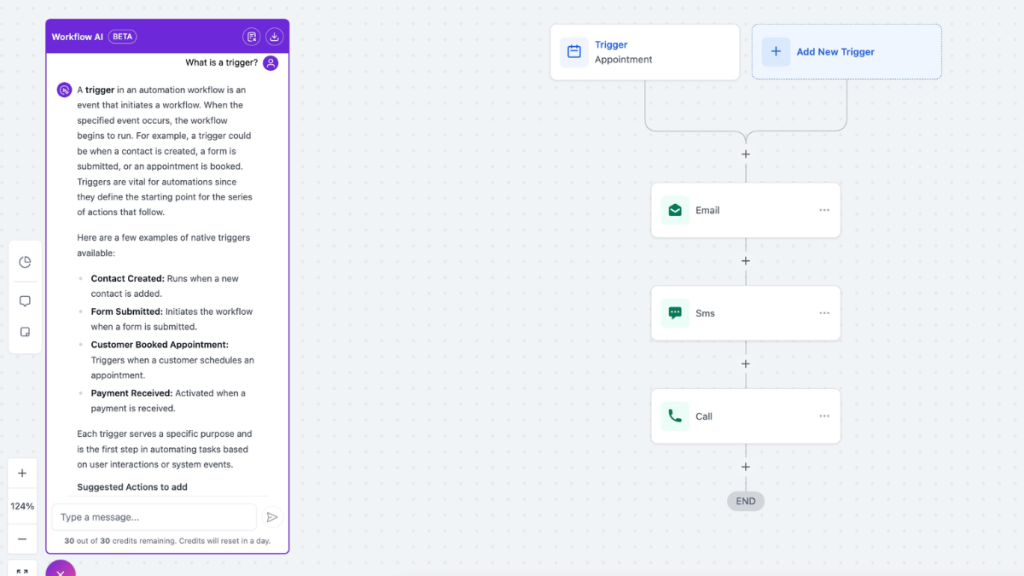
- following up automatically
Without a CRM, most businesses rely on spreadsheets, notes, or memory — which leads to missed opportunities.
When You Actually Need a CRM
Not every business needs a CRM immediately.
You probably need one if:
- you forget to follow up with leads
- you have multiple conversations happening at once
- leads are coming from different sources (website, calls, ads)
If you only get a few inquiries per week, a CRM might not be necessary yet.
But once you start losing track of conversations, a CRM becomes essential.
When Follow-Up Automation Isn’t Necessary
Not every small business needs automation right away.
If you’re only handling a few enquiries per week and can respond manually, a simple system without automation is often enough.
Automation becomes more valuable when:
multiple conversations are happening at once
lead volume increases
response time starts slipping
The Simplest CRM Setup for Small Businesses
This is where a simple CRM for small business setup can make a big difference.
You don’t need a complex system to start.
A simple CRM setup includes:
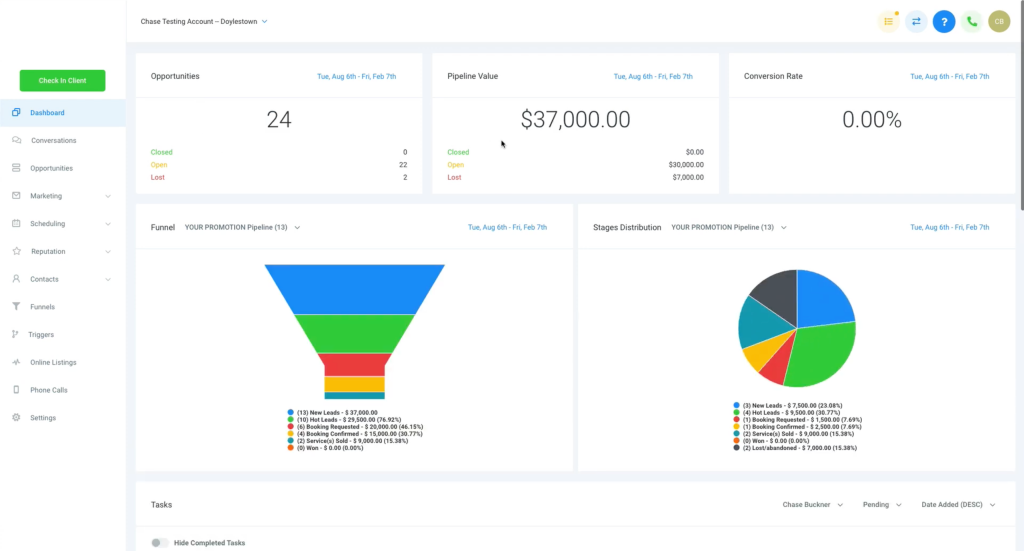
- A pipeline (new lead → contacted → booked → closed)
- Basic contact tracking
- One or two follow-up automations
Why Most Small Businesses Lose Leads
Most setups still depend on manual steps:
- Lead fills a form → email notification
- You check it later → reply
- Lead has already contacted someone else
Or:
- Call comes in → you miss it
- No response goes out → opportunity gone
The gap between lead and response is where conversions drop.
Speed matters, but consistency matters just as much. Even if you reply quickly once, most deals are won through follow-up over several days.
The systems that actually improve results all do the same four things:
- Immediate response (within seconds, not hours)
- Multi-step follow-up (not just one message)
- Central pipeline tracking (so no lead disappears)
- Automated reminders and reactivation
If your setup is missing one of these, you’re not just “less efficient.” You’re losing deals quietly.
Real Example: Local Service Business Using a Simple CRM
A local service business receiving 20–30 enquiries per week was struggling to keep track of follow-ups.
Leads were coming in from their website, phone calls, and Facebook ads, but many were never contacted again.
After setting up a simple CRM system with:
- a basic pipeline (new lead → contacted → booked)
- automated follow-up messages
- appointment reminders
they were able to respond faster and stop leads slipping through the cracks.
Within a few weeks, they saw an increase in booked jobs without increasing their marketing spend.
Real Use Cases That Drive Conversions
This is where automation becomes measurable, not theoretical.
1. Missed Call → Instant Recovery
A prospect calls. You miss it.
Instead of losing them, they immediately get a text with a next step.
If you’re not doing this yet, here’s how a missed call text back system works and why it recovers leads most businesses lose.
A prospect calls. You miss it.
Instead of losing them, they immediately get a text with a next step. That alone can recover leads that would otherwise disappear, especially in competitive local services.
2. Form Submission → Immediate Engagement
A lead submits a form.
Instead of waiting for a manual reply, they receive:
- Confirmation
- A follow-up message
- A booking link
From the lead’s perspective, you feel responsive and organised. That perception alone increases trust early.
3. Quote Sent → Structured Follow-Up
Most businesses send quotes and stop there.
Automated follow-up sequences continue the conversation over the next few days. This is often where deals are actually won, because most competitors don’t follow up consistently.
4. Booked Appointment → Reduced No-Shows
Reminders sent at the right times reduce no-shows and increase the number of completed appointments without increasing lead volume.
The key point across all of these is simple.
Automation doesn’t replace effort. It removes delay and inconsistency.
If scheduling is part of your process, these appointment booking automation tools can handle confirmations, reminders, and rescheduling automatically.
Choosing a Simple CRM (Based on Your Needs)
Choosing the right simple CRM for small business depends on how you handle leads.
Instead of comparing dozens of tools, here are a few that actually work for small businesses:
1. GoHighLevel (Best All-in-One CRM)
GoHighLevel combines CRM, automation, and funnel tools in one platform.
It’s ideal if you want:
- automated follow-ups
- SMS + email communication
- lead tracking in one place
If you’re still managing leads manually, this is where it breaks. Try GoHighLevel free
2. HubSpot (Best Free Starter CRM)
HubSpot offers a free CRM with basic pipeline and contact tracking features.
It’s a good option if you want something simple with no upfront cost.
3. Zoho CRM (Budget-Friendly Option)
Zoho is a lightweight CRM with basic features at a low price.
It’s suitable for small teams that need structure without complexity.
Verdict
If your business relies on inbound leads, the biggest improvement you can make is not better marketing. It’s faster and more consistent follow-up.
The decision comes down to how you want to run that process:
- If you want everything handled in one place with minimal delay, GoHighLevel is the most practical choice
- If your follow-up is primarily email, ActiveCampaign is sufficient
- If you need a traditional CRM for a larger team, HubSpot can work
But for most small businesses, especially service-based or lead-generation focused, the real advantage comes from removing the gap between lead and response.
That’s where automation has the biggest impact.
Most small businesses don’t lose leads because of competition. They lose them because nobody followed up
FAQ
What is the best way to automate customer follow up?
Use a system that triggers instant responses (SMS and email), continues follow-up automatically over several days, and tracks leads in a pipeline.
Are follow up automation tools worth it?
If you’re getting consistent leads, yes. Faster response and consistent follow-up directly improve conversion rates.
Is email follow-up enough on its own?
In many cases, no. Email works, but SMS and immediate responses are often what drive engagement for inbound leads.
Can automation replace manual follow-up completely?
Not completely, but it handles the early stages and repetitive follow-up, allowing you to focus on closing conversations rather than chasing them.
Suggested Reads
If you want to go deeper into automation, lead handling, and CRM setups, these will help:
Missed Call Text Back System – How to automatically respond to missed calls and recover lost leads
GoHighLevel Pricing Explained – Full breakdown of plans, features, and what you actually pay
GoHighLevel Hidden Costs – The real monthly cost most people don’t factor in
Appointment Booking Software for VAs – Tools that reduce no-shows and automate scheduling
Best Automation Tools for Virtual Assistants – Practical tools for handling leads and workflows