
Affiliate links – I earn a commission if you sign up through this page, at no extra cost to you. That’s exactly why the weaknesses below aren’t softened. If GoHighLevel isn’t right for your business, I’d rather you know before you start a trial
A potential customer fills in your contact form at 8pm on a Tuesday. You’re finished for the day. You see it the next morning at 8am – twelve hours later. By then they’ve already contacted three competitors, scheduled a call with one of them, and moved on.
This happens to service businesses every day. Not because they don’t care about leads. Because their lead management depends on someone being available to respond. Automate lead management and that dependency disappears entirely.
This guide covers exactly how to set it up for a service business – what to automate, in what order, and which tools make it work without complexity.
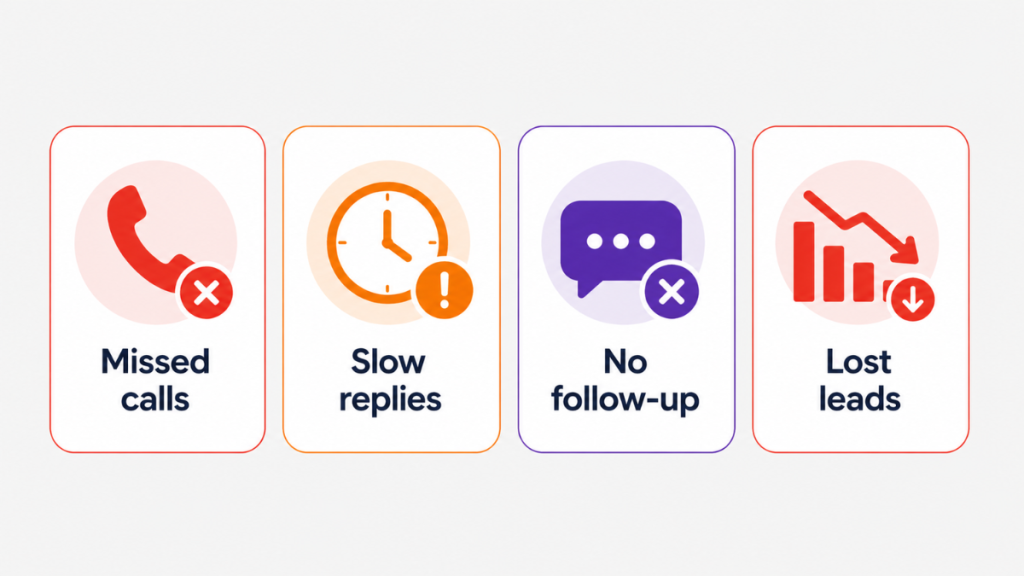
Key Takeaways
- Responding within 5 minutes makes leads 21 times more likely to qualify than waiting 30 minutes – most service businesses are nowhere near that window
- The average business takes 47 hours to respond to a new inbound lead – nearly two full days
- 78% of customers buy from the first business that responds – speed is the primary conversion variable for service businesses
- Businesses that automate lead management workflows see an average 40% reduction in customer acquisition costs and 25% improvement in sales cycle time
- Automating lead management is not about replacing human contact – it’s about removing the delay that happens before human contact starts
- One connected system is more reliable than four separate tools with integrations between them
You’re not losing leads because of bad marketing.
You’re losing them because you’re too slow to respond.
Get the system that responds to every enquiry automatically – even when you’re on a job.
Why Manual Lead Management Fails Service Businesses
Manual lead management depends on a person being available at the right moment. For a service business that is almost never realistic.
A plumber is on a job. An electrician is in a loft. A salon owner is with a client. A consultant is in a meeting. Leads come in regardless. The ones that get a fast response convert. The ones that wait go cold.
Research shows that responding within 5 minutes makes a lead 21 times more likely to qualify than one contacted after 30 minutes. The average business takes 47 hours to respond. The gap between those two numbers is where most service businesses lose the majority of their revenue.
Manual follow-up compounds this problem. Even when the first response goes out promptly, consistent follow-up over the next several days rarely happens. One message gets sent. If there’s no reply, the lead gets forgotten. Research consistently shows that 80% of sales require five or more follow-up attempts – and nearly half of all salespeople stop after just one.
The solution is not trying harder. It is removing the human dependency from the parts of lead management where speed and consistency matter more than personalisation.
For a full breakdown of the follow-up system that sits around this, see the lead follow up system guide.
What Not Automating Lead Management Actually Costs You
Most service businesses underestimate how much slow response and inconsistent follow-up costs them in real terms. Here are the numbers for a typical UK service business:
| Lead volume per week | Lost to slow response (50%) | Average job value | Monthly revenue lost |
|---|---|---|---|
| 5 leads | 2-3 | £250 | £1,000-£1,500 |
| 10 leads | 5 | £250 | £2,500 |
| 20 leads | 10 | £250 | £5,000 |
These figures assume a 50% loss rate from slow response – conservative based on the research. For most UK trades businesses the actual loss is higher because follow-up stops after one attempt. GoHighLevel at £95-120/month all-in recovers the cost from a single job. The question is not whether automation is affordable. It is how much longer you can afford not to have it.
What Automating Lead Management Actually Means
Automating lead management means setting up a system that handles the first three stages of every lead journey without manual input:
Stage 1 – Capture: Every enquiry from every source goes into one place automatically. Forms, calls, messages, Google Business Profile contacts. Nothing sits in a separate inbox waiting to be noticed.
Stage 2 – Response: Within seconds of any enquiry arriving, an automated message goes out. The lead knows they’ve been seen before they’ve had a chance to contact your competitor.
Stage 3 – Follow-up: If the lead doesn’t reply or book, the system follows up automatically over the next several days. Each message stops the moment the lead responds.
Human involvement comes after these three stages – once the lead is warm, engaged and expecting contact. That is where human conversation adds the most value. Automation handles everything before that point.
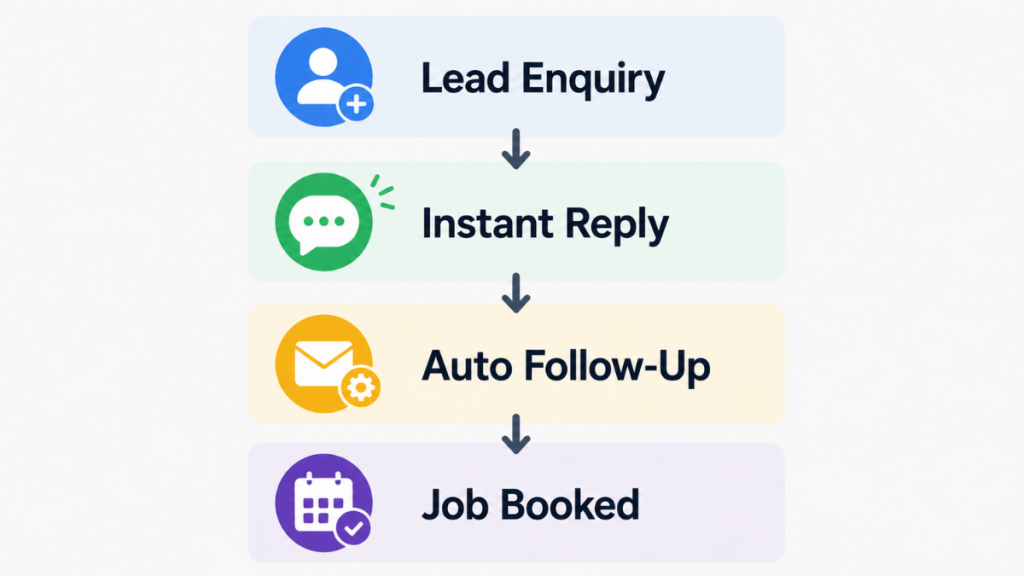
The Four Things You Need to Automate Lead Management
You do not need ten tools. You need four things working together inside one system.
1. A single inbox for all lead sources
If leads arrive through your website form, a Facebook message, a Google Business Profile call, and a text message – and each one lands in a different place – your lead management will always have gaps.
Automating lead management starts with centralising every lead source into one inbox. When a new enquiry arrives anywhere, it appears in one place, triggers the same response sequence, and gets added to the same pipeline. Nothing gets missed because someone forgot to check a particular channel.
2. Instant automated response
The response needs to fire within 60 seconds. Not minutes – seconds. This is the window where the lead is still engaged, still on their phone, still thinking about your business.
For form submissions this means an SMS and email firing automatically the moment the form is submitted. For missed calls it means a text back within 15 seconds. For messages through any channel it means an automated reply that acknowledges the enquiry and gives the lead a way to book or continue the conversation immediately.
For a detailed breakdown of the missed call side of this, see the GoHighLevel missed call text back guide.
3. Automated follow-up sequence
A single automated response is not enough. Most leads need multiple touchpoints before they convert. The system needs to follow up automatically over the next several days – stopping the moment the lead replies or books.
A basic sequence for a service business looks like this:
- Day 0: Instant response SMS and email
- Day 1: Follow-up SMS if no reply
- Day 3: Second follow-up email
- Day 5: Final SMS nudge
- Day 7: Closing message
Every message stops automatically when the lead responds. This is called the stop-on-reply trigger and it is the most important configuration in any automated follow-up system. Without it, your automation keeps messaging leads who have already said yes.
For real message templates for each of these steps, see the automatic lead follow up system guide.
4. Pipeline visibility
Once automation is handling capture and response, you need to see exactly where every lead stands. Who just came in. Who has been contacted. Who has replied. Who has booked. Who has gone cold.
Pipeline visibility is what turns lead management from a guessing game into a system. When you can see every lead’s status at a glance, nothing gets lost and you know exactly where to focus human attention.
The Common Mistake – Too Many Tools
Most service businesses that try to automate lead management end up with something like this: a form builder that sends enquiries to an email inbox, a separate CRM that the email gets manually entered into, an email platform that sends follow-up sequences, and an SMS tool that needs a Zapier connection to everything else.
Every integration between those tools is a potential failure point. When one breaks, leads stop flowing through the system. When data doesn’t sync properly, follow-up fires at the wrong time or not at all.
Businesses that automate lead management successfully almost always use one connected platform that handles all four components – capture, response, follow-up, and pipeline – without middleware or integrations. The reliability difference between one connected system and four separate tools with bridges between them is significant.
For a comparison of which platforms handle this best, see the CRM automation software guide.
How to Set This Up in GoHighLevel
Setting up automated lead management in GoHighLevel takes two to three hours for the complete system. Here is the exact sequence.
Step 1 – Connect your lead sources Go to Sites, then Forms, and create a form for your website enquiries. Embed the form on your contact page. Every submission automatically creates a contact in your CRM and triggers your workflow.
Step 2 – Set up missed call text-back Go to Settings, then Phone System, then missed call text-back. Toggle it on and write your message – keep it under 160 characters. This fires within 15 seconds of every missed call automatically.
Step 3 – Build your instant response workflow Go to Automation, then Workflows. Create a new workflow with trigger: Form Submitted. Add action: Send SMS – your Day 0 message. Set delay to 0 minutes. Add action: Send Email – your confirmation email. Save and test with a real submission.
Step 4 – Build your follow-up sequence In the same workflow, add Wait steps between each follow-up message. Day 1 SMS, Day 3 email, Day 5 SMS, Day 7 closing email. Add a condition after each message: if lead replies, stop the sequence. This is the stop-on-reply trigger – configure it at every step.
Step 5 – Set up your pipeline Go to Opportunities, then Pipelines. Create stages that match your lead journey – New Enquiry, Contacted, Quote Sent, Booked, Lost. Add pipeline stage update actions to your workflow so leads move automatically as they progress.
Step 6 – Test the full sequence Submit a test form, call your GHL number and let it ring out, and confirm both automations fire correctly. Check the pipeline updates. Check the stop-on-reply trigger works by replying to your own test message.
Total setup time: 2-3 hours. Once live the system runs without any manual input.
The Role of AI in Automating Lead Management in 2026
Traditional lead management automation sends fixed messages in a fixed sequence. AI-powered lead management goes further – it adapts based on what the lead says and does.
In 2026 the strongest platforms now combine automated workflows with AI conversation handling. When a lead replies to an automated message, instead of the conversation stopping until a human picks it up, AI continues it. It answers questions about services, pricing and availability. It handles basic objections. It guides the lead toward booking without any human involvement until the lead is ready to convert.
For service businesses this matters most during evenings and weekends when manual response is impossible but leads are still arriving. AI keeps those conversations alive around the clock. For a full breakdown of how this works inside GoHighLevel, see the GoHighLevel AI agent guide.
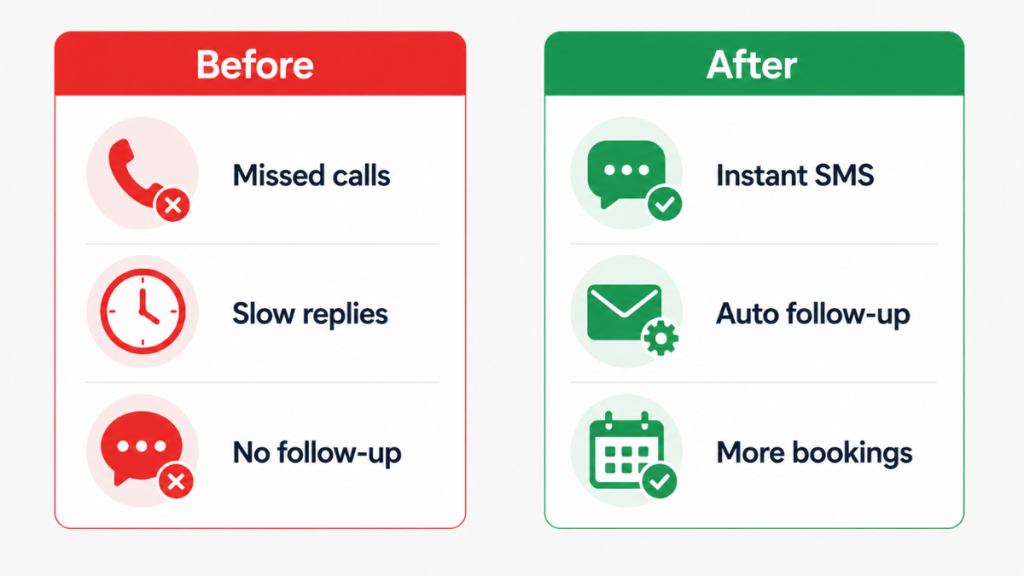
Which Tool to Use to Automate Lead Management
GoHighLevel is the strongest fit for service businesses wanting to automate lead management in one platform. It combines lead capture from all sources, instant SMS and email response, missed call text-back, automated follow-up sequences, AI conversation handling, booking calendars, and pipeline tracking in a single connected system. Nothing requires external integrations to work.
The Starter plan at $97/month covers everything a single service business needs. Usage fees for SMS and email apply on top of the subscription – for a typical service business budget £95-120/month all in. One recovered job per month covers the cost for most businesses.
ActiveCampaign is strong if your lead management automation is primarily email-driven. It handles complex email sequences and behavioural triggers well but requires additional tools for SMS and missed call handling.
HubSpot offers solid lead management automation on paid tiers. Better suited for larger teams with dedicated marketing functions than solo operators or small service businesses where simplicity matters more than breadth.
Platform Comparison – Which Tools Handle This Best
| Component | GoHighLevel | HubSpot | Pipedrive | ActiveCampaign |
|---|---|---|---|---|
| Centralised lead inbox | ✅ Native | ⚠️ Partial | ⚠️ Partial | ❌ |
| Instant SMS response | ✅ Native | ❌ | ❌ | ❌ |
| Missed call text-back | ✅ Native | ❌ | ❌ | ❌ |
| Automated follow-up sequences | ✅ Native | ⚠️ Paid only | ⚠️ Limited | ✅ Email only |
| Pipeline tracking | ✅ Native | ✅ Strong | ✅ Strong | ⚠️ Basic |
| UK phone number | ✅ Native | ❌ | ❌ | ❌ |
| AI conversation handling | ✅ Native | ❌ | ❌ | ❌ |
| Starting cost | $97/month | Free / £780+ | From £14/user | From $15 |
GoHighLevel is the only platform that handles all four components of automated lead management natively. HubSpot and Pipedrive are strong on pipeline visibility but require additional tools for SMS and instant response. ActiveCampaign leads on email automation but has no phone or SMS capability. For UK service businesses where missed calls and instant SMS are the highest-converting automations, GoHighLevel covers the complete workflow without integrations. See our Pipedrive Pricing UK guide if Pipedrive is on your shortlist.
When to Automate Lead Management – and When Not To
If you get two or three inbound leads per week and respond to all of them within minutes, full automation is helpful but not urgent. Start with missed call text-back and a simple email response – those two automations alone recover a significant percentage of leads most service businesses don’t know they’re losing.
Automation becomes essential when:
- You’re missing replies because you’re physically unavailable during working hours
- Follow-up is inconsistent – some leads get chased, most don’t
- You’re losing leads without understanding why
- Lead volume has grown beyond what you can handle manually with consistent speed
The single most important thing to automate first is the instant response. Everything else builds on top of that. A lead that gets a reply within 60 seconds is dramatically more likely to convert than one that waits hours – regardless of how good the follow-up sequence is.
Verdict
Automating lead management for a service business is not complicated. The system has four components – centralised capture, instant response, automated follow-up, and pipeline visibility. All four running inside one connected platform is what makes it reliable.
The revenue impact for most service businesses is immediate. Leads that previously went cold because of slow response or forgotten follow-up start converting. The jobs were always there. The system just wasn’t catching them.
FAQ
What does it mean to automate lead management? It means setting up a system that captures every inbound enquiry, responds automatically within seconds, follows up over several days without manual input, and tracks every lead’s status in one place – removing the human dependency from the parts of lead management where speed and consistency matter most.
How quickly should the automated response go out? Within 60 seconds for form submissions. Within 15 seconds for missed calls. Every minute of delay reduces the probability of converting that lead.
Do I need multiple tools to automate lead management? No. One connected platform that handles capture, response, follow-up and pipeline tracking is more reliable than several separate tools with integrations between them. GoHighLevel is the strongest single-platform option for service businesses.
What is the most important automation to set up first? The instant response – the message that fires within 60 seconds of any new enquiry. Everything else builds on top of that. For businesses taking inbound calls, missed call text-back should be set up at the same time.
Can AI help with automated lead management? Yes. AI conversation handling means that when a lead replies to an automated message, the conversation continues automatically – answering questions, handling objections, and guiding toward booking without human involvement until the lead is ready to convert.
Suggested Reads
Lead Follow-Up System → The broader follow-up framework that automated lead management sits within
Automatic Lead Follow-Up System → Real message templates and step-by-step sequences for service businesses
Missed Call Text-Back System → The first automation every service business should set up
CRM Automation Software → Full platform comparison for service businesses choosing automation tools
CRM Workflow Automation → How to build the workflows that power automated lead management