
You’re getting traffic. People are landing on your site. Some are even filling out your forms.
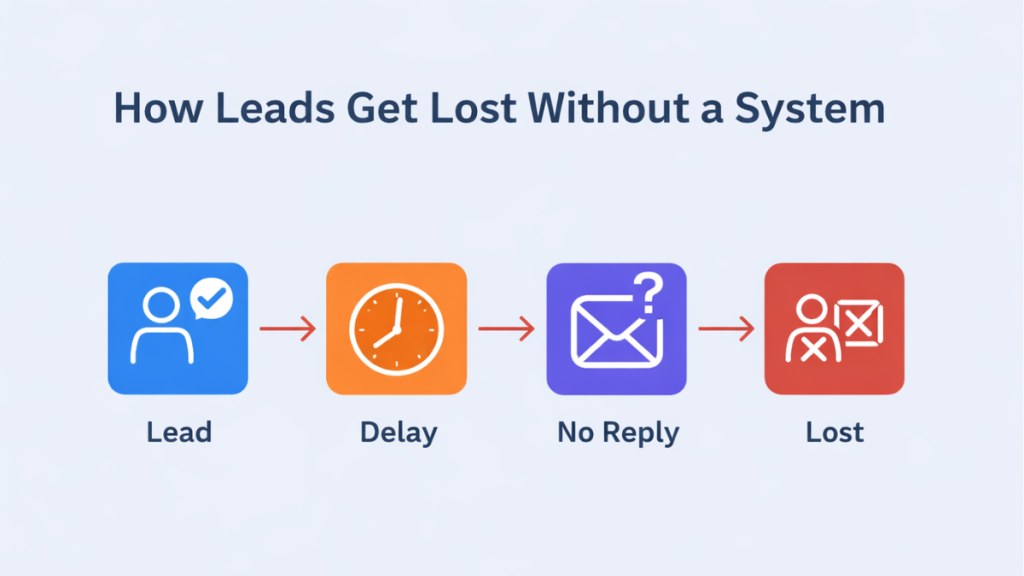
But you’re still losing leads from your website, and you can’t figure out where they’re going.
You reply when you can. You check emails between tasks. You follow up… sometimes.
That’s exactly the problem.
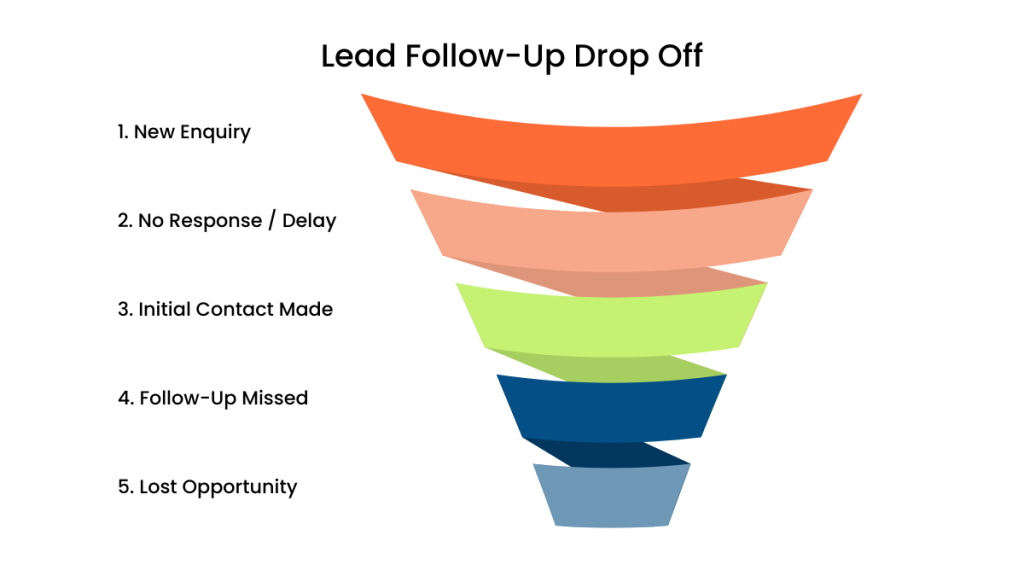
Leads don’t disappear randomly. They drop off because your process isn’t built to catch them.
If your leads are slipping through gaps, start with a system that captures and follows up instantly.
Quick Summary
| Situation | What’s Actually Happening | What Fixes It |
|---|---|---|
| Leads fill out forms but vanish | You respond too late, and interest fades quickly | Instant SMS + email response |
| You forget to follow up | Follow-up depends on memory and timing | Automated follow-up sequence |
| Leads are scattered | Emails, notes, and messages aren’t connected | CRM with pipeline tracking |
| You don’t know where leads drop off | No visibility or tracking | Pipeline + behaviour tracking |
| You feel “busy” but nothing converts | Manual work slows everything down | Automated system handling follow-up |
Early Software Overview (What Actually Fixes This)
If you’re losing leads from your website, more traffic won’t fix it.
Control will.
GoHighLevel
Best for: complete automation
Captures leads, responds instantly, runs follow-ups, and tracks everything in one place.
ClickFunnels
Best for: funnel-based capture
Works well if your leads come through structured offers and landing pages.
HubSpot
Best for: tracking and visibility
Strong CRM, but often requires manual setup to match full automation systems.
If your issue is missed or delayed follow-up, GoHighLevel solves the entire chain, not just part of it.
Why Website Leads Fail Faster Than You Think
Why You’re Losing Leads From Your Website
Most people assume:
“If someone filled out a form, they’re interested.”
They are.
But only briefly.
Here’s what actually happens:
- they submit your form
- they keep browsing
- they check competitors
- they contact someone else
If you reply 2–3 hours later, you’re not continuing the conversation.
You’re restarting it.
And usually, you’ve already lost.
According to HubSpot, response speed directly impacts conversion rates, especially in the first few minutes.
But speed alone isn’t enough.
If your follow-up depends on you noticing the lead, it will always break.
What a Proper Website Lead System Looks Like
A form submission isn’t the win.
It’s the starting point.
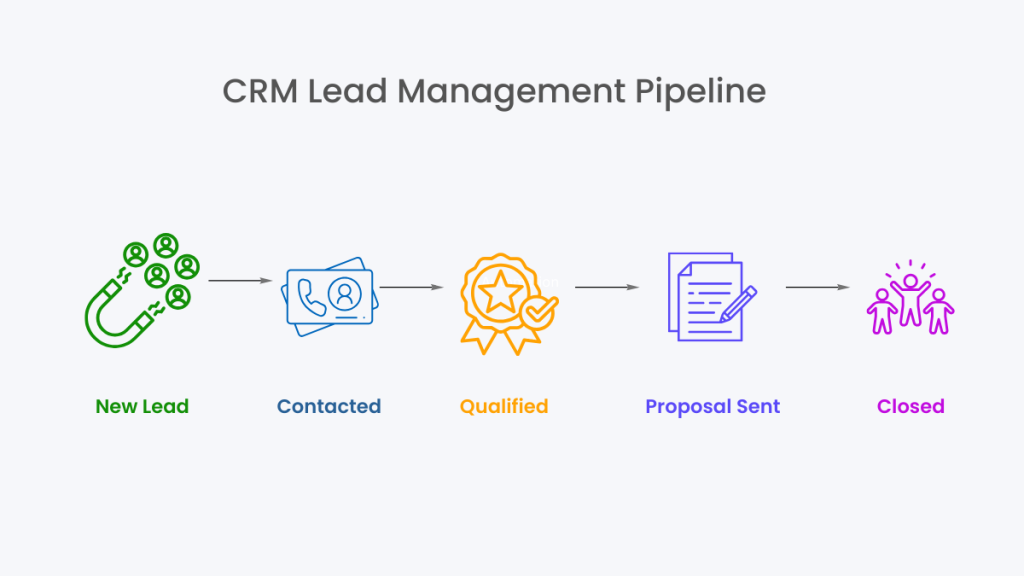
A real system:
- captures the lead instantly
- responds immediately
- continues follow-up automatically
- tracks every step
Without that, you’re relying on timing and memory.
That’s why results feel inconsistent.
How to Stop Losing Leads From Your Website
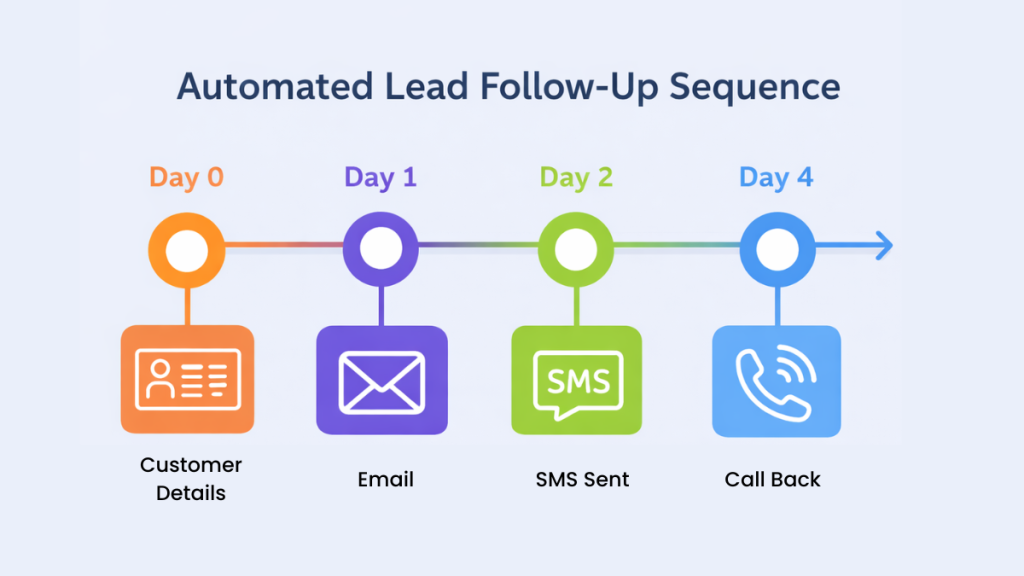
Step 1: Lead Capture → CRM (Day 0)
A lead submits a form.
Instead of sitting in your inbox, it goes straight into your CRM.
If your leads live in emails, you don’t have a system. You have delays.
To fix that foundation, see best CRM with automation for small businesses.
Step 2: Instant Response (Within 60 Seconds)
This is where most businesses lose the lead.
You need:
- confirmation email
- SMS message
Example SMS:
“Hey, just saw your enquiry come through. We’ll review it shortly. If you want to book now, here’s the link.”
This keeps the lead engaged while interest is still high.
Step 3: Automated Follow-Up (Days 1–5)
Most leads don’t respond straight away.
That doesn’t mean they’re not interested.
It means they need prompting.
Day 1 (Email)
Subject: “Quick question about your enquiry”
“Just checking what you’re looking to achieve so we can point you in the right direction.”
Day 2–3
Reminder + reassurance
Day 4–5
Final follow-up with a clear next step
If this relies on you remembering, it won’t happen consistently.
Step 4: Pipeline Tracking
Every lead moves through stages:
- New
- Contacted
- Booked
- Closed
Each stage triggers the next action.
This removes guesswork completely.
Step 5: Behaviour-Based Automation
Now the system reacts instead of waiting.
- email opened → follow-up triggered
- link clicked → moved in pipeline
- booking made → automation stops
This is where manual follow-up becomes unnecessary.
This shift is exactly what operators like Jordan Platten focus on, removing dependency on manual chasing.
Real-World Example
A service business runs ads.
A lead fills out a form.
Here’s what happens:
- lead enters CRM instantly
- SMS sent within 1 minute
- email sequence starts automatically
- follow-ups continue for several days
- lead books → pipeline updates → follow-up stops
No missed leads.
No delays.
No chasing.
If your current process involves checking emails and replying when you remember, you’re not running a system.
You’re reacting late.
Software Comparison Table
| Platform | Best For | Automation Features | Pricing |
|---|---|---|---|
| GoHighLevel | Full automation system | CRM, SMS, workflows, pipelines | From $97/mo |
| ClickFunnels | Funnel-based capture | Funnel triggers, email automation | From $147/mo |
| HubSpot | CRM tracking | Email automation, reporting | Free + paid |
Choosing the Right Setup
Use GoHighLevel if you want:
- everything connected in one system
- automated follow-up without manual effort
- full visibility of every lead
Use ClickFunnels if you want:
- funnel-based lead capture
- simple automation tied to offers
Use HubSpot if you want:
- structured tracking
- reporting and visibility
If you’re losing leads from your website due to inconsistency, automation matters more than anything else.
Trying to manage leads across forms, inboxes, and notes is exactly where leads get lost.
Why Your Current Setup Isn’t Working
Most setups fail for simple reasons:
- no defined process
- no automation
- no visibility
You rely on:
- memory
- manual replies
- scattered tools
That’s why leads disappear and you don’t know why.
To fix the structure, see how to organise leads for small business.
If you want the full follow-up system, read automatic lead follow-up system explained.
Software Reinforcement: What You Should Actually Use
At this point, the answer should be obvious.
If your goal is to stop losing leads from your website:
- GoHighLevel gives you a complete system
- ClickFunnels works for funnel-first setups
- HubSpot works for tracking
But if your problem is missed follow-up, you need automation first.
If you want every lead captured, followed up, and tracked automatically:
FAQ
Why am I losing leads from my website?
Because your follow-up is delayed or inconsistent. Most leads lose interest quickly without a response.
How fast should I respond to website leads?
Within minutes. Waiting hours significantly reduces your chances of conversion.
Do I need a CRM for this?
Yes. Without a CRM, leads become scattered and difficult to track or follow up properly.
How many follow-ups should I send?
Typically 5–7 touchpoints over several days works well.
Suggested Reads
To understand why leads drop off, read Why Most Businesses Lose Leads.
To improve organisation, explore How to Organise Leads for Small Business.
To compare tools, see GoHighLevel vs ClickFunnels.