
Most people searching how to track leads without CRM aren’t trying to avoid systems.
They’re trying to avoid complexity.
You don’t want dashboards, pipelines, and automation right now. You just want to stop losing leads.
And honestly, that’s a valid place to start.
But here’s the problem.
Without any system, leads disappear. Follow-ups get missed. Conversations get scattered.
So instead of jumping straight into software, you need a simple structure that actually works.
If you’re already thinking about what comes next, this guide on best CRM with automation for small businesses shows how these systems evolve. need a simple structure that actually works.
Quick Summary
| Area | Key Insight | Why It Matters |
|---|---|---|
| Core issue | Leads are tracked manually or inconsistently | Leads get lost or forgotten |
| Simple solution | Use a structured spreadsheet system | Creates visibility without complexity |
| Key limitation | Manual follow-up breaks over time | Leads still slip through |
| When to upgrade | Once lead volume increases | Automation becomes necessary |
| Best long-term tool | GoHighLevel for automation + CRM | Replaces manual tracking entirely |
Early Software Overview (Top Tools)
Even if you want to avoid CRM for now, it helps to know where this leads.
GoHighLevel is built for when your manual system stops working. It captures leads, tracks them, and follows up automatically.
HubSpot CRM is a lighter option if you want a free tool with basic tracking and simple automation.
ClickFunnels is useful if your main goal is capturing leads through landing pages, but it doesn’t manage them deeply.
Right now, you don’t need to pick.
But you should understand where you’re heading.
Why Most Lead Tracking Fails Without a CRM
The typical setup looks like this:
- emails in one place
- messages in another
- notes somewhere else
There’s no single source of truth.
According to Salesforce, businesses that respond faster and track leads consistently see significantly higher conversion rates.
The issue isn’t effort.
It’s structure.
The Simple Lead Tracking System That Actually Works
If you’re not using CRM yet, this is the system you need.
Not perfect. But functional.
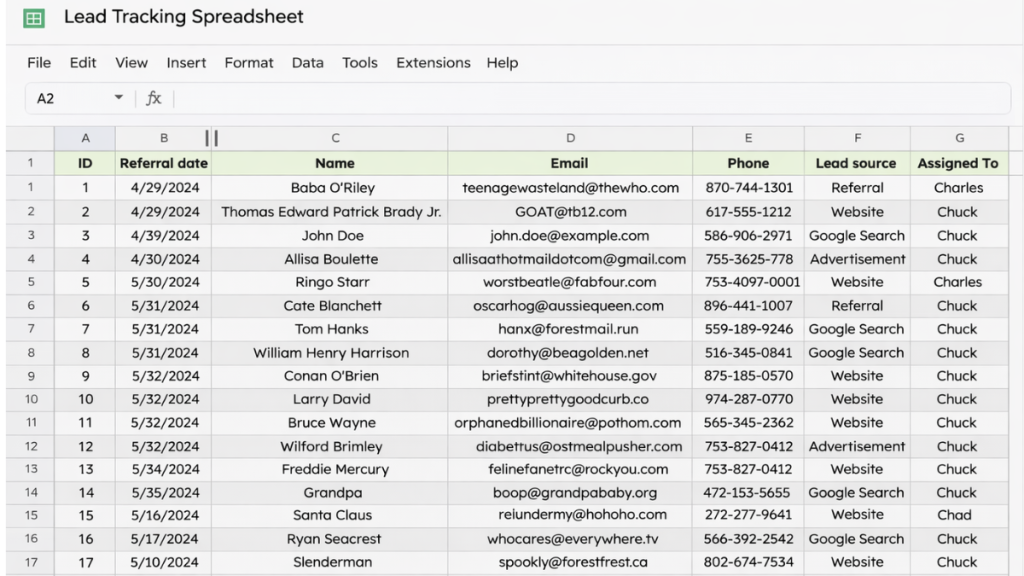
Step 1, Centralise Everything
Use one place only.
That can be:
- Google Sheets
- Excel
- Airtable
No switching between tools.
Every lead goes into the same system.
Step 2, Track Key Information Only
Don’t overcomplicate this.
You only need:
- Name
- Contact details
- Source (where they came from)
- Status
- Last contact date
That’s it.
Anything more becomes noise.
Step 3, Use Simple Status Stages
Your system needs movement.
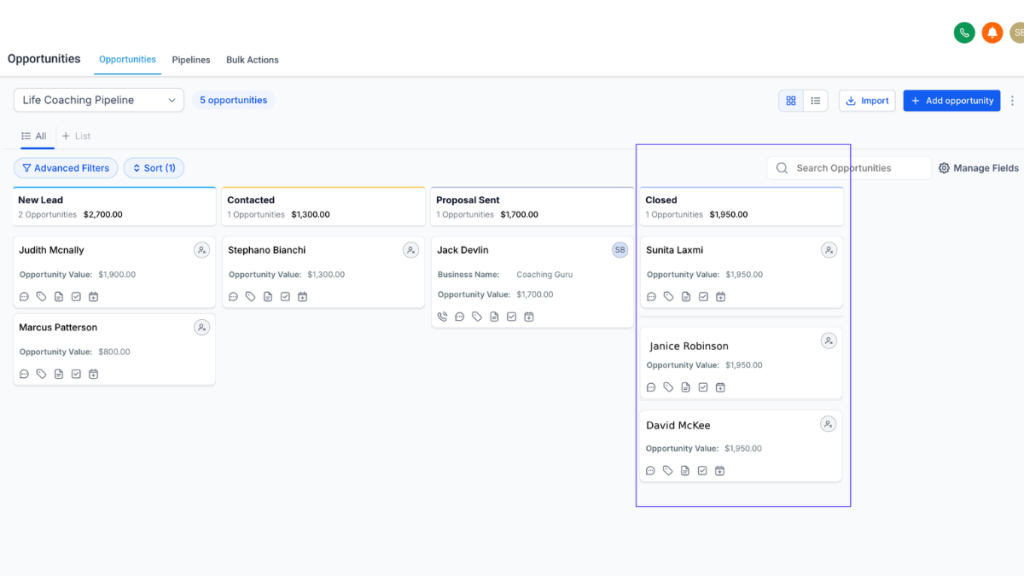
Use something like:
- New
- Contacted
- Interested
- Booked
- Closed
This mirrors a real pipeline without needing CRM.
Step 4, Track Follow-Ups Manually
This is where things usually break.
You need a column for:
“Next action”
Example:
- Call tomorrow
- Send email
- Follow up next week
If this isn’t tracked, leads die.
| System | Best For | Tracking Method | Automation Level |
|---|---|---|---|
| Spreadsheet | Getting started | Manual entry + status tracking | None |
| HubSpot CRM | Simple tracking | Basic pipeline + email tracking | Low |
| GoHighLevel | Full system | CRM + pipeline + automation | High |
The System Behind This (Why It Works)
What you’re building here is a stripped-down CRM.
Even without software, you’re creating:
- a lead database
- a pipeline
- a follow-up system
This is the same logic used in tools like best CRM with automation for small businesses, just manual.
Real-World Example
A small service business uses a simple spreadsheet.
A lead comes in from their website.
They add it manually to their sheet.
They send a message.
They update the status to “Contacted”.
They schedule a follow-up.
They track the outcome.
This works.
But only up to a point.
Where This System Breaks
Manual systems fail when:
- you forget to follow up
- you get too many leads
- you rely on memory instead of structure
That’s the ceiling.
And most businesses hit it faster than they expect.
The Shift From Manual to Automated
At some point, you stop needing “a way to track leads”.
You need:
a system that tracks and follows up automatically
This is where CRM software comes in.
Software Comparison Table
| Platform | Best For | Automation Features | Pricing |
|---|---|---|---|
| GoHighLevel | Full automation + CRM | Email, SMS, workflows, pipelines | From $97/mo |
| HubSpot CRM | Simple tracking | Basic email automation | Free + paid tiers |
| ClickFunnels | Lead capture | Funnel-based automation | From ~$97/mo |
How to Decide When to Upgrade
This is the real decision point.
Stay manual if:
- you have low lead volume
- you can follow up consistently
- you don’t need automation
Upgrade if:
- leads are slipping through
- follow-ups are inconsistent
- you want to scale
If you’re already comparing systems, this breakdown of best GoHighLevel alternatives gives a clearer picture of what’s available.
Reinforcing the Best Choice
If you want to keep things simple, a spreadsheet works.
If you want structure without complexity, HubSpot is a good step up.
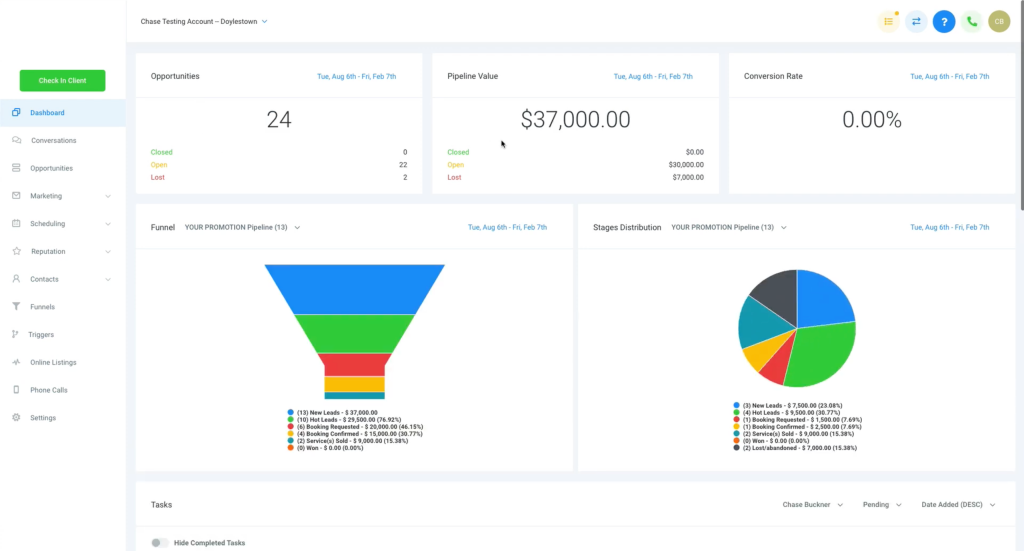
But if you want a system that captures, tracks, and follows up automatically, GoHighLevel is built for that.
See How GoHighLevel Replaces Multiple Tools
Final Thoughts
Learning how to track leads without CRM is a good starting point.
It gives you structure without overwhelm.
But it’s not the end goal.
Eventually, manual systems slow you down.
And when that happens, the right software doesn’t just help.
It replaces the problem entirely.
FAQ
Can I track leads without a CRM?
Yes. A spreadsheet can work as a basic system if you track status, follow-ups, and contact details consistently.
What is the best way to track leads manually?
Use a single spreadsheet with clear stages and a follow-up column. Consistency matters more than complexity.
When should I switch to a CRM?
When you start missing follow-ups, losing leads, or dealing with higher lead volume.
Is a spreadsheet enough long term?
No. It works short term, but most businesses eventually need automation to scale.
Suggested Reads
If you want to understand how automation improves this system, this guide on best automation tools for virtual assistants explains workflow setups.
You can also explore best CRM for virtual assistants to compare different systems.
For pricing insights, GoHighLevel pricing explained breaks down costs and features.