
Affiliate links – I earn a commission if you sign up through this page, at no extra cost to you. That’s exactly why the weaknesses below aren’t softened. If GoHighLevel isn’t right for your business, I’d rather you know before you start a trial
GoHighLevel Claude AI lets you control your entire CRM using simple text commands instead of clicking through the dashboard. Using MCP (Model Context Protocol), you can connect Claude directly to your GoHighLevel account and automate tasks like lead management, reporting, and pipeline updates in seconds.
This guide covers exactly how the GoHighLevel Claude AI integration works, what agencies are using it for, and how to set it up step by step.
Key Takeaways
- GoHighLevel launched an official MCP server in late 2025 – Claude can now connect directly to your GHL account without Zapier or middleware
- MCP stands for Model Context Protocol – an open standard developed by Anthropic that lets AI tools communicate directly with external platforms
- The official GHL MCP server covers 39 tools including contacts, pipelines, calendars, conversations and tags
- A community-built extension expands this to 461 + tools covering invoices, payments, social media and the complete GHL API
- Setup requires a Private Integration Token from your GHL account – takes under 15 minutes for basic connection
- This is not a chatbot – Claude executes multi-step CRM tasks end to end using your actual account data
- Available on all GoHighLevel plans including Starter at $97/month
What GoHighLevel Claude AI Actually Means
Before explaining the setup, it helps to understand what this integration actually is – because it is different from GoHighLevel’s built-in AI features.
GoHighLevel already has Conversation AI and Voice AI built into the platform. Those are pre-built automations that handle specific tasks like responding to messages or answering calls.
The Claude AI integration via MCP is something different. It gives Claude direct access to your entire GHL account data and the ability to act on it. Instead of GoHighLevel’s AI handling predefined tasks, Claude becomes a flexible AI agent that can do anything the GoHighLevel API allows – reading data, writing data, triggering actions, pulling reports – all through plain English instructions you type.
Think of it this way. GoHighLevel’s built-in AI is a set of pre-built automations. Claude with MCP is an intelligent assistant that can operate your entire CRM on demand.
What Agencies Are Actually Using This For
This is where the value becomes concrete. Here are the tasks agencies are running through Claude instead of navigating the GHL dashboard manually.
Lead auditing: “Find all contacts who filled in the enquiry form this week but haven’t been contacted yet.” Claude pulls the list instantly. No manual filtering, no building custom reports.
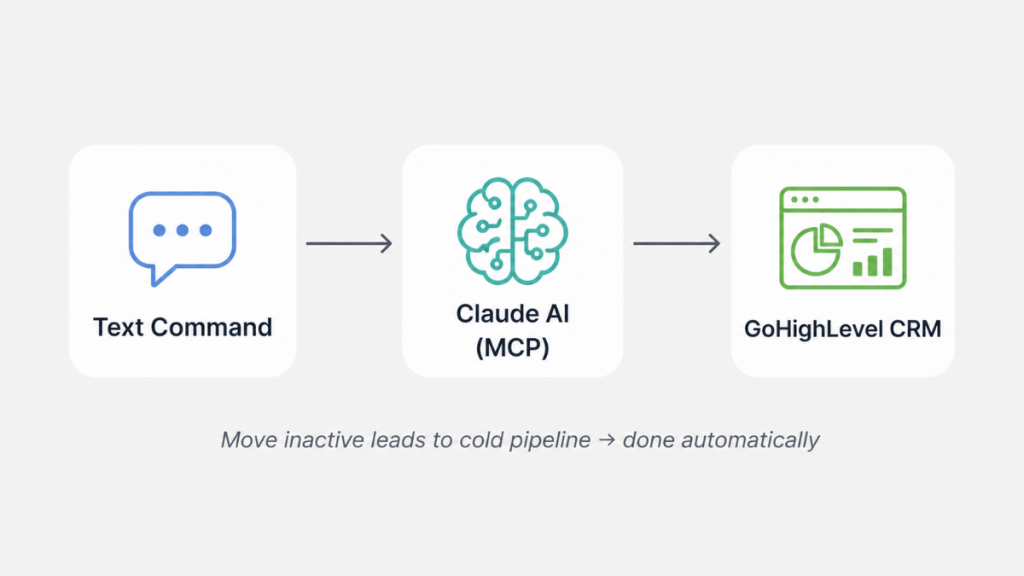
Pipeline management: “Move all opportunities that haven’t had activity in 14 days to the stalled stage and tag them as cold.” Done in seconds across every sub-account.
Reporting on demand: “Show me closed deals this month, total revenue, average deal size, and how that compares to last month.” Claude pulls the data from your pipeline and delivers the summary immediately.
Contact management: “Find all contacts tagged as hot lead who haven’t been assigned to a sales rep.” Instant list, ready for action.
Campaign follow-up: “Send a follow-up SMS to everyone who clicked the email campaign last week but hasn’t booked a call.” Executed without opening the conversations tab.
CRM hygiene: “Find duplicate contacts created in the last 30 days and flag them for review.” A task that previously took hours of manual checking.
For agencies managing multiple sub-accounts, these tasks multiply across every client. The time saving compounds quickly.
The Difference Between GoHighLevel Claude AI and Zapier
This is a question worth addressing directly because most agencies already use Zapier or Make for GHL automation.
Zapier and Make are trigger-based. Something happens – a new contact is created, a form is submitted – and a predefined action fires. It is reactive and linear.
Claude with MCP is conversational and on-demand. You ask a question or give an instruction in natural language. Claude reasons about it, pulls the relevant data from your GHL account, and executes the task. It handles multi-step logic, conditions, and decisions in a single instruction.
The two approaches are not mutually exclusive. Zapier handles event-triggered automation. Claude handles on-demand analysis, bulk operations, and tasks that require reasoning rather than just triggering.
Official MCP Server vs Community Version
GoHighLevel’s official MCP server currently covers around 39 tools – contacts, pipelines, calendars, conversations, tags, and custom fields. This covers most common agency operations.
A community-built extension, originally developed by the GHL developer community and expanded to 461+ tools, covers the complete GHL API surface including invoices, payments, social media planner, email campaigns, media library, and e-commerce.
For most agencies the official server is enough to start. The community version is worth exploring once you’re comfortable with the basics and need deeper access.
One important note on the official server and Claude Desktop – at time of writing, native Claude Desktop support via the standard npx package is on the GHL roadmap but not yet released. The current options are the HTTP API approach with Claude Code, or the community-developed MCP server which works with Claude Desktop via the stdio protocol.
How to Set It Up – Step by Step
What you need before you start:
- An active GoHighLevel account on any plan
- Claude Code installed (Anthropic’s agentic coding tool, available separately) or Claude Desktop with the community MCP server
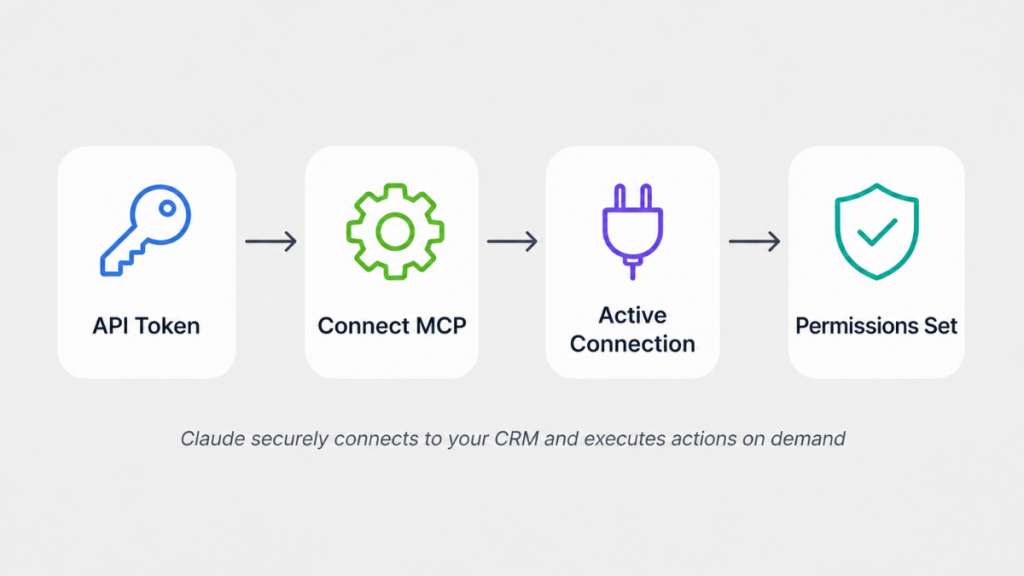
Step 1 – Create a Private Integration Token in GHL Go to Settings, then Private Integrations in your GoHighLevel sub-account. Click Create New Integration. Name it something clear like Claude MCP. Select only the permissions you actually need – start with View permissions before enabling Edit. The recommended starting set is: View Locations, Edit Calendars, View and Edit Contacts, View Pipelines, View Conversations, View and Edit Tags, View Custom Fields. Click Create and copy your token immediately – you only see it once.
Step 2 – Get your Location ID Go to Settings, then Business Profile. Copy your Location ID and store it alongside your token.
Step 3 – Configure the MCP connection Open the config block from the GHL MCP documentation and replace the token and Location ID placeholders with your credentials. The official docs are at marketplace.gohighlevel.com/docs/other/mcp.
Step 4 – Connect and test In Claude Code, verify the MCP connection is active. Run a simple test – ask Claude to pull your most recent five contacts. If it returns real data from your GHL account, the connection is working.
Step 5 – Start with view permissions only Before enabling edit permissions, spend time running read-only queries. Understand what Claude can see and how it interprets your data. Once you’re confident in the connection, enable edit permissions for the specific operations you want Claude to execute.
Security – What to Know Before Connecting
Giving an AI agent access to your CRM raises legitimate security questions. Here is what matters:
Your data stays in your GHL account. Claude accesses it on demand through the API – it does not store a copy of your database or retain information between sessions.
Use minimum permissions. Only enable the scopes you actually need. View-only access for reporting tasks. Edit access only for the specific operations you want Claude to execute.
Treat your Private Integration Token like a password. Do not paste it in shared documents, Slack channels or emails. Store it securely.
Audit monthly. Check your Private Integrations page in GHL regularly. If you’re not actively using a connection, delete it.
Rotate your Private Integration Token every 90 days. In GHL go to Settings, then Private Integrations, select your integration and choose Rotate. The old token stays valid for 7 days giving you time to update your config before it expires.
New to GoHighLevel and not sure where to start?
If you’re a small business owner exploring what GoHighLevel can do, sign up through my link and get a 30-day free trial instead of 14 – plus free plain-English guidance to help you get set up confidently.
See How It Works →Who This Is Not For
- Solo service businesses not managing multiple clients – the time saving from MCP is most significant at agency scale
- Anyone not comfortable with basic technical setup – the connection requires following documentation carefully
- Agencies that need this to work without any setup time – allow at least a few hours to connect and test properly
Is GoHighLevel Claude AI Worth It for Agencies?
If your agency runs repetitive operational tasks inside GoHighLevel – auditing leads, updating pipelines, pulling reports, managing contacts across multiple sub-accounts – yes. The time saving on those tasks alone justifies the setup time.
The integration is available on all GHL plans including Starter at $97/month. The Claude side requires either Claude Code or Claude Desktop – both available from Anthropic.
For agencies billing clients for CRM management and automation work, this is also a genuine differentiator. Showing clients AI-powered CRM operations that most agencies aren’t offering yet has real value in new business conversations.
FAQ
What is GoHighLevel Claude AI? It refers to connecting Claude AI to your GoHighLevel account using the MCP protocol. Once connected, Claude can read and act on your GHL data through plain English instructions – pulling reports, managing contacts, updating pipelines and more without navigating the dashboard.
Do I need coding skills to set up GoHighLevel MCP? Basic technical comfort is needed – following documentation, handling tokens, editing a config file. You do not need to write code for the official server setup. The community version requires slightly more technical confidence.
Is the GoHighLevel MCP server free? The official GHL MCP server is included with all GoHighLevel plans at no extra cost. You need a GoHighLevel subscription and access to Claude Code or Claude Desktop.
How is this different from GoHighLevel’s built-in AI? GoHighLevel’s built-in AI handles predefined tasks like responding to messages and answering calls. Claude with MCP is a flexible on-demand agent that can operate your entire CRM through natural language instructions.
Is my GoHighLevel data secure when connected to Claude? Yes – data stays in your GHL account. Claude accesses it via the API on demand and does not store copies. Use minimum permissions and treat your integration token like a password.
Which GoHighLevel plan do I need? The MCP server is available on all plans including Starter at $97/month.
Suggested Reads
GoHighLevel AI Agent – GoHighLevel’s built-in Conversation AI and Voice AI explained
GoHighLevel for Marketing Agencies – how agencies use GoHighLevel to manage multiple clients
SmartStream Pro → – Done-for-you AI social setup for existing GHL accounts
GoHighLevel Free Trial Guide – what to test in the first 30 days
GoHighLevel Hidden Costs – every charge beyond the base subscription explained