
Most service businesses don’t have a lead problem.
They have a lead management problem.
Leads come in from calls, forms, messages… and then nothing happens properly after that. Follow-ups are delayed. Conversations get lost. Opportunities disappear.
If you’re trying to build a lead management system for service business, what you actually need is structure, not more tools.
Because without a system, even good leads don’t convert.
Start simple. Upgrade when you need a real system.
Quick Summary
| Area | Key Insight | Why It Matters |
|---|---|---|
| Core problem | Leads are scattered across channels | Missed follow-ups = lost revenue |
| Simple system | Capture → track → follow up → close | Creates consistency |
| Key weakness | Manual systems rely on memory | Leads still fall through |
| Upgrade point | When lead volume increases | Automation becomes necessary |
| Best solution | CRM + automation system | Scales follow-up and conversions |
Early Software Overview (Top Tools)
Before building your system, it helps to know the tools that eventually replace manual tracking.
GoHighLevel is designed for service businesses that want everything in one place. It handles lead capture, pipeline tracking, and automated follow-up.
HubSpot CRM is a simpler option if you just want basic tracking without heavy automation.
ClickFunnels is useful if your main goal is generating leads through landing pages, but it doesn’t manage the full customer journey.
At this stage, you don’t need to commit.
But you should understand where this leads.
Why Most Service Businesses Struggle With Lead Management
The issue isn’t effort.
It’s fragmentation.
Leads come from:
- website forms
- phone calls
- social media
- referrals
And they end up everywhere.
According to HubSpot, businesses that centralise and track leads properly significantly improve conversion rates.
Without that:
- you forget to follow up
- you respond too late
- you lose context
That’s where revenue leaks.
How a Lead Management System for Service Business Works
You don’t need complexity to fix this.
You need a clear structure.
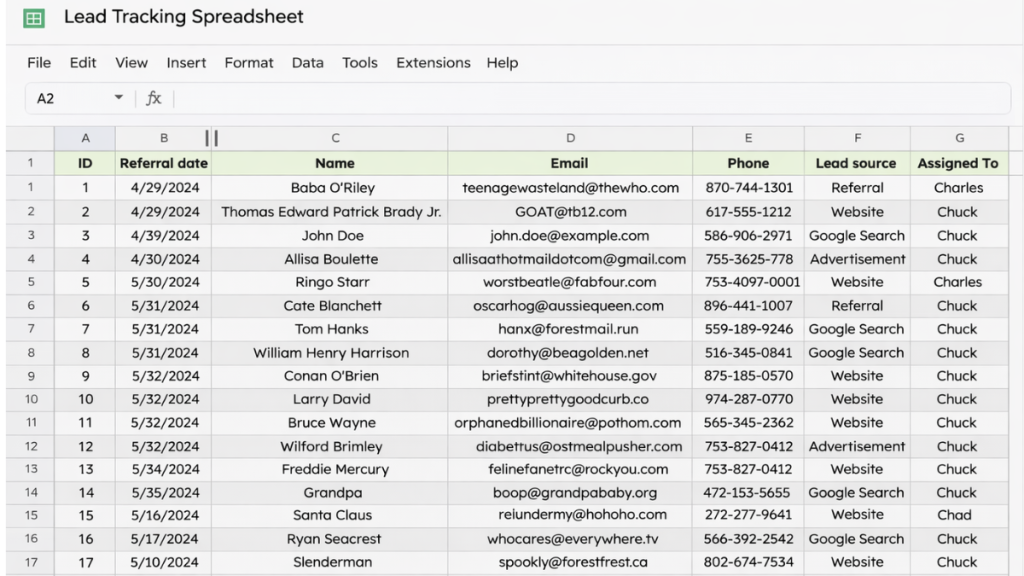
Step 1, Capture Every Lead in One Place
Everything goes into one system.
No exceptions.
That could be:
- a spreadsheet
- a basic CRM
- a simple form system
The key is centralisation.
If you’re unsure what system to eventually move into, this guide on best CRM with automation for small businesses shows how structured systems evolve.
Step 2, Use Clear Pipeline Stages
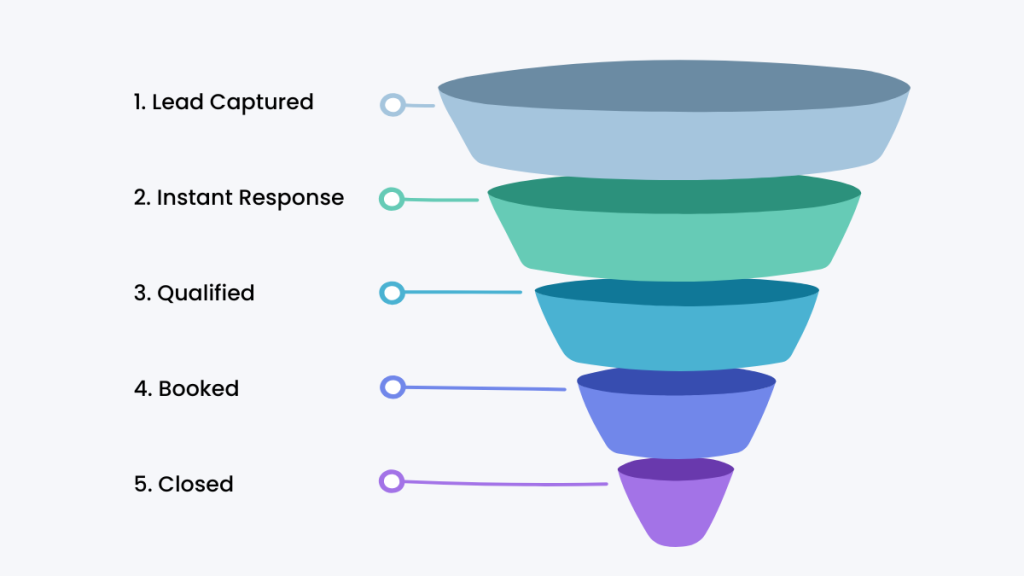
Every lead needs a status.
Keep it simple:
- New
- Contacted
- Qualified
- Booked
- Closed
This creates visibility instantly.
Step 3, Track Follow-Ups Properly
This is where most systems fail.
You need to track:
what happens next
Examples:
- call tomorrow
- send quote
- follow up next week
If this isn’t tracked, leads disappear.
Step 4, Keep Notes in One Place
Every conversation matters.
Store:
- what was discussed
- objections
- next steps
This prevents starting from scratch every time.
Lead Management System for Service Business
The System Behind High-Converting Service Businesses
What you’re building here is not just tracking.
It’s a conversion system.
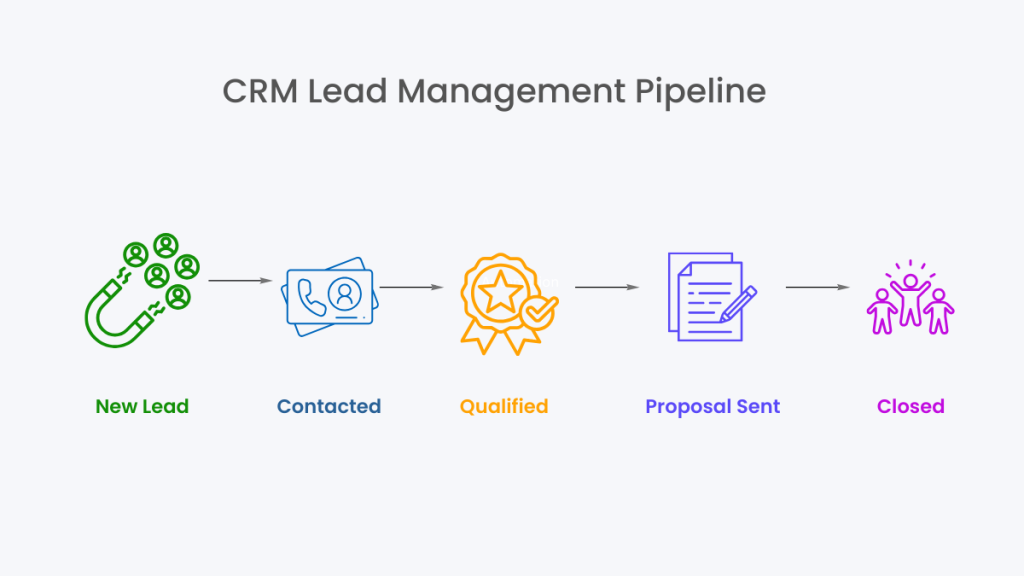
The flow looks like this:
Lead captured → added to system → contacted → followed up → moved through pipeline → closed
This is the same structure used in tools like best CRM for virtual assistants, just simplified.
Real World Example
A local cleaning business gets leads from Facebook ads and their website.
Without a system:
- messages get missed
- follow-ups are inconsistent
With a simple system:
- every lead is logged
- they send an initial response
- they track follow-ups
- they move leads through stages
Conversions increase without increasing traffic.
Where This System Breaks
Manual systems work… until they don’t.
This is usually the point where a lead management system for service business starts to break down as lead volume increases and follow-ups become harder to manage consistently.
They break when:
you get more leads
you forget follow-ups
you rely on memory
This is where most businesses start looking for better solutions.
If you’ve reached this point, comparing tools like GoHighLevel vs ClickFunnels helps you understand what replaces manual systems.
The Shift From Manual to Automated
At some point, you stop managing leads manually.
You start building a system that:
- responds instantly
- follows up automatically
- tracks everything for you
That’s the shift.
Software Comparison Table
| System | Best For | Tracking Method | Automation Level |
|---|---|---|---|
| Spreadsheet | Getting started | Manual tracking + notes | None |
| HubSpot CRM | Simple systems | Basic pipeline + email tracking | Low |
| GoHighLevel | Full system | CRM + automation + follow-up | High |
How to Decide What You Need
You don’t need the most advanced tool.
You need the right level of system.
Use a spreadsheet if:
- you’re just starting
- lead volume is low
Use HubSpot if:
- you want structure without complexity
Use GoHighLevel if:
- you want automation
- you’re scaling
- you want everything in one system
Reinforcing the Best Choice
If your goal is just to stay organised, a spreadsheet works.
If you want structure, HubSpot is a good step up.
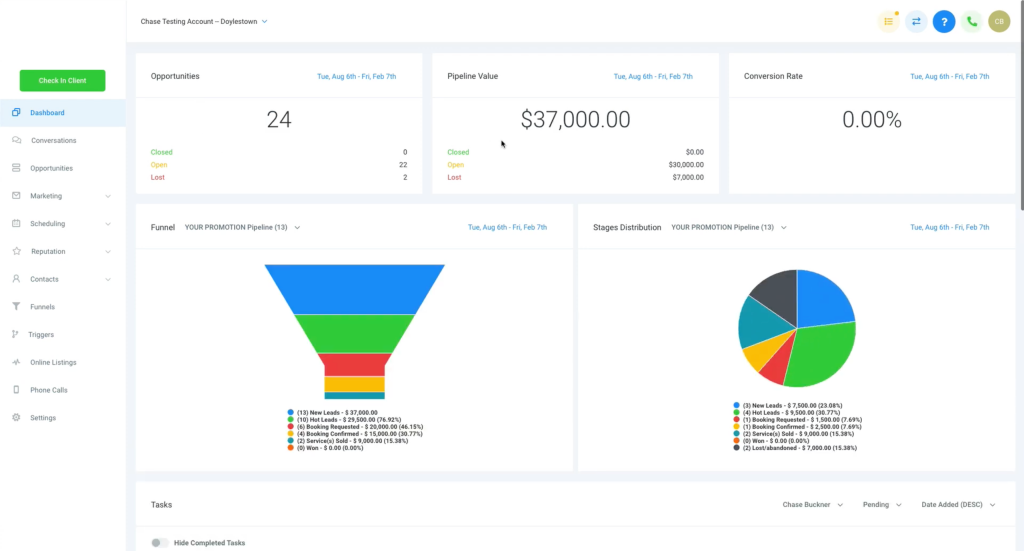
But if you want a complete system that captures, tracks, and follows up automatically, GoHighLevel is built for service businesses.
Final Thoughts
The best lead management system for service business is the one that helps you track leads, follow up consistently, and upgrade when manual systems start failing.
A lead management system for service business doesn’t need to be complicated.
It just needs to exist.
Once you have structure, everything improves:
- follow-ups
- conversions
- consistency
And when that system starts breaking, that’s your signal to upgrade.
FAQ
What is a lead management system for service business?
It’s a structured way to capture, track, and follow up with leads so they move toward conversion instead of being forgotten.
Do I need a CRM to manage leads?
No. You can start with a simple system like a spreadsheet, but most businesses eventually need automation.
What are the key stages in a lead system?
New, Contacted, Qualified, Booked, and Closed are the most common and effective stages.
When should I upgrade to automation?
When follow-ups become inconsistent or you start losing leads due to volume.
Suggested Reads
If you want to understand how automation fits into this, this guide on best automation tools for virtual assistants explains workflow systems.
You can also explore GoHighLevel pricing explained to understand costs and features.
For alternatives, best GoHighLevel alternatives breaks down other options.