
Choosing between the many CRM options for small business owners can feel overwhelming.
There are dozens of tools promising to organise contacts, track deals, and automate follow-ups. But the real challenge is understanding which CRM options for small business actually match the way your company sells.
Before choosing a platform, it helps to understand that not every CRM is built for the same purpose. Some systems focus on simple contact management, while others are designed for full sales pipelines, marketing automation, and lead nurturing.
For example, many modern CRMs now combine sales pipelines, email automation, appointment booking, and messaging tools inside one platform. Our guide to Best CRM With Automation for Small Businesses explains how these systems help companies manage leads and automate follow-ups in one place.
Understanding the different CRM options for small business makes choosing the right system far easier.
Instead of jumping straight into software comparisons, this guide breaks down the types of CRM systems small businesses typically use, and which ones make sense depending on how your business generates and closes leads.
Quick Summary
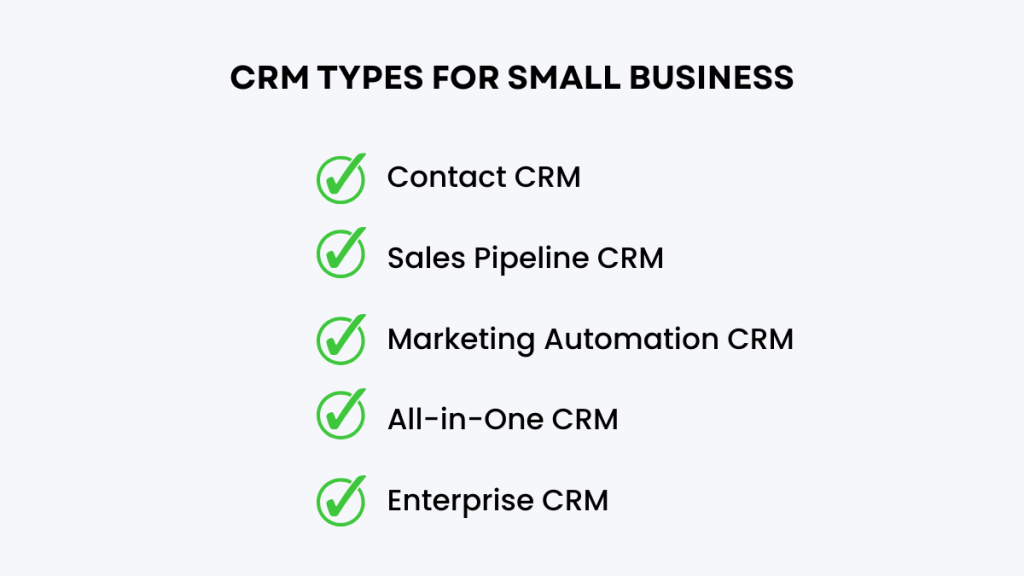
Small businesses typically choose between five types of CRM systems:
- Contact Management CRM – best for freelancers and small teams
- Sales Pipeline CRM – ideal for businesses with structured sales processes
- Marketing Automation CRM – designed for lead nurturing and campaigns
- All-in-One CRM Platforms – combine sales, marketing, and automation
- Enterprise CRM Systems – powerful systems for large organisations
The right choice depends on how complex your sales and marketing process is.
Understanding these CRM options for small business makes it easier to choose a system that fits your workflow instead of forcing your business to adapt to the software.
What Small Businesses Usually Get Wrong About CRM
When small business owners start researching CRM software, the focus is usually on features.
They compare dashboards, pricing plans, and automation tools.
But the biggest mistake is choosing software before understanding the sales process.
A CRM should reflect how your business actually sells.
For example, a local service business often needs:
lead capture forms
appointment scheduling
SMS reminders
follow-up automation
A marketing agency might instead need:
multiple pipelines
client reporting
automated onboarding workflows
A freelancer might only need a system that stores contacts and tracks conversations.
Choosing a CRM that doesn’t match your workflow is why many businesses switch systems after six months.
The best approach is to first identify how leads become customers, then choose a CRM designed for that process.
Customer relationship management (CRM) software helps businesses organise customer interactions, track sales opportunities, and improve follow-ups. According to Salesforce, CRM systems allow companies to manage customer data, automate processes, and improve relationships across sales and support teams.
Option 1, Contact Management CRM
This is the simplest type of CRM.
Think of it as an advanced address book for your customers.
It stores:
• customer details
• emails
• notes
• conversation history
Small businesses often start here when they outgrow spreadsheets.
Examples include:
- HubSpot CRM
- Streak CRM
Best for:
Freelancers
consultants
very small teams
Limitations:
Contact CRMs rarely include automation, marketing tools, or advanced reporting.
Option 2, Sales Pipeline CRM
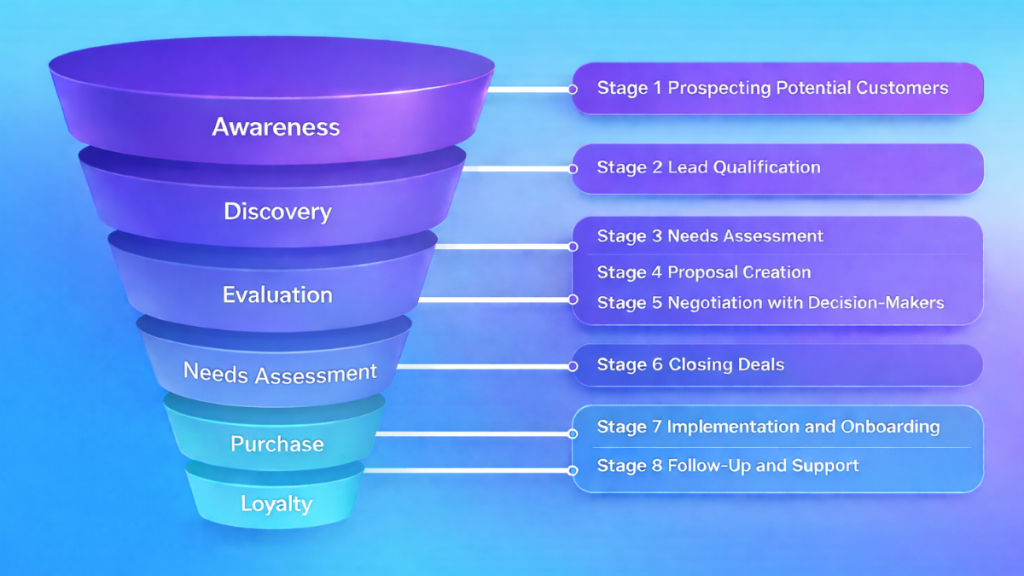
A sales pipeline CRM focuses on tracking deals through stages.
Instead of just storing contacts, it helps teams visualize the sales process.
Typical pipeline stages might include:
Lead
Qualified
Proposal Sent
Negotiation
Closed
Popular examples include:
- Pipedrive
- Freshsales
Best for:
Sales teams
B2B service businesses
agencies managing deals
These CRMs help sales teams stay organised and prevent deals from slipping through the cracks.
Businesses that rely on structured sales conversations often prefer pipeline-focused systems. If you’re comparing platforms designed specifically for sales teams, our guide to Best Small Business CRM Software breaks down several popular options.
Key CRM Features Small Businesses Should Prioritise
Not every CRM feature matters equally.
For most small businesses, a few core capabilities make the biggest difference.
Contact and lead management
A CRM should store all communication history with a customer. Emails, notes, calls, and activity should be visible in one place.
This prevents information being lost between team members.
Sales pipeline visibility
A clear pipeline helps businesses see where deals are stuck and which opportunities need attention.
Without this visibility, sales activity becomes guesswork.
Automated follow-ups
Automation is becoming one of the most valuable CRM features.
Instead of manually remembering to contact prospects, the system automatically sends reminders, emails, or messages based on triggers.
Reporting and performance insights
Even simple reports can reveal important patterns, such as which lead sources convert best or which stage of the pipeline loses the most deals.
Many small businesses discover revenue leaks once they start using CRM reporting properly.
Option 3, Marketing Automation CRM
Some CRM platforms focus heavily on automated marketing and lead nurturing.
Instead of manual follow-ups, the system automatically sends:
email sequences
SMS reminders
lead nurturing campaigns
Examples include:
- ActiveCampaign
- Keap
Best for:
online businesses
coaches
course creators
digital marketing businesses
These systems combine CRM data with marketing automation workflows.
Marketing automation CRMs are especially useful for companies that generate leads through websites, funnels, or online campaigns. Many of the platforms covered in our Best CRM With Automation for Small Businesses guide focus specifically on these types of automation features.
Option 4, All-in-One CRM Platforms
Some platforms combine CRM pipelines, marketing automation, landing pages, booking systems, and messaging tools in a single dashboard. If you want to understand the pricing and plans behind one of the most popular all-in-one platforms, see our GoHighLevel Pricing Explained (UK & US) guide.
A newer category of CRM systems combines sales, marketing, funnels, automation, and communication tools in one platform.
These tools replace several different pieces of software.
Common features include:
sales pipelines
email marketing
SMS messaging
landing pages
automation workflows
appointment booking
Examples include:
- GoHighLevel
- Kartra
Best for:
agencies
lead generation businesses
service companies
coaches
These platforms are becoming popular because they reduce the need for multiple separate tools.
Among the different CRM options for small business, all-in-one platforms are becoming increasingly popular because they combine sales, marketing, and communication tools in one system.
Option 5, Enterprise CRM Systems
Enterprise CRMs are designed for large organisations with complex sales structures.
They offer extremely deep customization and analytics.
Examples include:
- Salesforce
- Microsoft Dynamics 365
Best for:
large teams
enterprise companies
multi-department sales organisations
For many small businesses, these systems are unnecessarily complex.
Best CRM for Small Business (Quick Recommendations)
Choosing the best CRM depends on what your business actually needs to manage.
Best All-in-One CRM for Automation
For businesses that want one system to manage leads, funnels, and automated follow-ups, GoHighLevel is often the most complete option. It combines CRM, email marketing, SMS messaging, and funnel building in a single platform.
Best Free CRM
If budget is the biggest concern, HubSpot CRM offers a generous free plan that works well for early-stage companies starting with contact management and basic sales tracking.
Best CRM for Sales Pipelines
For teams focused mainly on closing deals and tracking opportunities, Pipedrive is one of the easiest CRMs to use thanks to its visual pipeline layout.
Best Budget CRM With Integrations
Small businesses needing strong integrations and affordable plans often choose Zoho CRM, which connects with hundreds of tools and apps.
CRM Comparison Table for Small Businesses
When comparing different CRM options for small business, it helps to look at the core features side-by-side. Most small businesses are choosing between traditional CRMs and newer all-in-one automation platforms.
| CRM Platform | Best For | Starting Price | Key Features |
|---|---|---|---|
| GoHighLevel | Marketing automation & lead generation | $97/month | CRM, funnels, SMS marketing, email automation |
| HubSpot CRM | Sales teams and inbound marketing | Free plan available | Contact management, pipeline tracking, marketing tools |
| Pipedrive | Simple sales pipeline management | ~$14/month | Deal tracking, sales pipeline visualisation |
| Zoho CRM | Affordable CRM with many integrations | ~$14/month | Contact management, automation workflows |
| Salesforce | Enterprise-level CRM features | ~$25+/month | Advanced analytics, automation, integrations |
Each of these CRM options for small business solves a slightly different problem. Some focus purely on sales pipelines, while others combine CRM with marketing automation tools.
For a full breakdown of additional platform charges including messaging and automation costs, see our guide to a full breakdown of GoHighLevel hidden costs.
Which CRM Option Is Best for Small Businesses?
Choosing the right CRM option for a small business depends mainly on how the business sells and manages leads.
Different business models need different types of CRM systems.
Service businesses usually benefit from pipeline CRMs that track deals through stages.
Marketing and online businesses often prefer automation-focused CRMs that handle email, follow-ups, and lead nurturing.
Agencies frequently choose all-in-one CRM platforms that combine funnels, messaging, automation, and reporting.
Freelancers and solo founders typically only need a simple contact CRM to store client details and conversations.
Most small businesses fall into three practical categories.
Freelancers and solo founders
A basic contact CRM such as HubSpot is usually enough to manage leads and client conversations.
Sales-driven service businesses
Pipeline CRMs like Pipedrive work well for tracking deals and managing sales stages.
Businesses focused on automation and lead generation
All-in-one CRM systems are often the best choice because they combine pipelines, marketing automation, and follow-up tools in one platform.
The most important factor is choosing a CRM that fits how your business actually sells, rather than simply choosing the platform with the most features.
Why Many Small Businesses Switch CRMs
One common mistake is choosing a CRM before understanding the sales process.
Businesses often switch systems when they realise their CRM cannot handle:
automation
marketing campaigns
multiple pipelines
lead tracking
That is why selecting the right category of CRM matters more than choosing a specific brand.
Signs Your Business Needs a CRM
Some businesses delay implementing CRM software because spreadsheets seem to work well enough.
But there are clear warning signs that the current system is no longer sustainable.
You might need a CRM if:
You forget to follow up with leads
Customer information is scattered across tools
Sales conversations are tracked in email inboxes
Team members cannot see previous interactions
You cannot easily track where deals are in the sales process
Once a business reaches this point, a CRM usually becomes essential for keeping sales organised and predictable.
Many companies see immediate improvements simply from having all customer data and conversations in one place.
Many small businesses eventually hire specialists to set up pipelines, lead capture systems, and automated follow-ups. Our guide to Automation Services Pricing (2026) explains what businesses typically pay for CRM automation setups.
Final Thoughts
The number of CRM options for small business continues to grow, but most platforms still fall into a few clear categories.
Contact management tools help organise customers.
Pipeline CRMs help sales teams close deals.
Marketing automation CRMs help nurture leads.
All-in-one systems combine sales and marketing.
Enterprise CRMs handle complex organisations.
Understanding these categories makes choosing the right platform far easier.
FAQ
What CRM should a small business start with?
Most small businesses start with a simple CRM like HubSpot or a pipeline tool like Pipedrive because they are easy to learn and inexpensive.
Do small businesses really need a CRM?
Yes. Once a business has more than a few dozen leads or customers, a CRM helps track communication, manage sales pipelines, and improve follow-ups.
What is the difference between a CRM and marketing automation software?
A CRM focuses on managing customer relationships and sales pipelines. Marketing automation tools focus on automated campaigns and lead nurturing.
Related CRM Guides
What Is a CRM for Small Business? (Simple Guide)
CRM Options for Small Businesses (2026 Guide)
Best CRM for Lead Generation (2026)
Best CRM With Automation for Small Businesses
GoHighLevel Pricing Explained (UK & US)