
Affiliate links – I earn a commission if you sign up through this page, at no extra cost to you. That’s exactly why the weaknesses below aren’t softened. If GoHighLevel isn’t right for your business, I’d rather you know before you start a trial
Most small business owners have heard the term CRM. Fewer know exactly what it means in practice, and even fewer know whether they actually need one.
This guide explains what is a CRM for small business in plain English, what it does day to day, whether AI changes the picture, and how to decide if you need one right now or whether you’re better off waiting.
Key Takeaways
- CRM stands for Customer Relationship Management, it’s software that tracks every lead and customer interaction in one place
- For UK trades and service businesses, the most important CRM feature is not contact storage, it’s automated follow-up
- Most small businesses lose leads not because they lack customers but because follow-up is inconsistent
- AI has changed what CRM can do, platforms like GoHighLevel now respond to leads automatically without human input
- You don’t need a CRM if you get fewer than five leads a week and respond to every one within minutes, you do need one if anything is slipping through
- The best CRM for a UK service business is one that does the follow-up work automatically, not one with the most features
What Does CRM Stand For?
CRM stands for Customer Relationship Management. The term describes both a business strategy and the software used to implement it.
As a strategy, CRM is about managing every interaction with a lead or customer in a structured, consistent way, so nothing gets forgotten and nobody falls through the gaps.
As software, a CRM is the platform that makes this happen automatically. It stores contact details, tracks conversations, records what was said and when, moves leads through a pipeline, and triggers follow-up actions without you having to remember to do them manually.
The simplest way to think about it: a CRM is what replaces the spreadsheet, the sticky note, and the email inbox as the place where your leads and customers live.
What Does a CRM Actually Do for a Small Business?
The definition is straightforward. What it does in practice is more specific, and more useful to understand before choosing one.
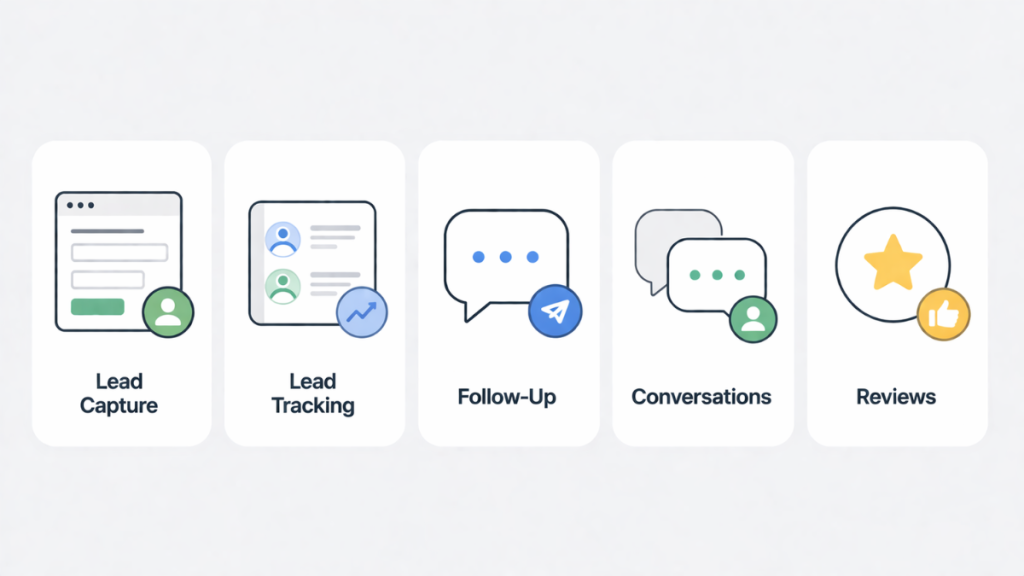
Captures leads automatically. Every enquiry from your website, Google Business profile, Facebook, or phone call gets logged in one place. No more manually entering names from emails or losing a lead because it came in on a Saturday.
Tracks where every lead is. A CRM gives you a pipeline view – a visual board showing every lead and what stage they’re at. New enquiry. Quote sent. Follow-up needed. Job booked. You can see at a glance where the gaps are and which leads have gone cold.
Follows up automatically. This is where most small businesses get the most value. When a lead doesn’t respond to your first message, the CRM sends a follow-up text or email automatically after a set number of hours or days. When someone misses a call, the CRM sends an instant text. When a quote hasn’t been accepted after 48 hours, the CRM chases it without you doing anything.
Stores the full conversation history. Every call note, SMS, email, and message is attached to the contact record. If someone calls back three weeks later you can see exactly what was discussed, what was quoted, and what the next step was.
Requests reviews automatically. After a completed job, the CRM sends a review request to Google or Trustpilot without anyone having to remember to ask.
For a UK plumber, electrician, salon, or dentist, these features directly address the revenue problem most small businesses have – not a lack of leads, but a failure to convert the leads they already get.
What Is CRM in Business – and Is It Different for Trades?
The way CRM is discussed in most guides assumes a sales team, a pipeline of deals, and a structured sales process. That’s not the reality for most UK trades and service businesses.
A plumber doesn’t have a sales team. They have a phone that rings while they’re under a sink. An electrician doesn’t run deal cycles – they get enquiries, quote jobs, and either win or lose them in the first 24 hours.
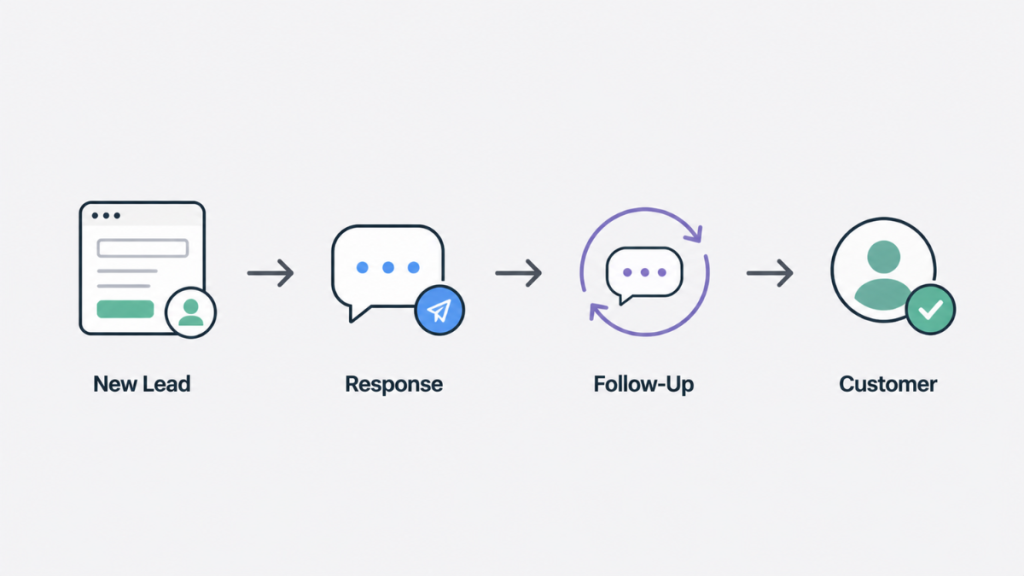
For trades and service businesses, CRM means something more specific: a system that catches every inbound enquiry, responds instantly, and follows up consistently until the lead either books or explicitly says no.
The three things a CRM for service businesses must do:
Respond in seconds. Research consistently shows that leads contacted within five minutes are far more likely to convert than those contacted an hour later. For a trades business on a job, responding in five minutes manually is impossible. A CRM does it automatically.
Follow up multiple times. Most sales require five or more follow-up attempts. Most small businesses make one. A CRM runs a follow-up sequence automatically over 7-10 days so you’re still in front of the lead long after competitors have given up.
Track everything without admin. A CRM that requires manual data entry won’t get used. The best CRMs for trades businesses capture data automatically from calls, forms, and messages so the record builds itself.
For a full breakdown of how this works in practice see the automatic lead follow-up system guide and the lead response time guide.
Is AI Replacing CRM – or Making It Better?
This is one of the most searched questions about CRM in 2026 and the honest answer is: AI is not replacing CRM. It is making CRM do things that used to require a person.
What AI adds to CRM in 2026:
Traditional CRM stores data and triggers pre-written automations. AI-powered CRM goes further – it can respond to inbound messages conversationally, qualify leads by asking questions, book appointments without human input, and handle missed call responses in natural language.
GoHighLevel’s AI Employee is the clearest example of this for UK service businesses. When a lead sends a message or leaves a missed call, the AI responds immediately in a conversational tone, asks qualifying questions, and can book an appointment directly into the calendar – all without anyone from the business being involved.
This doesn’t replace the human relationship. It handles the first response at 11pm on a Sunday when no human could. The business owner picks up the conversation in the morning with a qualified lead already in the pipeline.
What this looks like for a UK trades business:
A roofer gets three enquiries on a Friday afternoon while working on a job. All three come in while their phone is on silent. Without a CRM, those leads call the next company on Google. With GoHighLevel’s AI Employee, each lead gets an instant SMS response within 60 seconds: “Thanks for getting in touch – we’re out on a job right now. Can you tell me a bit about what you need and when works best for a quote?” Two of the three reply. By the time the roofer finishes work at 5pm, two qualified leads are in the pipeline and one has already booked a survey slot through the automated booking link.
That outcome – three missed calls converted to two active leads – happens without the roofer doing anything differently. The only change is the system running in the background.
Can ChatGPT make a CRM?
No, not in any practical sense for a small business. ChatGPT can help you draft follow-up messages or think through your pipeline stages, but it cannot store contacts, track conversations, trigger automations, or connect to your phone system. A proper CRM platform does all of that. AI tools like ChatGPT are useful alongside a CRM, not instead of one.
Can I build my own CRM with AI?
Technically yes, but it is not worth it for most small businesses. Building a custom CRM requires significant technical skill, ongoing maintenance, and integration work with phone systems and messaging platforms. For the monthly cost of a platform like GoHighLevel, you get all of that built and maintained for you. The time saved building versus buying does not stack up for a trades business with more important things to do.
For more on how GoHighLevel’s AI features work in practice see the GoHighLevel Claude AI integration guide.
Do You Actually Need a CRM Right Now?
The honest answer depends on one thing: are leads currently slipping through?
UK CRM adoption data shows that 61% of SMEs now use web-based software to manage their business – up from 50% just two years ago. If you are still managing leads through a spreadsheet or email inbox, you are increasingly in the minority. More importantly, your competitors who have moved to automated follow-up are responding to the same leads faster than you are.
The average UK business takes 47 hours to respond to a new lead. Only 7% of businesses respond within five minutes. If you are in that 7%, you are already winning most of the enquiries you receive and may not need a CRM yet. If you are in the 93%, a CRM directly addresses the gap.
You probably don’t need a CRM yet if:
- You get fewer than five enquiries per week
- You respond to every enquiry within minutes every time
- Your follow-up is consistent and nothing is being forgotten
- You have no plans to grow your lead volume in the next six months
You need a CRM now if:
- Leads come in while you are on jobs and go unanswered for hours
- You send one follow-up message and stop if there is no reply
- You have lost track of how many open quotes you have outstanding
- Your Google review count is stuck because you forget to ask
- You are spending money on Google Ads and losing leads to slow response
- You have missed calls that never got a callback because you forgot
For most UK trades businesses the second list is more accurate. Research shows 63% of businesses never respond to leads at all. A CRM does not just organise contacts, it ensures that number is never you. The cost of a CRM is typically recovered within the first month from leads that would otherwise have gone cold.
Which CRM Is Best for a Small UK Service Business?
For UK trades and service businesses whose main challenge is lead capture, follow-up, and booking, GoHighLevel is the strongest option in 2026. It combines CRM, pipeline tracking, two-way SMS and email, appointment booking, missed call text-back, and AI Employee in one platform at approximately £90-130/month including VAT. For a sole trader replacing separate CRM, booking, and SMS tools, it typically costs less than running those tools individually.
For businesses that need job scheduling, dispatch, and invoicing as the primary requirement – particularly electrical contractors and plumbing businesses managing multiple engineers – Jobber or Tradify are better fits. Both are purpose-built for field service management and handle the job operations side more cleanly than GoHighLevel. The trade-off is that neither has GoHighLevel’s marketing automation or AI follow-up depth. Some trades businesses run both – Jobber for job management and GoHighLevel for enquiry handling and follow-up.
For businesses with a structured sales team following up on larger contracts – commercial cleaning, facilities management, B2B services – Pipedrive provides clean pipeline management and deal tracking at a lower entry price than GoHighLevel. It lacks native SMS and AI features but covers the sales pipeline use case well for teams with a dedicated person doing follow-up manually.
For businesses just starting out and not yet ready to commit to a paid platform, HubSpot’s free tier provides basic contact management and pipeline visibility. It works well as a first step but most service businesses outgrow it within six to twelve months once they need automation and SMS.
The decision comes down to your primary problem. If your main challenge is converting more enquiries into booked jobs, GoHighLevel is built for exactly that. If your main challenge is managing the jobs you already have, Jobber or Tradify serve you better.
For a full comparison with GBP pricing see the CRM for service businesses guide and the best CRM for small business UK page.
FAQ
What does CRM stand for? CRM stands for Customer Relationship Management. It refers to both the strategy of managing customer interactions systematically and the software platforms used to do it.
What is CRM software? CRM software is a platform that stores lead and customer information, tracks interactions, manages sales pipelines, and automates follow-up communication. It replaces spreadsheets and email inboxes as the central system for managing customer relationships.
Is CRM hard to learn? Most modern CRM platforms are designed to be set up in hours not weeks. GoHighLevel has a learning curve of around one to two hours for basic setup. The complexity increases if you build advanced automations, but the core features – pipeline, contacts, follow-up, are accessible without technical knowledge.
Why is CRM important for small business? Because most small businesses lose revenue not from a lack of leads but from inconsistent follow-up. A CRM ensures every lead gets a response, every quote gets chased, and no customer falls through the gaps – regardless of how busy the business owner is.
What are the essential features of a good CRM for small business? For a UK service business: lead capture from multiple channels, automated SMS and email follow-up, pipeline visibility, appointment booking, missed call text-back, and mobile access. Reporting and review requests are also useful once the basics are running.
Is AI replacing CRM? No. AI is being added to CRM platforms to handle tasks that previously required human input – like responding to leads instantly or booking appointments conversationally. The CRM itself remains essential as the system of record and automation engine.
Can ChatGPT make a CRM? No. ChatGPT can help write follow-up messages or plan your pipeline structure, but it cannot store contacts, run automations, connect to phone systems, or send SMS. A dedicated CRM platform is required for those functions.
What is the best CRM for a small business in the UK? It depends on your primary challenge. GoHighLevel is the strongest all-in-one option for service businesses focused on lead follow-up and automation. Jobber suits trades businesses focused on job management. Pipedrive suits businesses with a structured sales process. See the full CRM comparison for a detailed breakdown. For a full list of options see our best CRM for small business guide.
Suggested Reads
CRM for Service Businesses – which CRM type fits your specific business model
Automatic Lead Follow-Up System – how to build a system that follows up automatically
Best CRM for Small Business UK – full platform comparison with GBP pricing
GoHighLevel UK Pricing – what GHL actually costs UK businesses including VAT and usage
Lead Response Time – the data behind why speed wins deals for UK service businesses