
Affiliate links – I earn a commission if you sign up through this page, at no extra cost to you. That’s exactly why the weaknesses below aren’t softened. If GoHighLevel isn’t right for your business, I’d rather you know before you start a trial
Most small businesses don’t need a complicated CRM.
They need something they can set up in an afternoon, use without training, and actually stick with.
The problem is that most CRM comparison guides recommend platforms built for sales teams with IT departments. If you run a plumbing business, a salon, or a small service operation, those tools are overkill.
This guide covers the best simple CRM for small business owners who want to get organised quickly, stop losing leads, and spend more time working than configuring software.
If you are already comparing paid tools, the best CRM for small business UK covers GBP pricing across all major platforms.
Key Takeaways
- A simple CRM should be set up and usable within one hour – if it takes longer it is the wrong tool
- HubSpot is the simplest free option for most small businesses
- Capsule CRM is the simplest paid option for UK service businesses
- Less Annoying CRM is the most straightforward paid tool with flat pricing and no contracts
- Bigin by Zoho is the easiest option for solopreneurs who just need a basic pipeline
- If missed follow-up is your main problem, a simple CRM will not fix it – you need automation
What Makes a CRM Actually Simple
Simple gets used loosely in software marketing. Here is what it actually means for a small business:
Setup under one hour. Import your contacts, connect your email, build your pipeline. If it takes longer than an afternoon you will abandon it before it delivers any value.
No training required. Your team should be able to use it from day one without a manual or a tutorial. If it needs a dedicated IT person to configure, it is not a simple CRM.
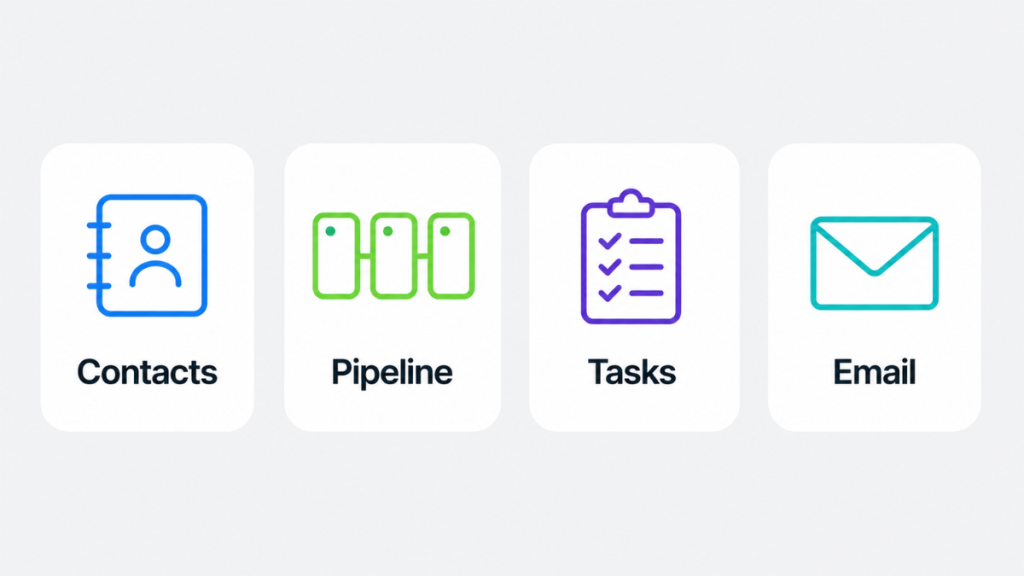
Core features only. Contact management, a visual pipeline, task reminders, and email integration. Everything else is a distraction until your business outgrows the basics.
Predictable flat pricing. Hidden feature tiers and per-module costs make simple CRMs expensive fast. The best simple tools charge one flat rate per user with no surprises.
Mobile app that works. Service businesses run in the field. A CRM without a decent mobile app is half a tool for a plumber, electrician, or cleaner managing jobs on the go.
Do You Actually Need a CRM Yet?
Not every small business needs a CRM immediately. Here is a straightforward way to decide.
You probably do not need one yet if:
- You handle fewer than 10 enquiries per week
- You have one person managing all customer contact
- Your follow-up is consistent and nothing is being missed
You need one now if:
- Leads are falling through the cracks
- You have more than one person handling customer contact
- You are not sure who needs a follow-up without checking your inbox
- Enquiries are coming from more than one source – phone, website, social media
If leads are slipping through, the lead management system guide shows how to structure your process.
If any of the second list applies, a CRM will make an immediate difference. The good news is that the simplest tools on this list can be set up and running the same day you decide to start.
The 6 Best Simple CRM Tools for Small Business (2026)
1. HubSpot CRM
Best for: Small businesses that want the simplest free starting point
HubSpot is the most widely recommended simple CRM for small businesses getting started. The free plan is genuinely free with no expiry date and no credit card required to keep using it. Setup takes under an hour and the interface is clean enough that most users need no training at all.
Why it is simple:
- Setup takes under 30 minutes with the onboarding wizard
- Drag-and-drop pipeline is intuitive from day one
- Gmail and Outlook sync automatically – no manual data entry
- Free plan covers everything a small business needs to get started
What it includes:
- Contact and deal management
- Visual pipeline with customisable stages
- Email tracking and templates
- Meeting scheduler
- Basic reporting
Limitations:
- Automation requires paid upgrade
- HubSpot branding on free plan emails and forms
- Price jumps significantly at Professional tier
Setup time: Under 30 minutes Pricing: Free forever. Starter from £15/user/month. Best for: Any small business moving off spreadsheets for the first time.
2. Capsule CRM
Best for: UK service businesses that want the simplest paid CRM
Capsule is a British CRM built in Manchester with a deliberately simple philosophy. You get contacts, pipeline, tasks, and email integration – nothing more. For UK service businesses that want something clean, GDPR-safe, and usable from day one, it is the most practical paid option on this list.
Data is stored in the UK by default, support runs in UK business hours, and it integrates natively with Xero, FreeAgent, Sage, and GoCardless – the accounting tools most UK small businesses already use.
Why it is simple:
- Clean interface with no unnecessary features
- Set up in under an hour with guided onboarding
- UK data residency means no GDPR complications
- Native integration with UK accounting software
What it includes:
- Contact and opportunity management
- Visual sales pipeline
- Task and calendar management
- Xero, FreeAgent, Sage, GoCardless integration
- Google Workspace and Microsoft 365 sync
Limitations:
- No SMS or email automation
- 250 contact limit on free plan
- Less suitable if you need workflow automation
Setup time: Under one hour Pricing: Free for 2 users, 250 contacts. Starter from £15/user/month. Professional from £28/user/month. Best for: UK consultants, tradespeople, and service businesses that want a simple GDPR-compliant system.
For a full UK CRM comparison including Capsule, see the customer management software guide.
3. Less Annoying CRM
Best for: Small businesses that want one flat price with no complexity
Less Annoying CRM does exactly what the name suggests. It has one pricing plan, one feature set, and no confusing tiers. At $15/user/month (~£12) you get everything – contacts, pipeline, tasks, email integration, and calendar. No contracts, no annual commitment required.
It has been running since 2009 and has over 10,000 small business customers. The interface is deliberately basic – it prioritises clarity over features. Every morning it sends you an email with all your tasks due that day, so you never open the CRM wondering what to do first.
Why it is simple:
- One flat price with no feature tiers
- Daily task email means you always know what needs action
- No long-term contract required
- Setup takes under 30 minutes
What it includes:
- Unlimited contacts
- Customisable pipeline
- Task and calendar management
- Daily task email digest
- Gmail and Outlook integration
- Mobile app
Limitations:
- No automation features
- No marketing tools
- Interface is basic compared to newer platforms
- Pricing is in USD
Setup time: Under 30 minutes Pricing: $15/user/month (~£12). No annual contract required. Best for: Small businesses that want simple flat pricing with no decisions to make about tiers or features.
4. Bigin by Zoho
Best for: Solopreneurs who need the fastest possible setup
Bigin is Zoho’s stripped-back CRM built specifically for very small businesses. Where Zoho CRM has depth and complexity, Bigin has one pipeline, basic contacts, and simple tasks. It is designed to get you organised in under 30 minutes with no learning curve.
The free plan covers one user which limits it to solo operators. The paid plan at £7/user/month is the most affordable paid option on this list.
Why it is simple:
- Set up in under 30 minutes – Bigin claims under 30 minutes and delivers on it
- Interface has no unnecessary features
- Mobile app is well designed for on-the-go use
- Affordable at every tier
What it includes:
- 1 pipeline on free plan, multiple on paid
- Contact management
- Basic task tracking
- Email and calendar integration
- Mobile app with business card scanner
Limitations:
- Free plan is one user only
- Limited automation even on paid plans
- Less integration depth than Zoho CRM
Setup time: Under 30 minutes Pricing: Free for 1 user. Express from £7/user/month. Best for: Sole traders and solopreneurs who want the fastest setup with minimal cost.
5. Freshsales
Best for: Small businesses that want simplicity with AI lead scoring built in
Freshsales is one of the easiest CRMs to set up while still offering AI-powered features. During setup it prompts you to connect Gmail or Outlook – once done your account is active and contacts sync automatically. The Freddy AI assistant scores leads based on engagement, showing you which ones to prioritise first.
Why it is simple:
- Email connection during setup handles most configuration automatically
- Clean visual pipeline with drag-and-drop stages
- AI lead scoring shows you where to focus without manual analysis
- Free plan covers up to 3 users
What it includes:
- Contact and lead management
- Visual pipeline
- AI lead scoring (Freddy AI)
- Built-in phone and email
- 24/5 support even on free plan
Limitations:
- No marketing automation on free plan
- Advanced features require paid upgrade
- Less suitable for businesses that need SMS automation
Setup time: Under one hour Pricing: Free for 3 users. Growth from £9/user/month. Best for: Small sales teams that want AI insights from day one without paying for them.
6. OnePageCRM
Best for: Action-focused small businesses that want to-do driven CRM
OnePageCRM is built around a single concept – every contact has a next action attached. Instead of a traditional pipeline view, you see a list of contacts ordered by what needs to happen next. For service businesses that want to make sure nothing slips through, it is one of the most practical approaches to CRM available.
It is used in over 80 countries and consistently praised for being genuinely easy to start using without any configuration time.
Why it is simple:
- Action-first design means you always know what to do next
- Setup in a couple of minutes according to their own documentation – and users agree
- No feature bloat – everything is built around taking the next step
- Good mobile app for field use
What it includes:
- Action Stream – all contacts ordered by next action due
- Deal tracking with pipeline view
- Email integration and templates
- Web forms for lead capture
- Mobile app with AI route planner
Limitations:
- No free plan – trial only
- Less automation than HubSpot paid tiers
- Smaller integration library than HubSpot or Zoho
Setup time: Under 30 minutes Pricing: From £9/user/month. 21-day free trial available. Best for: Service businesses that want an action-first CRM that keeps follow-up front and centre.
Comparison Table
| Tool | Setup Time | Free Plan | Starting Price | Best For |
|---|---|---|---|---|
| HubSpot | 30 mins | Yes – unlimited users | Free / £15/user/mo | Best free simple CRM |
| Capsule | 1 hour | Yes – 2 users | Free / £15/user/mo | UK service businesses |
| Less Annoying CRM | 30 mins | No – trial only | £12/user/mo | Flat pricing simplicity |
| Bigin | 30 mins | Yes – 1 user | Free / £7/user/mo | Solopreneurs |
| Freshsales | 1 hour | Yes – 3 users | Free / £9/user/mo | AI lead scoring |
| OnePageCRM | 30 mins | No – trial only | £9/user/mo | Action-first approach |
How to Set Up Your First Simple CRM
Once you have chosen a tool, the setup process is the same regardless of which platform you use. Do this in order and you will be running by the end of the day.
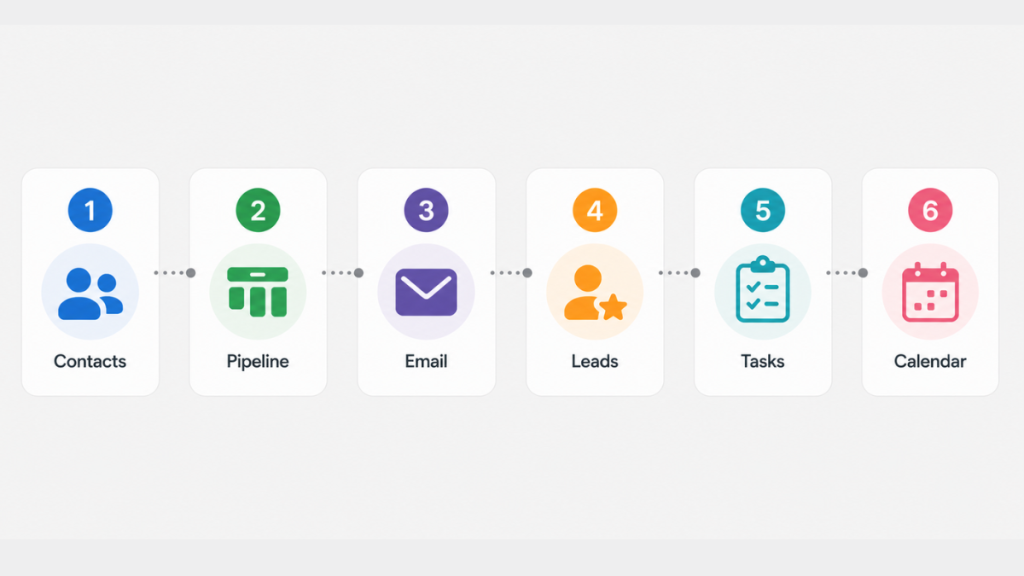
Step 1 – Import your contacts Export your existing contacts from wherever they live – email, spreadsheet, phone. Most CRMs accept CSV files. Import them on day one so you are not starting from scratch.
Step 2 – Build your pipeline Set up stages that match how your business actually works. For a service business this is usually: New Enquiry, Contacted, Quoted, Booked, Complete. Do not over-engineer this – five stages is enough to start.
Step 3 – Connect your email Sync Gmail or Outlook so emails attach to contact records automatically. This removes manual data entry and keeps your contact history accurate without effort.
Step 4 – Add your existing leads Move any active leads into the pipeline at the correct stage. This gives you immediate visibility into what needs action.
Step 5 – Set your first follow-up tasks Go through your active leads and add a task to each one with a due date. This is where the CRM starts earning its keep – you will see everything that needs action in one place.
Step 6 – Use it for one week before adding anything else Resist the temptation to configure everything on day one. Use the basic setup for a week. Add features and automations only when you hit a specific limitation.
If you follow this six-step process, the lead follow-up system guide shows you how to build automated follow-up on top of your CRM once the basics are running.
When a Simple CRM Is Not Enough
A simple CRM organises what you already have. It shows you who needs a follow-up and keeps your contacts in one place. But it still depends on you logging in and taking action.
If your problem is that leads go cold because responses are too slow – not because you forgot, but because you were on a job and could not get back to them in time – a simple CRM will not fix that.
That is a different problem. It needs a system that responds automatically when you cannot.
GoHighLevel is built for exactly that scenario. When a lead calls and you miss it, an SMS goes out within seconds. When a form is submitted, an instant response fires automatically. Follow-up continues over the next few days without you needing to log in.
It is not a simple CRM in the traditional sense – it is more complex to set up and starts at $97/month (~£77). But for service businesses losing leads to slow response times, it is the tool that solves the actual problem rather than organising it.
See the customer management software guide for a full comparison of simple versus automated options.
FAQ
What is the simplest CRM for a small business? The simplest CRM for small business depends on your situation. HubSpot is the easiest free option with setup under 30 minutes. Less Annoying CRM is the simplest paid option with flat pricing and no feature tiers. Capsule is the simplest choice for UK businesses that want GDPR compliance built in.
How long does it take to set up a simple CRM? The tools on this list can all be set up and usable within one hour. HubSpot, Bigin, and Less Annoying CRM consistently set up in under 30 minutes. Capsule and Freshsales take up to one hour. If a CRM takes longer than a day to configure it is not a simple CRM.
Can I use a simple CRM without any technical knowledge? Yes. Every tool on this list is designed for non-technical users. No IT support is needed. Setup requires importing contacts, connecting your email, and building a basic pipeline – all of which are guided by onboarding wizards on each platform.
What is the best simple CRM for a UK service business? Capsule CRM is the strongest option for UK service businesses. It is headquartered in Manchester, stores data in the UK by default, integrates with Xero, FreeAgent, and Sage, and has UK business hours support. For businesses that also need automated follow-up, GoHighLevel is worth testing on the 30-day trial.
Is there a free simple CRM for small business? Yes. HubSpot offers a free plan with unlimited users and up to 1 million contacts. Zoho Bigin offers a free plan for one user. Capsule offers a free plan for two users with 250 contacts. Freshsales offers a free plan for three users. See the best free CRM for small business guide for a full breakdown.
When should I upgrade from a simple CRM to something more powerful? When leads start going cold because follow-up is too slow or inconsistent. A simple CRM organises your contacts but still relies on you taking manual action. When manual action is the bottleneck – because you are on jobs and cannot respond in time – you need automation, not a better organiser.
Does GoHighLevel count as a simple CRM? No. GoHighLevel has a steeper setup curve than the tools on this list and is more expensive. It is not a simple CRM – it is an automation platform that replaces your follow-up process entirely. It makes sense when missed follow-up is costing you leads, not when you just need to get organised.
Suggested Reads
Best Free CRM for Small Business – Full breakdown of free plans including contact limits and user limits
Customer Management Software for Small Business – Comparison of simple versus automated options including GDPR guidance
Best CRM for Small Business UK – UK-focused breakdown with GBP pricing across all major platforms
Missed Call Text Back System – How to recover leads from missed calls automatically
GoHighLevel Free Trial – How to use the 30-day trial to test whether GHL fits your business