
CRM workflow automation helps businesses respond to leads faster, reduce manual work, and keep follow-ups consistent. Instead of relying on someone to remember every email, text, or task, a CRM can trigger those actions automatically based on what the lead does.
In simple terms, CRM workflow automation means setting rules inside a CRM so actions happen automatically when a trigger occurs. That trigger could be a form submission, a booked call, a missed call, a tag being added, or a lead moving to a new stage in the pipeline.
For businesses trying to improve conversions, this matters because speed and consistency usually beat good intentions. A lead that gets an instant follow-up is far more likely to move forward than one that sits untouched for six hours.
A lot of businesses first start thinking seriously about automation after they build a proper lead process. That is also why pipeline structure matters so much, and why this article pairs naturally with our CRM Pipeline Management guide.
Quick Summary
CRM workflow automation is the system that turns lead follow-up into a repeatable process instead of a manual task.
The main benefit is speed. New leads can receive an email, text, or task-based follow-up within seconds.
The best CRM workflow tools usually combine pipelines, automation, and communication in one place.
For smaller businesses, even a simple workflow can improve response times and reduce missed leads.
For agencies and service businesses, platforms that combine CRM, SMS, email, and automation often offer the most practical setup.
What CRM Workflow Automation Actually Means
CRM workflow automation refers to automated actions triggered by events inside a CRM. Instead of manually checking for new leads and sending replies one by one, the system handles those actions for you.
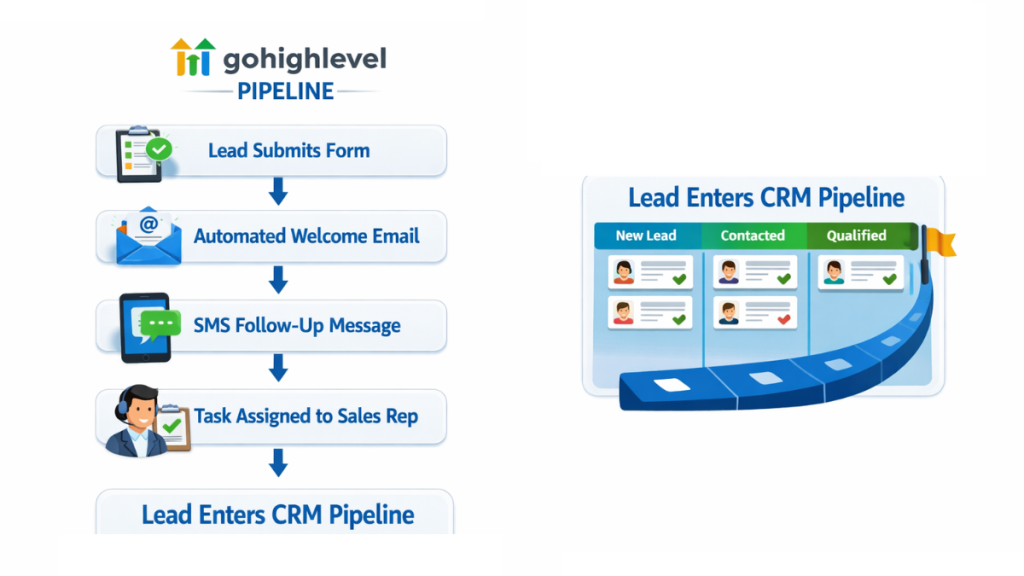
For example, when someone fills out a contact form, the CRM can instantly send a welcome email, assign a task to a sales rep, add the lead to a pipeline, and trigger a text message reminder. That is a basic workflow, but it already removes several manual steps.
These automated processes usually work best when paired with a structured lead system. That is why many businesses combine workflow automation with the systems explained in CRM Pipeline Management.
Common workflow triggers include
- New form submission
- Appointment booked
- Lead replied to an email
- Missed call received
- Tag added to a contact
- Deal moved to another stage
- Common workflow actions include:
- Send email
- Send SMS
- Assign task
- Move opportunity to a new stage
- Notify staff member
- Wait a set period before the next step
The point is not just saving time. The real value is making sure leads are handled the same way every time.
Why Automated Lead Follow-Ups Increase Conversions
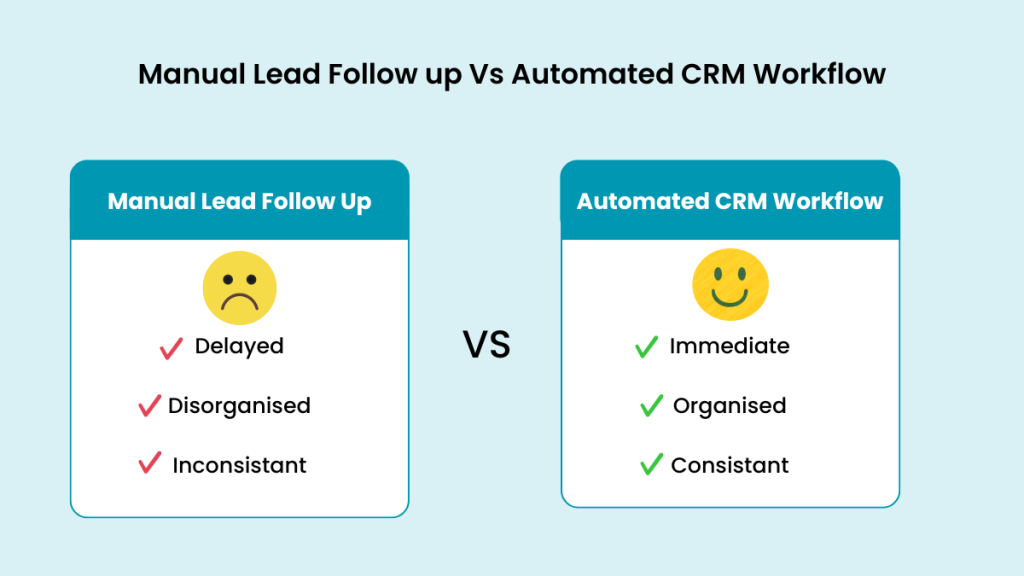
Most businesses do not lose leads because their service is bad. They lose leads because the follow-up is slow, inconsistent, or forgotten.
CRM workflow automation solves that by responding immediately. If a lead submits a form at 9:12 p.m., the CRM does not wait until the next morning. It can send a confirmation message, offer a booking link, and notify the business right away.
That matters because the first few minutes after a lead comes in are often the most important. Businesses usually realise this after struggling with messy lead handling, which is why many first look into tools like the ones covered in Best CRM for Lead Generation (2026 Guide).
Automation also improves consistency. Every lead gets the same starting experience. That means fewer missed opportunities, fewer forgotten replies, and a cleaner path from enquiry to sale.
A simple automated lead follow-up might look like this:
A visitor submits a form
The CRM sends an instant email reply
A text message goes out five minutes later
A task is assigned to the sales rep
The contact is moved into the pipeline
If no reply happens within two days, another message is sent automatically
That is a much stronger system than relying on memory.
The Best CRM Workflow Automation Tools
Not every CRM handles automation well. Some tools are mainly contact databases with light workflow features. Others are built around automation from the start.
Businesses looking for serious lead handling usually want a platform that combines pipeline visibility with workflow rules, which is also why systems featured in Best CRM for Marketing Automation tend to stand out.
GoHighLevel
GoHighLevel is built for businesses that want CRM pipelines, workflow automation, email, SMS, funnels, and follow-up tools in one place. It is especially useful for service businesses, agencies, and lead-driven businesses that want to automate more than just email.
A typical GoHighLevel workflow might trigger an email after a form fill, send a text reminder before an appointment, move the lead to another pipeline stage, and notify a team member if the lead replies.
Because it combines multiple systems in one dashboard, it is one of the strongest options for workflow-heavy setups.
HubSpot CRM
HubSpot CRM offers strong workflow tools, especially for sales and marketing teams that want polished reporting and structured nurturing sequences. It is widely used, but advanced automation can become expensive as needs grow.
ActiveCampaign
ActiveCampaign is strong for email-driven automation. It works well for businesses that care a lot about email sequences, tagging, segmentation, and behavioural triggers. It is less all-in-one than GoHighLevel, but very capable for marketing workflows.
Zoho CRM
Zoho CRM is a more affordable option for smaller businesses that want workflow rules without enterprise pricing. It can handle lead routing, follow-up automation, and task creation, though the overall experience is less streamlined than some of the more automation-focused tools.
Pipedrive
Pipedrive is known more for visual pipeline management than advanced automation, but it still works well for businesses that want a simple sales process with basic workflow support.
If you’re comparing platforms, this breakdown of GoHighLevel pricing explains what you actually get at each level.
Comparison Table
| Platform | Best For | Automation | Pricing |
|---|---|---|---|
| GoHighLevel | All-in-one lead follow-up automation | Advanced | From $97/month |
| HubSpot CRM | Larger sales and marketing teams | Strong | Free plan, paid upgrades |
| ActiveCampaign | Email-driven automation | Advanced | From $39/month |
| Zoho CRM | Small business workflows | Moderate | From $14/month |
| Pipedrive | Simple pipeline tracking | Basic to moderate | From $14.90/month |
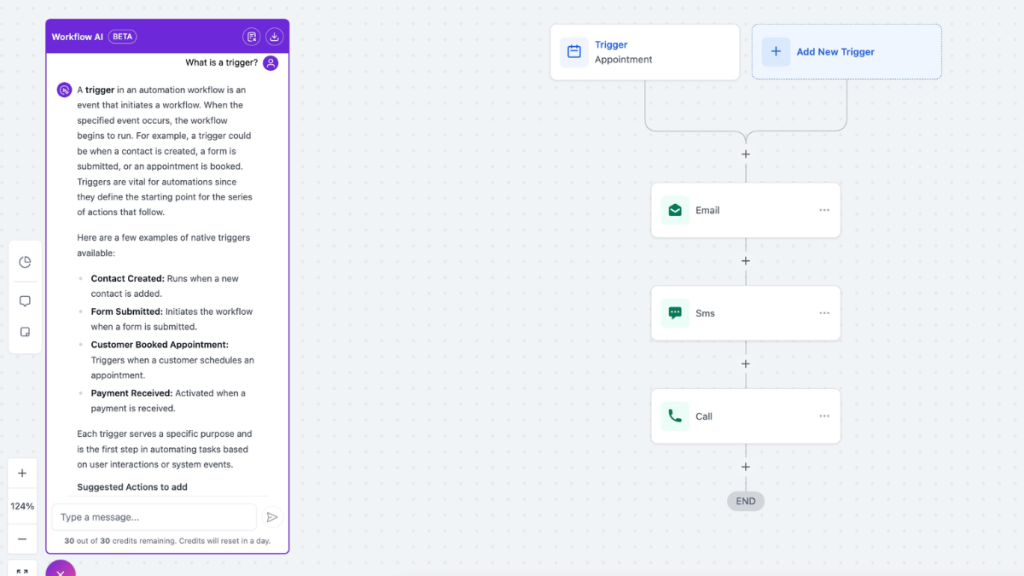
Example of a simple automated CRM workflow used by many businesses
CRM Workflow Automation Examples
The easiest way to understand CRM workflow automation is to look at what businesses actually automate.
1. New Lead Response
When someone fills in a contact form, the CRM instantly sends an email or text to confirm their enquiry. At the same time, it alerts the business and adds the lead to the pipeline.
2. Appointment Reminder Workflow
Once a lead books a consultation, the CRM can send a confirmation email, then a reminder text 24 hours before, then another reminder one hour before the appointment.
3. Missed Call Follow-Up
If a business misses a phone call, the CRM can automatically send a text message that says something like, “Sorry we missed your call. Reply here and we’ll get back to you.”
4. Lead Nurturing Sequence
If the lead is not ready to buy today, the CRM can send educational follow-ups over the next few days or weeks. This is one reason businesses looking beyond a basic contact manager often move toward platforms discussed in Best CRM With Automation for Small Businesses.
5. Internal Sales Task Workflow
A CRM can assign tasks automatically based on what the lead does. For example, if a prospect books a demo, the sales rep gets a task to prepare, and the lead moves to the next stage automatically.
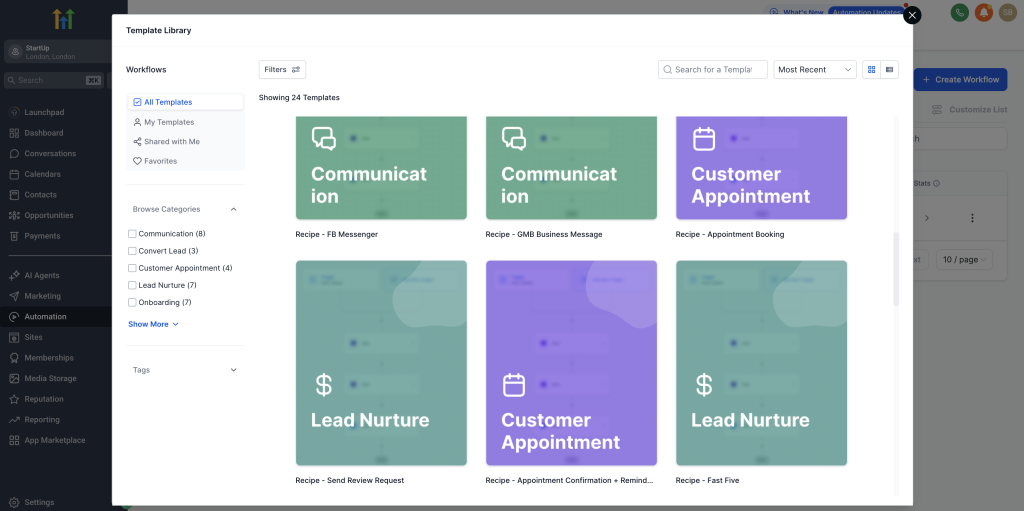
How Small Businesses Use CRM Workflow Automation
Small businesses usually do not need complicated enterprise automation. What they need is a system that stops leads slipping through the cracks.
A simple small business workflow could look like this:
Lead submits a website form
CRM sends an automated welcome email
CRM sends a follow-up text
A task is assigned to the business owner
The lead is placed into the pipeline
A reminder is triggered if there is no reply after 24 hours
Even that basic setup can make a big difference. Many smaller teams start with platforms designed to simplify lead handling, like the ones discussed in Best CRM Software for Small Businesses.
For businesses comparing costs before they commit, it also helps to understand how all-in-one systems are priced, especially if SMS and phone usage matter. That is covered in GoHighLevel Pricing UK & US.
What Makes a Good CRM Workflow
A good workflow is not complicated for the sake of it. It is clear, fast, and tied to actual business goals.
The best CRM workflows usually have:
A clear trigger
A relevant first response
A sensible delay between steps
A next action if the lead does not reply
A pipeline update so the team can see progress
A lot of businesses overbuild their automations early on. It is usually better to start with one strong workflow for new leads, then expand once that is working properly.
When CRM Workflow Automation Becomes Worth It
If you only get one lead every few weeks, automation is helpful but not urgent.
If you get regular enquiries, book appointments, or rely on follow-up to make sales, automation becomes much more valuable. At that point, the question is no longer whether you need automation. It is whether your current system is costing you leads by being too slow.
The more lead volume you have, the more valuable a repeatable workflow becomes.
Businesses that want pipelines, texts, emails, reminders, and follow-ups in one system often end up using all-in-one tools because they reduce the amount of software needed.
Final Thoughts
CRM workflow automation is really about making lead follow-up reliable. It helps businesses respond faster, stay organised, and reduce the number of leads lost through delay or inconsistency.
For some businesses, a simple workflow is enough. For others, especially service businesses or agencies, the best option is a system that combines CRM pipelines, messaging, and automation in one place.
If your lead process still depends on memory, inbox checking, or manual reminders, workflow automation is probably worth implementing sooner than later.
FAQ
What is CRM workflow automation?
CRM workflow automation is the use of triggers and actions inside a CRM to automate tasks like lead follow-ups, emails, texts, task assignments, and pipeline updates.
What can CRM workflows automate?
They can automate form responses, appointment reminders, sales tasks, lead nurturing, pipeline stage changes, and missed call text-backs.
What is the best CRM for workflow automation?
That depends on the business, but GoHighLevel, HubSpot, ActiveCampaign, and Zoho CRM are all strong options depending on whether you want all-in-one tools or email-focused automation.
Do small businesses need CRM workflow automation?
Yes, especially if they rely on leads coming through forms, calls, or bookings. Even a simple workflow can improve response time and reduce missed opportunities.
Suggested Reads
CRM Pipeline Management (2026)
Best CRM for Lead Generation (2026 Guide)
Best CRM for Marketing Automation (2026 Guide)
Best CRM Software for Small Business (2026)
GoHighLevel Pricing UK & US Breakdown (SMS, Phone, Annual + Hidden Costs)