
Affiliate links – I earn a commission if you sign up through this page, at no extra cost to you. That’s exactly why the weaknesses below aren’t softened. If GoHighLevel isn’t right for your business, I’d rather you know before you start a trial
Most businesses that are losing leads aren’t losing them because of bad marketing. They’re losing them because their lead capture system breaks the moment a lead actually arrives.
You’ve got a form. Maybe a landing page. Notifications turned on. But the system breaks in the first 60 seconds — and leads disappear before you ever speak to them.
This guide explains exactly why your current lead capture method is failing and what a proper replacement looks like.
Key Takeaways
- 78% of customers go with the first business that responds — speed matters more than quality of offer (Lead Connect, 2024)
- The average business takes 47 hours to respond to a new lead — by which point the lead has already moved on (Optifai, 2025)
- Responding within 5 minutes makes you 21x more likely to qualify a lead than responding after 30 minutes (MIT Sloan/InsideSales)
- Most businesses don’t have a lead generation problem — they have a lead handling problem
- A form is not a lead capture system. A form plus instant response plus automated follow-up is a lead capture system.
See how to fix this with a proper automated system
You’re not losing leads because of bad marketing.
You’re losing them because you’re too slow to respond.
Get the system that responds to every enquiry automatically – even when you’re on a job.
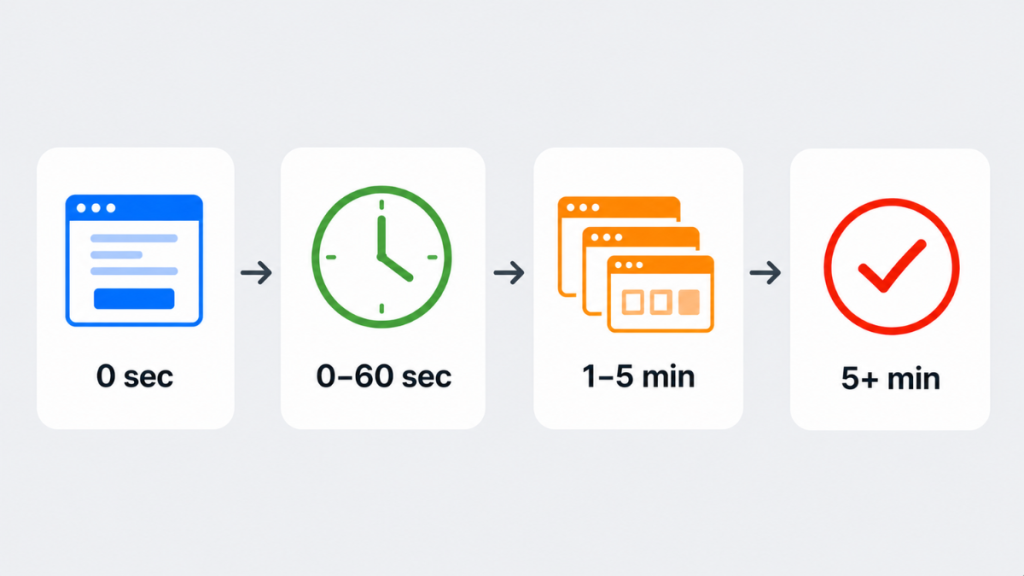
The Real Reason Your Lead Capture Isn’t Working
Here’s what most businesses think is happening when they “capture a lead”:
Someone fills in a form → you get a notification → you reply when you can.
Here’s what’s actually happening from the lead’s perspective:
They fill in your form, then immediately open three more tabs and send enquiries to your competitors. They’re not waiting. They’re comparing. And they choose based on speed, not quality. If you don’t respond instantly, you’re not competing — you’re arriving late.
This is the lead handling gap. Your form is capturing the data. But your system isn’t capturing the moment — and the moment is everything.
You’re Not Losing Leads. You’re Losing Timing.
Most businesses think leads disappear randomly. They don’t. They convert somewhere else.
When a lead fills out your form, they’re not committing to you. They’re starting a search. In that moment they’re actively comparing options, still emotionally engaged in the problem, and expecting a response. That window is short. Sometimes minutes.
If your system doesn’t respond instantly, the lead doesn’t “cool off” — they redirect their attention to whoever replies first. Not because you were worse. Because you were slower.
This is where most businesses get it wrong. They believe “we’ll reply later” or “if they’re serious, they’ll wait.” They won’t. From the lead’s perspective, silence feels like disinterest. So they move on.
See how to fix this with an automated follow-up system →
The Form Itself Might Also Be the Problem
Before fixing your response speed, check the form is not creating friction before the lead even submits. The most common form mistakes that kill conversion are asking for too many fields – name, email, phone, message, address, budget – when name and phone alone is enough to start a conversation. No clear call to action above the form telling the visitor what happens next. No trust signals nearby – reviews, accreditations, or a simple “we reply within minutes” line. A form that converts well is short, specific, and tells the lead exactly what to expect. Fix the form first, then automate the response.
The 60-Second Capture Window
Research from MIT Sloan and InsideSales found that responding within 5 minutes makes a business 21x more likely to qualify that lead than responding after 30 minutes.
Inside that window, the lead is still actively thinking about their problem, comparing options in real time, and expecting acknowledgement. What breaks most systems inside that window isn’t slow typing — it’s no response at all. No confirmation. No next step. That creates uncertainty. And uncertainty kills conversion faster than price ever will.
By the time you reply, they’ve already spoken to someone else.
Why Your Current Lead Capture Method Is Failing
Most businesses rely on one of these setups — all with the same fundamental flaw:
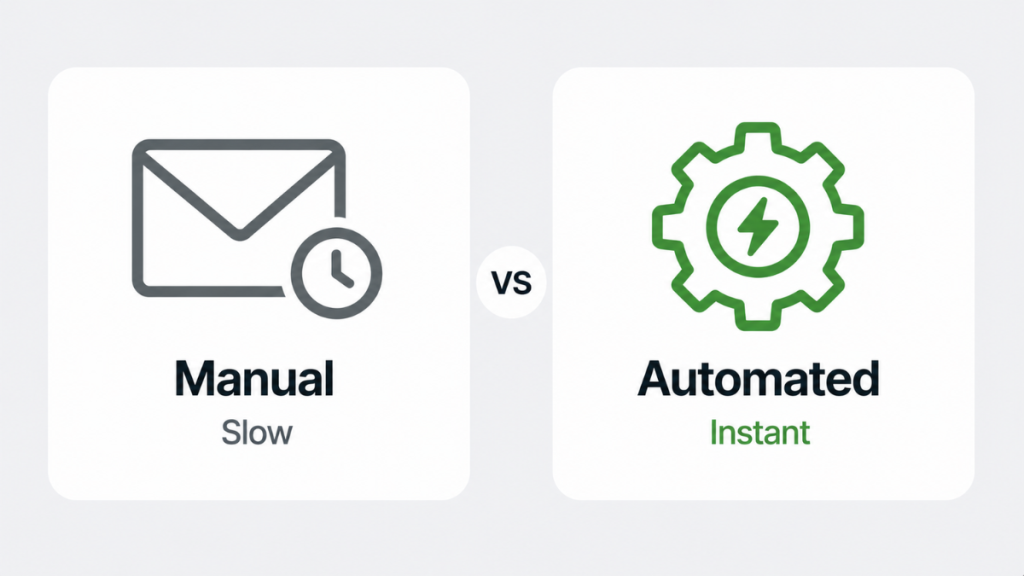
Email notification system — You get an email when a lead comes in and reply manually. Even a 10–30 minute delay is enough for the lead to go elsewhere.
Form to CRM only — The lead gets stored but nobody responds automatically. You’ve captured the data but missed the person.
Manual follow-up — You rely on remembering to follow up. Some leads get quick replies. Others get forgotten. No consistency and no visibility.
All three setups are reactive in a real-time environment. And most businesses never even reach the follow-up stage — which is where most conversions actually happen. See our why businesses lose leads guide for the data behind exactly where leads drop off.
If this isn’t automated, you don’t have lead capture. You have lead leakage.
Most businesses don’t need more leads — they need a system that actually responds to the ones they already have. More traffic going into a broken system just means more leads getting lost.
Most Businesses Don’t Actually Need More Leads
This is where people get it wrong. They think the answer is more traffic.
But what they actually need is to stop losing the leads they already have. More leads don’t fix a broken system. They just make the losses harder to notice.
What a Proper Lead Capture System for Small Business Actually Does
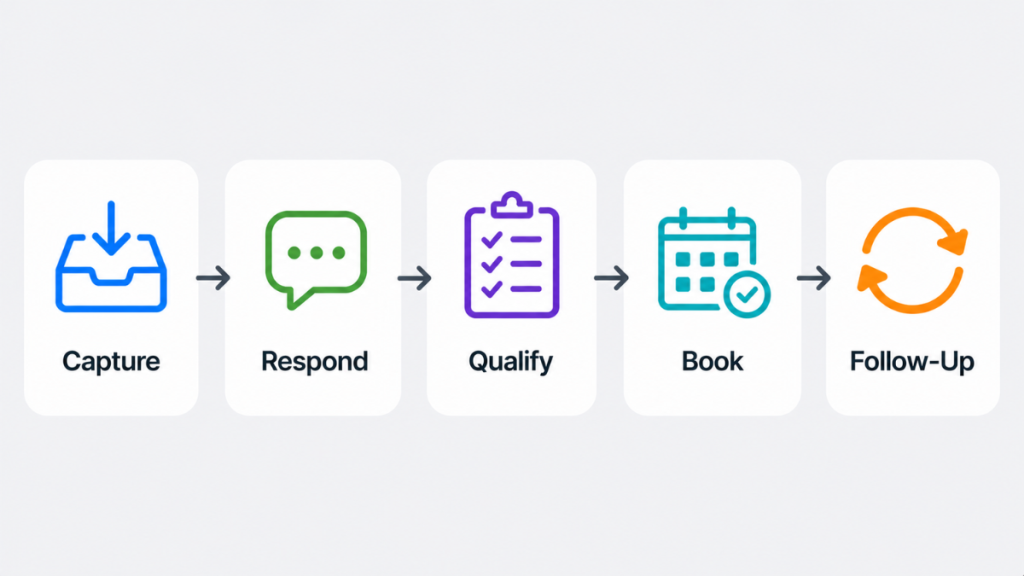
This is exactly where most systems break — not at lead generation, but in the first response. A proper system doesn’t just collect the lead. It acts on it immediately.
- Captures instantly — stored in CRM the moment it arrives
- Responds within seconds — automated SMS while intent is still high
- Qualifies automatically — follow-up identifies pricing or call intent
- Converts quickly — booking link sent in the same session
- Follows up if ignored — recovery sequence runs over 1–3 days
See the complete sequence in our lead follow-up system guide — including exact timing, message templates, and how to set it up.
Which Tool Actually Fixes This
Most tools only solve one part of the problem. Very few handle the full sequence — capture, instant response, follow-up, booking, and recovery — in a single system.
Three categories of tools get used for lead capture — they solve different problems:
| Tool | Best For | What It Doesn’t Do |
|---|---|---|
| GoHighLevel | Full capture, response, follow-up, booking in one system | Not built for e-commerce |
| ActiveCampaign | Email-driven follow-up sequences | No SMS or UK phone number |
| Pipedrive | Pipeline visibility with manual follow-up | No automatic messaging without integrations |
| ClickFunnels | Generating leads via funnels | Doesn’t manage follow-up automatically |
| HubSpot | Structured CRM and pipeline management | Automation locked behind expensive paid tiers |
For service businesses that need to capture leads and respond instantly – GoHighLevel is the only platform that handles the entire sequence natively. When a lead comes in, it sends the SMS, triggers the follow-up sequence, and books the appointment, without manual input. See how the missed call text-back feature works as a specific example.
See our CRM with automation guide for a full breakdown of what to look for in a platform that actually automates follow-up.
Signs Your Current Method Needs Replacing
You need a new system if any of these apply:
- Leads submit enquiries and you don’t respond until the next day
- You have no visibility into how many leads came in this week or where they are
- Your follow-up depends on someone remembering to do it
- Different leads get completely different response experiences
- You’re getting traffic and enquiries but your conversion rate feels lower than it should be
- You’ve lost jobs to competitors who “got there first”
If three or more of those apply — your lead capture system isn’t a system. It’s a collection of good intentions. The best CRM for small business comparison shows which platforms solve this properly at every budget level.
If your system doesn’t respond instantly, you’re already losing leads — even if your marketing is working perfectly.
FAQ
Why aren’t my forms converting leads? Forms capture data but don’t convert leads. Conversion happens in the follow-up. If there’s no instant response after a form submission, the lead moves on before you’ve had a chance to start a conversation. A proper lead capture system for small business doesn’t just collect form data — it responds automatically within seconds.
What’s the difference between lead capture and lead generation? Lead generation brings people to you — ads, SEO, social media. Lead capture is what happens the moment someone shows interest. Most businesses invest heavily in lead generation and almost nothing in lead capture. That’s where the money gets lost.
Do I need automation tools to fix my lead capture? Yes — if your business depends on responding quickly to enquiries. Without automation, response delays are unavoidable at any volume of leads.
What’s the fastest way to fix a broken lead capture system? Connect your lead source directly to a CRM that sends an automatic SMS response and triggers a follow-up sequence. GoHighLevel does this natively. The whole setup takes a few hours to configure properly.
What’s the biggest mistake businesses make with lead capture? Thinking a form alone is enough. They install tools but don’t build systems — create a form, connect an email notification, and stop. That’s not automation. That’s delay with extra steps.
Suggested Reads
Lead Follow-Up System → The complete follow-up sequence that runs automatically after a lead comes in
Why Businesses Lose Leads → The stats behind why most leads never convert and what fixes it
Missed Call Text-Back System → How to automatically recover leads from missed calls
CRM With Automation → What to look for in a CRM that actually automates your follow-up
Best CRM for Small Business UK → Full platform comparison including GoHighLevel, HubSpot and Pipedrive